Want to win more jobs with less effort?
Grow your business and send quick quotes with our home service software.

Want to see your potential revenue?
See what businesses like yours earn with Housecall Pro in 1 - 2 minutes.

A full calendar doesn’t mean your HVAC schedule is running smoothly. A basic calendar can show booked jobs, but it won’t necessarily help your dispatcher fit in an emergency call, assign the right technician, adjust a route, or keep a customer updated when the day changes.
The right HVAC scheduling app should fit the jobs you take on, the size of your team, and the way you work. This guide shows you what to look for, how to test an app with your team, and what to check before signing up.
Quick answer: How do you choose an HVAC scheduling app?
Start by mapping how jobs move through your business. Then compare how each app handles mobile access, routing, customer updates, maintenance visits, and connections to your other tools. Have your dispatcher and technicians test the same everyday tasks in each app, then check the total cost, security, and access to your records before signing up.
Key takeaways
Here’s what to check before choosing an HVAC scheduling app.
Map your process: Find where job details get delayed, lost, or entered twice.
Prioritize daily needs: Focus on features that solve the problems your team faces each week.
Include your team: Have dispatchers and technicians try each app you’re considering.
Check total cost: Add up fees for users, setup, training, add-ons, and payment processing.
Protect your data: Check how your records are protected and whether you can export them.
Table of contents
- What is an HVAC scheduling app?
- HVAC scheduling vs. dispatching software
- How to choose an HVAC scheduling app, step by step
- Questions to ask during an HVAC software demo or trial
- HVAC scheduling app test scenarios to run during a trial
- Red flags to watch for when choosing an HVAC scheduling app
- How to switch to a new HVAC scheduling app: data migration, setup, and training
- Explore Housecall Pro’s HVAC scheduling app
What is an HVAC scheduling app?
An HVAC scheduling app organizes appointments, technician availability, and job details in one place. It gives office staff and technicians access to the same schedule so everyone can see where jobs stand and what comes next.
Some HVAC scheduling apps only manage appointment times. Others, like Housecall Pro, connect scheduling with dispatching, customer records, equipment history, estimates, invoices, and payments, so your team can manage a job from booking through payment.
Whether you’re working solo or across a team, choose an app that fits how you work today and can support you as you grow. Look for options to add users, share live schedule updates, and control who can view or change information as you bring on more people.
HVAC scheduling vs. dispatching software
Scheduling determines when and where work should happen. Dispatching assigns technicians to that work and helps the office adjust those assignments as the day changes.
For example, scheduling books a repair for Tuesday morning. Dispatching assigns the technician and allows the office to reassign the call if that technician gets stuck on an earlier job.
HVAC scheduling and dispatch software often handles both tasks in one place. That way, the office and field team can see the same job assignments, status updates, and customer details.
How to choose an HVAC scheduling app, step by step
Start with how your team works today. Pinpoint where scheduling slows you down, then use the steps below to check whether an app can help.
1. Map how jobs move through your business
Write down what happens from the first customer call or online booking through payment and follow-up. For each step, note who handles it, which tools they use, and what information they need to pass along. This could include:
- Receiving a service request
- Creating the customer and job record
- Choosing an appointment window
- Assigning a technician
- Sending reminders
- Updating the customer
- Completing the job
- Preparing an estimate or invoice
- Collecting payment
- Scheduling follow-up work
Cover the full range of jobs you handle, including after-hours calls, no-cooling emergencies, replacement estimates, seasonal tune-ups, recurring maintenance, and multi-day installations.
Look for places where someone has to chase down information. If your dispatcher regularly calls technicians for status updates or switches between tools to find customer details, add those problems to your list of things the app needs to solve.
2. Separate must-have features from nice-to-haves
Build a short list of features that would solve the problems your team faces every week. Use that list to keep demos focused on what you need.
Common HVAC scheduling software features include:
- Drag-and-drop scheduling
- Multi-technician jobs
- Multi-day appointments
- Recurring visits
- Customer and job notes
- Equipment history
- Automated appointment reminders
- Mobile access for technicians
Mark each feature as essential, helpful, or unnecessary. Give the most weight to the tasks your team handles every day, such as booking calls and updating the schedule.
3. Test how fast dispatchers can reassign jobs and add emergency calls

A July afternoon can change quickly when a no-cooling call comes in, a compressor replacement runs long, or a technician calls out.
Look for software that makes it easy to see who’s available, where they are, and which jobs can move. Your dispatcher still needs to decide what the team can take on, but clear schedule information helps them make that call.
During a demo, ask the provider to show you how to:
- Reassign a job
- Move an appointment
- Insert an emergency call
- Change a technician’s status
- Notify the customer
- Update the rest of the route
The office and technician should see the change without anyone having to enter it twice. Count how many steps it takes and consider whether your dispatcher could make the same change quickly on a busy afternoon.
Read more: How AI booking and dispatch works for home service companies
4. Test the technician mobile app in the field
Technicians need an app they can use easily between calls and at the job site. Before arriving, they should be able to find the customer’s contact information, address, appointment notes, equipment history, directions, and payment status.
Ask technicians to test the app on the phones or tablets they’ll actually use. Give them tasks such as finding a previous repair note, adding photos, updating a job status, preparing an estimate, and collecting payment.
Test the app in areas where connectivity is weak. Some apps may let technicians view saved job details or record notes without service, while payments, maps, or live schedule changes may still require a connection. Ask which features work offline and what happens to saved changes when the connection returns.
Get In Touch: 858-842-5746
Let us earn your trust
On average, Pros increase monthly revenue generated through Housecall Pro by more than 35% after their first year.
See plan options and feature breakdown on our pricing page.
5. Check HVAC routing, GPS tracking, and on-my-way notifications
Routing tools can help your dispatcher see where technicians are working, estimate travel time, and adjust assignments when the schedule changes.
For example, a dispatcher may need to assign an urgent no-cooling call to a nearby technician instead of the next person listed on the schedule.
Check whether the app provides:
- A map of assigned jobs
- Estimated travel times
- Live traffic information
- Route adjustments
- Technician locations
- Customer arrival windows
- On-my-way notifications
A route that looks efficient at 8 a.m. may no longer work after a job runs long. Test how easily the dispatcher can adjust the route and communicate the change.
Be transparent with employees about location tracking. Create a written policy explaining what’s tracked, when tracking occurs, and how the information is used. Review applicable employment and privacy requirements before enabling it.
6. Review customer booking and communication features
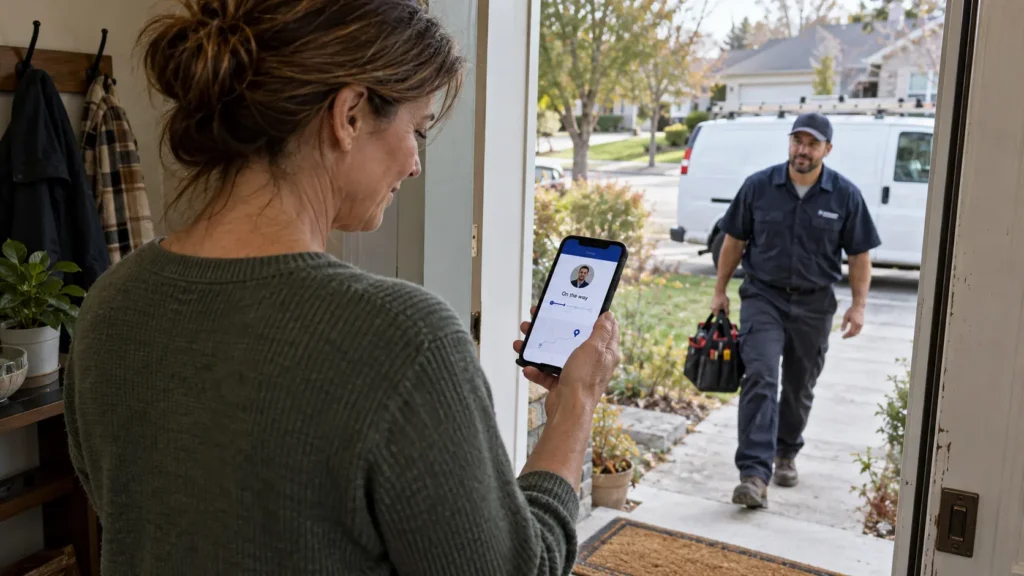
HVAC appointment scheduling software should let your company control what customers can book. Check whether you can choose which services, time windows, service areas, and technicians are available through online booking.
Communication features may include:
- Booking confirmations
- Appointment reminders
- On-my-way texts
- Technician arrival details
- Delay notifications
- Rescheduling messages
- Post-job follow-ups
Review the message templates and confirm that your team can change the wording. Keep messages focused on what customers need to know, such as when to expect a technician or how to change an appointment.
Also test what happens when a customer needs to reschedule. See whether they can select a new time, request a change, or need to call your office.
Check what happens after hours, too. If a no-cooling call comes in at 9 p.m., can the customer book online or reach an AI-answered line, or does it go to voicemail?
Read more: How home service companies automate customer follow up after every job
7. Make sure it supports HVAC-specific work
A general appointment calendar may work for simple service calls but struggle with the different types of work an HVAC company handles.
Test how the system schedules:
- Emergency service calls
- Diagnostic appointments
- Replacement estimates
- Seasonal tune-ups
- Recurring maintenance
- Multi-day installations
- Jobs requiring multiple technicians
- Follow-up visits after parts arrive
Also check for:
- Equipment history: Can a technician pull up a unit’s details and past service notes before recommending a repair or replacement?
- Recurring service plans: Does the app track renewals and send reminders before a plan lapses?
- Commercial work: Can it handle multiple properties, per-unit service records, purchase orders, and separate billing contacts?
8. Check HVAC software integrations: estimates, invoicing, payments, and accounting
If your scheduling app doesn’t connect with your other systems, employees may have to enter the same customer or service information several times.
Check whether the app connects scheduling with:
- Customer records
- Equipment history
- Price books
- Estimates and proposals
- Invoices
- Payments
- Accounting
- Reporting
Think about which tools you want to keep and which you’d like to replace. If you’re keeping your accounting, customer management, or payment software, ask how the scheduling app connects to it and which information transfers automatically.
If your team loses time copying job information between separate tools, an integrated platform can help reduce that work. Housecall Pro’s scheduling and dispatch software connects the calendar with mobile job details, route mapping, automated customer updates, online booking, estimates, invoices, and payments.
9. Confirm HVAC scheduling software security and data access
Scheduling software may contain customer addresses, contact information, job histories, employee locations, invoices, and payment-related records. Ask how the provider protects those records and how you can choose who has access to them.
Look for:
- Multi-factor authentication
- Individual employee accounts
- Permissions based on each employee’s role
- Access removal for former employees
- Security-update policies
- Data-backup procedures
- Data-export options
Avoid using one shared account for the entire team. Individual logins make it easier to limit access by role and remove a former employee without disrupting everyone else.
NIST’s small-business cybersecurity guidance can help you evaluate basic protections. Also ask what happens to your records if you cancel and whether you can export them in a format your next system can use.
10. Calculate the HVAC scheduling software’s total cost, not just the monthly price
A plan that looks inexpensive for one user may cost more once you add five technicians, payment processing, onboarding, and add-ons.
Add up what the software will cost for your current team and how that price could change as you hire. Include:
- Base subscription
- Per-user or per-technician fees
- Additional-location charges
- Setup and onboarding
- Data migration
- Training
- Paid add-ons
- Integration fees
- Payment-processing fees
- Contract length
- Cancellation terms
Check each provider’s current published pricing and request a written quote based on your requirements. Don’t assume that plans with similar monthly prices include the same features.
Factor in your team’s time, too. A lower monthly price may offer less value if employees spend extra hours copying job details or fixing scheduling mistakes.
11. Run a real-world trial before committing
Have an owner or manager, a dispatcher, and a technician try the app. Each person can check whether it supports the tasks they’re responsible for and flag problems the others might miss.
Run the same tasks in each app so you can compare results. After each test, ask:
- Could the employee complete the task without help?
- How long did it take?
- Was important information easy to find?
- Did changes appear for everyone who needed them?
- Did the customer receive the correct message?
- Did anyone have to copy information or repeat a step?
Before signing, confirm onboarding support, data-migration responsibilities, contract length, cancellation terms, and training requirements.
Questions to ask during an HVAC software demo or trial
Bring these questions to your demo so you leave with clear answers about how the app would work for your team.
Scheduling and dispatch
- How many steps does it take to reassign a job?
- Can two employees edit the schedule without creating conflicts?
- Can we assign technicians by skill, location, or availability?
Mobile app
- What can technicians see before arriving?
- Which features work without cellular service?
- Can technicians add photos and notes, prepare estimates, and collect payments?
Customer communication
- Can customers reschedule without calling?
- Which messages send automatically?
- Can we change the timing and wording?
HVAC workflows
- How does the app handle multi-day installations?
- Can we assign multiple technicians to one job?
- Can it create recurring maintenance visits?
- Can technicians review equipment history by property?
Integrations and data
- Does the app replace our current invoicing and payment tools?
- Does it integrate with the systems we plan to keep?
- Can we export our complete customer and job history?
Security
- Does every employee receive an individual account?
- Can we limit permissions by role?
- What happens to our data if we cancel?
Pricing and onboarding
- Is pricing based on users, technicians, or locations?
- Which features cost extra?
- How long does onboarding take for a business our size?
HVAC scheduling app test scenarios to run during a trial
Use these scenarios to see how each app handles a typical HVAC service day. Note how long tasks take, where your team gets stuck, and whether everyone receives the updates they need.
- Book a routine repair and assign it by availability.
- Insert an emergency no-cooling call into a full afternoon.
- Reassign several jobs after a technician calls out.
- Move later appointments when a repair runs long.
- Schedule a two-day installation with multiple technicians.
- Create a recurring seasonal maintenance visit.
- Send a confirmation, reminder, and on-my-way message.
- Reschedule an appointment and notify everyone affected.
- Find equipment and service history in the mobile app.
- Export customer, schedule, and job-history data.
Red flags to watch for when choosing an HVAC scheduling app
As you test each app, watch for issues that could slow your team down or add unexpected costs:
- Unclear or inconsistent pricing
- Slow or complicated mobile workflows
- Limited onboarding support
- A demo that avoids your real scenarios
- Shared logins instead of individual accounts
- Common workflows that require repeated manual work
- Contract and cancellation terms that are hard to find
How to switch to a new HVAC scheduling app: data migration, setup, and training
Start by cleaning your existing customer and job records. Duplicate contacts, incomplete addresses, and inconsistent job names will make migration harder.
Decide which customer profiles, service addresses, equipment records, estimates, invoices, service plans, and job notes you need to bring over. Import a small sample first, then check that the records are complete and the details appear in the right places before moving everything.
Put one person in charge of the switch. Have them coordinate decisions about job types, appointment windows, employee access, message templates, and the details your team needs to record. Train office staff and technicians on the tasks they’ll handle each day.
Check in with your team after 30 days and again after 60 days. Ask what’s working and where they need more help, then review measures such as time spent booking jobs, on-time arrivals, and missed appointments. Use what you learn to adjust settings or provide more training.
Explore Housecall Pro’s HVAC scheduling app
Choosing an HVAC scheduling app comes down to how well it handles your workday. When an emergency call comes in or a repair runs long, you need a way to adjust assignments, keep technicians informed, and update customers.
Housecall Pro’s HVAC software connects scheduling and dispatching with customer records, mobile job details, automated customer updates, estimates, invoices, and payments. You can manage the schedule from the office while technicians access job information and collect payment in the field, with fewer details to copy between tools.
Start a free 14-day trial and test Housecall Pro against the scenarios in this guide.
HVAC scheduling app FAQ
What features should an HVAC scheduling app have?
At minimum, an HVAC scheduling app should provide a shared calendar, technician availability, job assignments, mobile access, customer records, and reminders. Growing teams may also need routing, recurring maintenance, equipment history, estimates, payments, reporting, and integrations. Choose features based on the problems your team handles every week.
What’s the difference between HVAC scheduling and dispatching software?
Scheduling determines when and where an HVAC job should happen. Dispatching assigns a technician and helps the office adjust the assignment when jobs run long or emergencies arrive. Scheduling books a tune-up for Thursday at 2 p.m.; dispatch picks the technician and moves the job when an emergency pushes that person’s afternoon back.
Can HVAC scheduling software manage recurring maintenance visits?
Yes, many HVAC scheduling apps can create recurring appointments for seasonal tune-ups and preventive maintenance. During a trial, check whether the app can set the correct frequency, assign a technician, preserve equipment history, send reminders, and update future visits when a customer reschedules.
Does a small HVAC business need an all-in-one platform?
Not every small HVAC business needs an all-in-one platform. A solo pro may only need scheduling, customer records, and invoicing. An all-in-one platform becomes more useful when the same customer and job information must move through scheduling, estimates, invoicing, and payment. A good signal: if you or your office staff re-enter the same customer details in two or more tools, an all-in-one platform is worth exploring.
How much does HVAC scheduling software cost?
HVAC scheduling software ranges from about $59 a month for a solo user to several hundred dollars a month for a small crew. What you’ll actually pay depends on team size, because the cheapest plan often has a user cap. Total cost can also include setup, migration, training, add-ons, integrations, and payment processing. Compare written quotes based on the same team size and requirements instead of relying only on advertised starting prices. A quick formula: (price per user × number of users) + add-ons + payment-processing fees = your real monthly cost.
Does HVAC scheduling software work offline?
Offline access varies by provider and by feature, so ask for a feature-by-feature list. In a basement or attic with no signal, a technician might still open a saved job and type notes, but a card payment, a map, or a schedule change pushed from the office usually needs a connection.
How long does it take to set up HVAC scheduling software?
Setup time depends on how much data you’re moving, which integrations you need, and how many roles require training. A basic setup includes importing customers, configuring job types and permissions, testing notifications, and training users. Ask each provider for a written timeline with dates for data import, a test period, and go-live.