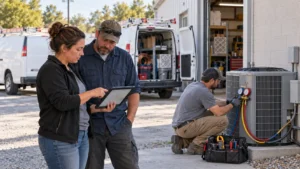
Want to win more jobs with less effort?
Grow your business and send quick quotes with our home service software.

Want to see your potential revenue?
See what businesses like yours earn with Housecall Pro in 1 - 2 minutes.

When your HVAC business has one truck and a small job calendar, a basic scheduling tool might be enough. But once you add more crews, service calls, maintenance agreements, emergency jobs, installations, and after-hours requests, keeping everything organized gets harder.
HVAC field service software helps growing businesses manage day-to-day operations, including scheduling, dispatching, technician communication, estimates, invoices, payments, service agreements, and job history. It’s different from HVAC customer relationship management (CRM) software, which focuses more on leads, sales follow-up, customer relationships, and marketing workflows.
For this comparison, we looked at how each platform supports growing HVAC teams that need more than a shared calendar or spreadsheet. The strongest tools make it easier to assign the right tech, keep jobs moving, give your field team the information they need, and help your office stay on top of the day—even when the schedule changes.
Quick answer: What is the best HVAC field service software for growing businesses?
The best HVAC field service software for a growing business is a platform that can keep scheduling, dispatching, field communication, estimates, invoices, payments, service agreements, and job history connected as your team and workload grow.
Housecall Pro is a strong all-around option for growing residential and commercial HVAC teams. It brings dispatch, mobile field tools, invoicing, payments, and service agreements into one system without the complexity of an enterprise platform. Very large operations with dedicated office staff and multiple departments may want to compare ServiceTitan or BuildOps, while teams that don’t need heavy dispatch complexity may prefer a lighter tool like Jobber or Workiz.
When comparing HVAC software, focus on your biggest operational bottleneck and choose a platform that can support your expected crew size, job volume, field workflows, billing needs, and recurring service operations as you grow.
Key takeaways
Use these tips to evaluate HVAC software:
Choose based on operational needs: Prioritize dispatch, scheduling, mobile field workflows, invoicing, payments, equipment history, and service agreements.
Match the software to your team size: Smaller teams usually need ease of use, while growing teams need stronger dispatch, visibility, and reporting.
Compare residential and commercial fit: Residential HVAC teams usually need fast dispatch & customer communication; commercial contractors may need deeper agreement, asset, & project tracking.
Test the workflow before switching: Have a dispatcher and field tech test how jobs move from booking to dispatch, field updates, invoicing, payment, and follow-up.
Table of contents
- What to look for in HVAC field service software
- The best HVAC field service software for growing businesses
- HVAC field service software comparison
- How to choose the right software for your HVAC business
- When should an HVAC business switch field service software?
- What’s the difference between field service software and CRM software for HVAC businesses?
- How much does HVAC field service software cost?
- Run your HVAC business on one connected system
What to look for in HVAC field service software
The best HVAC field service software should help you run more jobs without creating more work for your office. That means it needs to support dispatchers, techs, owners, and back-office staff throughout the day.
Dispatch and scheduling depth
For a growing HVAC company, dispatching is often the first place spreadsheets and shared calendars start to fall short, especially when emergency calls compete with installs and recurring maintenance.
Look for software that helps you:
- See the full schedule by day, week, crew, or technician
- Assign jobs based on availability, location, skill set, or job type
- Handle emergency calls without blowing up the whole calendar
- Update techs in real time when a job changes
- Cut down on back-and-forth calls between the office and the field
- Track job status from booked to completed
A simple drag-and-drop calendar can help when you have a few jobs a day. But if you’re managing installs, maintenance visits, no-cool calls, warranty work, and estimates across multiple crews, you need a dispatch board that gives your team better visibility and more control.
HVAC-specific job details
HVAC work depends heavily on service history. A tech walking into a repeat service call should know what equipment is on-site, what was fixed last time, which parts were used, and whether the customer has a maintenance agreement.
Look for software that can help track:
- Equipment history by customer or job site
- Photos, notes, and attachments
- Maintenance agreements
- Recurring service visits
- Estimates and proposals
- Job types, tags, and service history
The more information your tech has before they arrive, the easier it is to diagnose the issue, quote the work, and finish the job without having to call the office for details.
Invoicing, estimates, and payments
Billing can become a bottleneck when techs finish work in the field but invoices don’t go out until the office has time to catch up, especially as job volume grows.
Look for software that supports:
- Mobile estimates
- On-site invoicing
- Digital payments
- Customer approvals
- Financing options, if relevant
- QuickBooks or accounting integrations
- Price book or flat-rate pricing tools
The goal is simple: shorten the time between finishing the work and getting paid.
Mobile app quality for field techs
The mobile app is where HVAC software either helps your techs or gets in their way.
A good HVAC field service mobile app should let techs:
- View job details
- See customer and equipment history
- Add notes and photos
- Build estimates
- Collect signatures
- Send invoices
- Take payments
- Update job status from the field
For example, a tech arriving for a compressor replacement should be able to see the model, warranty notes, prior photos, and last service visit before they knock on the door.
If your techs work in basements, mechanical rooms, or rural areas with spotty reception, check whether the mobile app can save key job details or updates offline and sync later.
Pro tip: Before you choose a platform, have one dispatcher and one field tech test the mobile workflow. A tool can look great in a demo but still slow your team down if the app takes too many taps during a real service call.
Pricing models
Pricing for HVAC software can vary significantly based on company size, feature selections, and industry. Some platforms publish a baseline monthly rate and scale up from there. Others price mainly through a custom quote once they know more about your business, which is common when the gap between a five-truck residential shop and a 50-tech commercial contractor is too wide for one flat number to make sense.
When comparing cost, ask:
- Is pricing per user, per technician, or per company?
- Are office users and field techs priced differently?
- Are onboarding, support, or training extra?
- Are payments, phone, AI, marketing, or reporting features add-ons?
- Is there a free trial?
- Is there a long-term contract?
Integrations
Check integrations before you buy. Growing HVAC businesses often need field service software to connect with accounting, payment processing, phone systems, email, marketing tools, financing, and reporting dashboards.
QuickBooks integration is especially important if your office already uses it every day for accounting. But don’t stop there. Make sure the software connects with the tools your team actually uses every day, not just the ones that look impressive in a feature list.
The best HVAC field service software for growing businesses
The right HVAC software depends on how your business runs today and where you’re headed next. A five-truck residential service company doesn’t need the same system as a 50-tech commercial contractor.
Here are six strong options for growing HVAC businesses, based on operational fit, dispatch depth, HVAC functionality, mobile tools, invoicing, pricing structure, and the tradeoffs you’ll want to consider.
We reviewed each platform’s published features, pricing pages, and product documentation to compare operational fit for growing HVAC businesses. Details reflect what’s publicly available on each provider’s site as of writing—confirm current plans and features directly with the provider before you buy, since pricing and packaging change. They’re listed by use case, not ranked head-to-head.
Housecall Pro
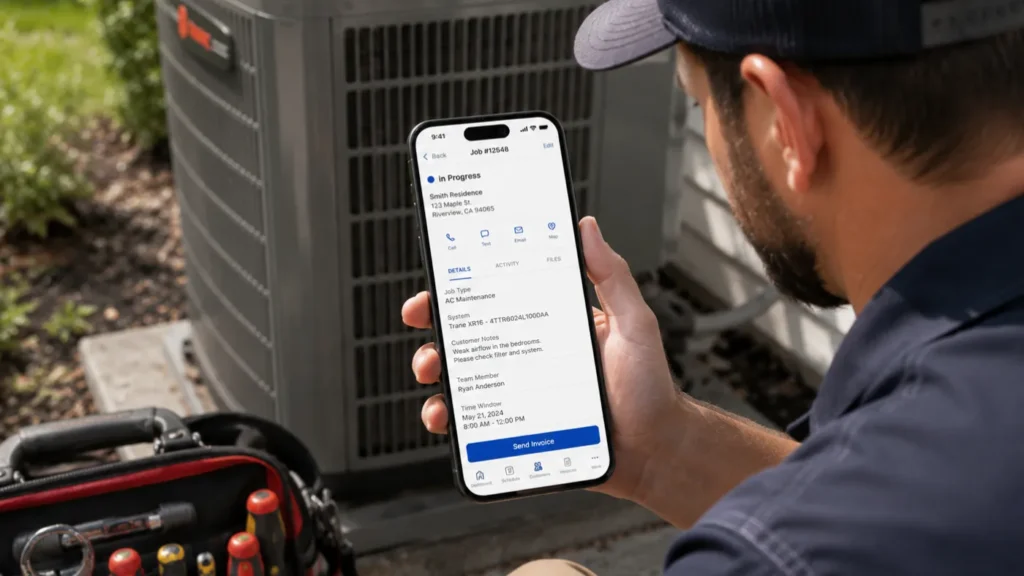
When adding crews makes it harder to keep dispatch, invoices, and service agreements in sync, Housecall Pro connects that day-to-day work in one system. The platform is built around the work that growing HVAC companies need to manage, including scheduling, dispatching, technician communication, estimates, invoices, payments, service agreements, and customer history. For teams adding crews or trying to keep more jobs moving without adding office staff, having those tools connected can make a big difference.
Housecall Pro helps HVAC businesses manage:
- Job scheduling and dispatch
- Technician mobile workflows
- Estimates and proposals
- Invoicing and payment collection
- Equipment and maintenance history
- Service agreements
- Customer communication
- Team coordination between the office and field
For example, a dispatcher can schedule a maintenance visit, update the assigned technician, and keep customer details attached to the job. A tech can review the job from the field, add notes or photos, send an invoice, and collect payment without waiting to get back to the office. That means fewer loose ends between your office, your techs, and your customers.
Housecall Pro also works well for HVAC companies that want room to grow without starting with the most complex system on the market. It gives owners and office teams one place to manage jobs, payments, and recurring service without requiring techs to learn an enterprise-level workflow for every call.
Before choosing Housecall Pro, confirm it can support the reporting depth, multi-branch structure, or highly customized commercial workflows your team needs if you’re already operating at a large enterprise scale.
Best for: Growing residential or commercial HVAC businesses that need stronger dispatch, scheduling, mobile field tools, service agreements, invoicing, and payments in one system.
Tradeoff: Very large HVAC companies with complex enterprise reporting, multi-branch structures, or highly customized commercial workflows may need a heavier platform.
ServiceTitan
ServiceTitan is a strong option for HVAC companies with high call volume, dedicated office staff, and multiple departments to manage. It’s built for that heavier scale—advanced reporting, dispatch oversight, sales tracking, and membership management give managers a detailed view of operations.
ServiceTitan can be a good fit when your company needs:
- Advanced dispatching and scheduling
- Call booking workflows
- Price book management
- Membership tracking
- Reporting and performance dashboards
- Technician sales and productivity visibility
- Residential or commercial service workflows
Before choosing ServiceTitan, make sure your team has the time and admin support to use a more complex system. Smaller HVAC companies may not need that much platform depth, and pricing usually requires a custom quote based on the business’s needs.
Best for: Larger HVAC businesses with high job volume, multiple departments, and the internal resources to manage a more robust platform.
Tradeoff: Strong operational depth, but potentially more cost and complexity than smaller or growing teams need.
FieldEdge
Most field service platforms connect to QuickBooks in some way. What sets FieldEdge apart is real-time, two-way sync with both QuickBooks Online and QuickBooks Desktop—changes made in either system show up automatically in the other. That matters most for HVAC businesses still running QuickBooks Desktop, or any office where staff need to work in both systems without a one-way handoff.
FieldEdge can be useful for HVAC companies that need:
- Dispatching and scheduling
- Work order management
- Customer and service history
- Invoicing
- Service agreement support
- Mobile access for techs
- Two-way, real-time QuickBooks Online and Desktop sync
Before choosing FieldEdge, take a close look at setup, onboarding, and pricing for your team. You’ll likely need to request a demo or custom quote, and getting started may take more time than with a simpler platform.
Best for: HVAC companies that want a more established field service platform with dispatch, service history, invoicing, and two-way QuickBooks sync.
Tradeoff: Good fit for dispatch, service history, and two-way QuickBooks sync, but pricing and setup may be less transparent than self-serve tools.
Jobber
Jobber’s HVAC software is easier to adopt than heavier platforms. It gives teams a simpler way to schedule jobs, communicate with customers, send estimates, invoice, and collect payments.
Jobber can help HVAC teams manage:
- Scheduling
- Dispatching
- Quotes
- Invoices
- Payments
- Customer communication
- Client hub access
- Basic reporting
Before choosing Jobber, confirm it can handle your expected dispatch complexity. What works for a few trucks may feel too limited once your team is juggling emergency calls, maintenance visits, installs, callbacks, and estimates across multiple crews.
Best for: HVAC businesses with straightforward dispatch needs that want simple scheduling, customer communication, estimates, invoices, and payments.
Tradeoff: Easy to use, but may not offer enough dispatch depth or HVAC-specific operational control for larger teams.
Workiz
Workiz can be a practical option for small to midsize teams. It combines scheduling, dispatching, invoicing, and phone-related workflows in one place, which helps when call and text volume is the main bottleneck.
Workiz can support:
- Scheduling
- Dispatching
- Invoicing
- Payments
- Customer communication
- Call and text workflows
- Mobile access
- Team coordination
Before choosing Workiz, confirm its dispatch and maintenance workflows can handle your expected crew count and job volume. Companies with complex maintenance agreements, advanced reporting needs, or large dispatch teams may want to compare it with more HVAC-focused or enterprise-level platforms.
Best for: Small to midsize HVAC businesses that want scheduling, dispatch, customer communication, and call/text workflows.
Tradeoff: Useful communication features, but growing HVAC teams should confirm whether the dispatch and HVAC-specific workflows are robust enough to support their next stage of growth.
BuildOps
For HVAC businesses working with property managers, facilities teams, commercial maintenance contracts, and larger service operations, BuildOps offers workflows built around commercial contractor operations rather than lighter residential-focused tools.
BuildOps can help commercial HVAC teams manage:
- Scheduling and dispatch
- Service management
- Project management
- Agreements
- Mobile field workflows
- Customer and job history
- Reporting
- Commercial contractor operations
Before choosing BuildOps, make sure the platform matches the kind of HVAC work you do. It may be more system than you need if you run a small residential HVAC business that mostly needs scheduling, invoices, and payments.
Best for: Commercial HVAC contractors with complex service, project, and agreement workflows.
Tradeoff: Strong commercial operations fit, but likely more than a smaller residential HVAC team needs.
HVAC field service software comparison
This comparison focuses on operational fit for growing HVAC businesses rather than ranking every platform from best to worst. We considered dispatch complexity, field workflows, invoicing, service agreements, pricing visibility, and job volume.
| Software | Best fit | Key strengths | Pricing | Main tradeoff |
| Housecall Pro | Growing residential/commercial HVAC teams | Dispatch, jobs, techs, invoices, service agreements | From $59/mo (annual) | May not fit highly complex enterprise needs |
| ServiceTitan | Larger HVAC companies | Advanced dispatch, reporting, memberships | Custom quote | More setup and complexity |
| FieldEdge | Teams needing two-way QuickBooks sync | Dispatch, history, invoicing, QuickBooks workflows | Custom quote | Pricing and setup are less transparent |
| Jobber | Small to midsize teams | Simple scheduling, quotes, invoices, payments | From $29/mo (annual) | May be limited for complex dispatching |
| Workiz | Small to midsize teams | Scheduling, dispatch, calls, texts | Requires quote | May offer less HVAC-specific depth |
| BuildOps | Commercial HVAC contractors | Commercial service and project operations | Custom quote | May be more than smaller teams need |
How to choose the right software for your HVAC business
The right HVAC field service software depends on what’s slowing your business down.
If your schedule is the problem, prioritize dispatch depth. If techs keep calling the office for job details, prioritize mobile app quality and job history. If payments are slow, prioritize invoicing, payment collection, and estimate approvals. If recurring revenue is growing, prioritize service agreement tools.
Residential HVAC teams usually need fast dispatch, customer communication, mobile estimates, recurring maintenance, and payments. Commercial HVAC contractors may need deeper agreement tracking, project management, asset history, multi-site customer records, and custom reporting.
Match the software to your team size
A solo HVAC contractor or two-person team may not need a complex dispatch board. Simple scheduling, estimates, invoices, and payments may be enough.
Once you’ve added several techs and the owner can’t personally track every job, you usually need more structure. That can mean stronger dispatching, clearer job statuses, mobile updates, customer communication, and faster billing.
A larger HVAC company may need advanced reporting, price book controls, call center workflows, technician performance tracking, multi-location visibility, or commercial project tools.
Match the software to your job volume
Job volume should shape how much dispatch control and automation you need.
For example, a company running five jobs a day has very different needs from one running 40. When a five-job day turns into 25, one missed dispatch update can leave a tech driving across town while an emergency no-cool call sits on the schedule.
Before choosing software, map your current workflow:
- How does a job get booked?
- Who assigns the tech?
- How does the tech get job details?
- How are estimates created and approved?
- When is the invoice sent?
- How is payment collected?
- How are maintenance visits or follow-ups scheduled?
The best platform is the one that makes those steps easier for your team.
When should an HVAC business switch field service software?
It may be time to switch HVAC software when your current system creates more work than it saves.
Common signs include:
- Dispatchers are managing too much by text or phone
- Techs don’t have reliable job details in the field
- Maintenance agreements are tracked manually
- Invoices are delayed after jobs are completed
- Customers have to call for updates
- You can’t easily see job status across the team
- Reports don’t show what’s happening in the business
- Your current tool works for scheduling but not operations
Before switching, ask each provider how long onboarding typically takes, what data they can import, whether they help migrate customers and job history, and how techs are trained on the mobile app.
At minimum, plan to migrate customer records, job history, equipment details, maintenance agreements, open estimates, unpaid invoices, and recurring appointments you still need to service.
Switching software takes effort, so it should solve a real operational problem. Waiting too long can make the move harder, too, because you’ll have more customer records, job notes, agreements, and invoices to migrate and clean up.
Pro tip: Choose software your current dispatcher and techs can use now, but test it against the crew count and job volume you expect 12 months from now.
What’s the difference between field service software and CRM software for HVAC businesses?
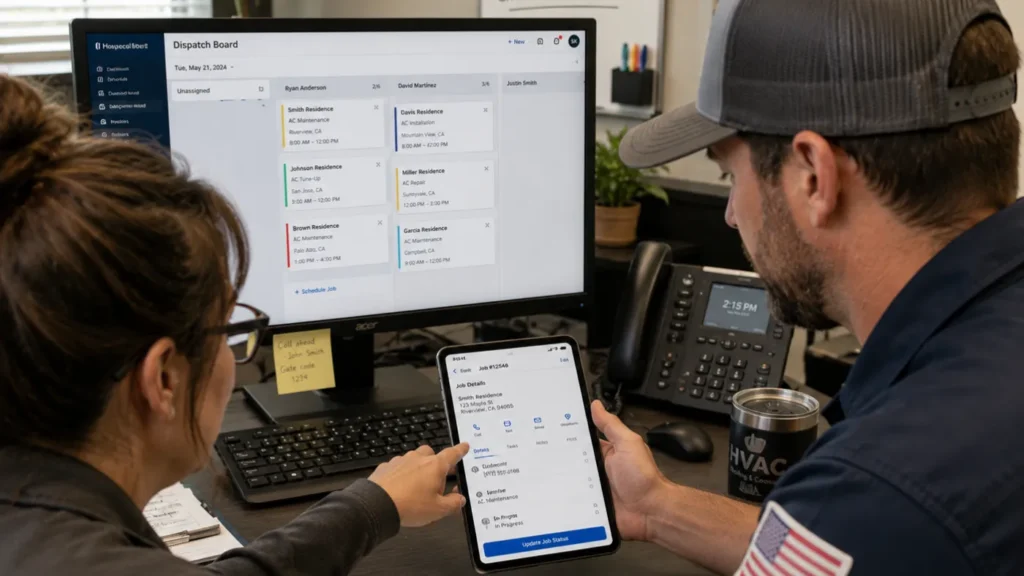
HVAC field service software manages the operational side of the business, while HVAC CRM software manages customer relationships, leads, and sales follow-up.
Field service software handles jobs after they’re booked: scheduling, dispatch, tech workflows, invoices, payments, and service agreements. CRM software handles leads and customer relationships, sales follow-up, marketing campaigns, customer segmentation, and reviews.
If your biggest issue is managing more crews and more jobs, start with field service software. If your biggest issue is lead conversion, customer follow-up, or sales tracking, check out our guide to HVAC CRM software.
How much does HVAC field service software cost?
HVAC software pricing varies widely. Jobber’s plans start at $29 per month when billed annually, while platforms like ServiceTitan, FieldEdge, and BuildOps require a custom quote. Housecall Pro has plans starting at $59 per month when billed annually and offers a free 14-day trial.
Confirm current pricing directly with each provider before you buy, since plans change. Costs may also change based on add-ons such as payment processing, phone tools, marketing tools, AI features, onboarding, reporting, or integrations.
When comparing pricing, ask each provider for the total monthly cost based on:
- Number of office users
- Number of field technicians
- Required features
- Add-ons
- Onboarding fees
- Support costs
- Contract length
- Payment processing fees
- Integration needs
The lowest monthly price doesn’t always tell you which platform will cost less to run. Compare the total cost of the software and features your HVAC business actually needs.
Run your HVAC business on one connected system
The best HVAC field service software isn’t the tool with the longest feature list. It’s the one that helps your business handle more work without losing control of the schedule, the customer, the tech, or the money.
Look for software that supports the full job cycle: booking, dispatch, field work, estimates, invoicing, payments, service agreements, and follow-up.
Housecall Pro gives growing HVAC businesses a practical way to manage that workflow in one place. Sign up for a free 14-day trial to see if it’s a fit for your business.
Get In Touch: 858-842-5746
Let us earn your trust
On average, Pros increase monthly revenue generated through Housecall Pro by more than 35% after their first year.
See plan options and feature breakdown on our pricing page.
FAQs
What is the best HVAC field service software for a small business?
The best HVAC field service software for a small business is usually the platform that’s easy to adopt, supports scheduling and invoicing, and gives techs a reliable mobile workflow.
Housecall Pro can be a strong option for small HVAC businesses that want that ease of use now, with room to grow into stronger dispatching, service agreements, payments, and field workflows as the business adds crews. Jobber and Workiz can also work for very simple, single-crew operations that don’t expect to need that dispatch depth soon.
What is the best HVAC field service software for a growing business?
The best HVAC field service software for a growing business is the one that matches its next operational bottleneck.
The best choice depends on whether your next growth problem is dispatching, field communication, recurring service, invoicing, reporting, or commercial job complexity. For most growing residential and commercial HVAC teams outgrowing a basic calendar or spreadsheet, Housecall Pro is built to cover that full mix of problems in one connected system.
Should HVAC companies use field service software for maintenance agreements?
Yes, HVAC companies should use field service software for maintenance agreements if they want to track recurring visits, customer perks, equipment history, and follow-up without relying on spreadsheets.
This is especially important for HVAC companies trying to build more predictable revenue between busy seasonal peaks.
How long does HVAC field service software implementation take?
HVAC field service software implementation can take anywhere from a few days for simpler tools to several weeks or longer for more complex platforms, depending on data migration, team size, integrations, and training.
The biggest delays usually come from messy customer records, incomplete job history, custom integrations, and trying to move too much at once.