Want to win more jobs with less effort?
Grow your business and send quick quotes with our home service software.

Want to see your potential revenue?
See what businesses like yours earn with Housecall Pro in 1 - 2 minutes.

The job’s done and you’ve sent the invoice. You’re still waiting to get paid. A quick, friendly reminder can nudge the invoice along.
If you’re not sure what to write without damaging customer relationships, use these five ready-to-send payment reminder emails. Each gives customers the details they need to pay, with firmer deadlines as the invoice gets older.
Quick answer: How do you write a payment reminder email?
Keep your payment reminder email short, polite, and specific. Put the invoice number, amount, and due date in the subject line and opening sentence, then add a secure payment link. Close by asking the customer to reply with questions.
Every reminder needs these four things:
- Invoice details: Include the invoice number and amount due.
- Payment timing: State the due date or how long the invoice is overdue.
- Payment link: Give the customer a direct way to pay.
- Contact information: Tell customers how to reach you with questions about the bill or how to pay.
How you follow up on an overdue invoice can affect whether the customer books again and what they say in a review.
Read more: How to ask for payment professionally
Table of contents
- When to send a payment reminder email
- What to include in every payment reminder email
- 5 payment reminder email templates
- How to write a past-due invoice email without hurting the customer relationship
- Can you charge a late fee, and what should the invoice say?
- Can you send payment reminders by text?
- Set up billing so you send fewer reminders
- Automate payment reminders so you don't have to chase invoices
When to send a payment reminder email
Send a reminder before the due date, on the due date, and on scheduled days afterward if you’re still waiting on payment. Adjust the schedule to your payment terms and the customer’s response.
Payment processors recommend slightly different follow-up schedules. Stripe recommends following up 1–7 days, 7–14 days, and 30 or more days after the due date, while Square suggests a reminder the week before, another on the due date, and weekly follow-ups afterward. The schedule below combines the two approaches. Use it as a starting point and adjust it for your jobs.
| When to send | Tone | What to ask the customer to do |
| 3–7 days before the due date | Friendly | Review the invoice and pay by the due date |
| On the due date | Warm and brief | Pay today using the payment link |
| 1–7 days late | Helpful | Pay the overdue invoice or let you know if there’s a problem |
| 1–2 weeks late | Firm but polite | Pay by a specific follow-up deadline |
| A month or more late | Clear and calm | Pay or contact you before the stated next step |
What to include in every payment reminder email
Give your customer what they need to pay right away without digging through old emails. Use the same checklist for each reminder, from the first heads-up to the final notice.
- Invoice number: Match the number on the original invoice.
- Amount due: Show the current unpaid balance, after subtracting any deposits or partial payments.
- Due date: State the original deadline. For overdue invoices, say how many days past due the invoice is.
- Job or service: Describe the work so the customer recognizes the job. For example, “Replaced 50-gallon water heater on May 3,” not “Plumbing services.”
- Payment instructions: Include a secure payment link and the payment methods you accept.
- Contact details: Tell customers how to reach you if they have a question about a charge or trouble making a payment.
Pro tip: Attach a PDF copy of the original invoice to every reminder email so the customer doesn’t have to search for it. Before sending, check that the attachment and payment page show the same balance.
5 payment reminder email templates
Copy any of these templates and make it sound like you. Add any details that matter for the job and replace the placeholders, like [customer name], [invoice number], [amount], and [job].
1. Upcoming payment reminder email before the due date
Send this while the customer still has time to pay. Keep it friendly and give them a quick heads-up about the due date.
Subject: Invoice [invoice number] for [amount] is due [due date]
Hi [customer name],
Thanks again for choosing [business name] for your [job]. This is a quick reminder that invoice [invoice number] for [amount] is due on [due date].
You can pay securely online here: [payment link]
I’ve attached another copy of the invoice for your records. If you have any questions, reply to this email or call me at [phone number].
Thanks,
[your name]
[business name]
2. Reminder on the due date
Keep the due date email short. Put the payment link next to the amount so the customer doesn’t have to hunt for it.
Subject: Invoice [invoice number] for [amount] is due today
Hi [customer name],
Your [job] invoice ([invoice number]) is due today. The amount due is [amount]. You can pay online here: [payment link]
Thank you,
[your name], [business name]
3. First past-due invoice email (a few days late)
Assume the customer missed the due date by mistake. Give the customer a way to pay or explain what’s holding things up.
Subject: Invoice [invoice number] for [amount] is [number] days past due
Hi [customer name],
I haven’t received payment for your [job] invoice ([invoice number]). The [amount] balance was due on [due date]. It’s now [number] days past due.
If you’ve already paid, please ignore this reminder. Otherwise, you can pay securely here: [payment link]
I’ve attached the invoice again. If anything looks wrong or you’re having trouble paying, reply here or call [phone number].
Thanks,
[your name]
[business name]
4. Second past-due invoice email (one to two weeks late)
Be more direct once the invoice is a week or two late. Mention a late fee only if you listed it in your estimate, contract, or original invoice. Give a specific payment deadline instead of asking the customer to pay “as soon as possible.”
Subject: Second reminder: invoice [invoice number] is [number] days past due
Hi [customer name],
Your [job] invoice ([invoice number]) has a balance of [amount] and is now [number] days past due. Please pay by [date] using this link: [payment link]
[Optional late-fee line: Under the payment terms you approved before work began, [late-fee terms] apply after [date].]
If you’ve already paid, please reply with the payment date so I can check our records. If you have a billing question or need to discuss a payment plan, call [phone number] before [follow-up deadline].
Thank you,
[your name]
[business name]
You can send this by text or email, but if you send it by text, send a backup via email, too.
5. Final notice (a month or more late)
Stay clear and calm. State the deadline and what you’ll do next. Include only a lawful next step you’re prepared to take.
Subject: Final notice: invoice [invoice number] for [amount]
Hi [customer name],
This is a final notice for invoice [invoice number] for your [job] on [date]. The [amount] balance is now [number] days past due.
Please pay by [deadline] using this link: [payment link]
If we don’t receive payment by then, we will [next step you plan to take]. If you’d like to set up a payment plan, call [phone number] before [deadline].
Thank you,
[your name]
[business name]
For a large invoice, like one for a commercial job, also send a printed copy of the final notice by certified mail with delivery confirmation. That gives you a record that the customer received the notice if you need to take the next step.
Pro tip: Save all five reminders as templates in your email or invoicing software so every reminder goes out in the same format. You can also use Housecall Pro to send reminders automatically based on the service date.
Get In Touch: 858-842-5746
Let us earn your trust
On average, Pros increase monthly revenue generated through Housecall Pro by more than 35% after their first year.
See plan options and feature breakdown on our pricing page.
How to write a past-due invoice email without hurting the customer relationship
An angry email can delay payment and land you a one-star review. These five steps can help you get paid and keep the door open for another job.
- Assume an oversight first: Say you haven’t received payment. Don’t accuse the customer of avoiding the bill.
- Stay specific: Repeat the invoice number, balance, service, and original due date.
- Offer a way forward: Answer billing questions or a payment plan your business can afford.
- Keep the tone steady: Replace vague warnings with a clear payment deadline.
- Switch to a call: If emails go unanswered, confirm that the customer received the invoice and ask what’s delaying payment.
For more follow-up options, see: How to collect unpaid invoices
Can you charge a late fee, and what should the invoice say?
Don’t add a surprise late fee to an overdue invoice.According to a 2025 Housecall Pro survey of 1,000+ U.S. homeowners, 77% of homeowners list hidden or surprise costs among their top home service frustrations. Spell out any late fee terms in the estimate, contract, or invoice before work starts, get the customer’s agreement, and check the rules that apply to your business.
State laws limit what you can charge and when you can apply a late fee, so check your local rules or ask a business attorney before including late fees in your terms. (Note: This is general business information, not legal advice.)
List the due date, the payment methods you accept, and the exact late fee terms on every estimate and invoice. A percentage may work better for a higher-priced item or one that needs special materials. A flat fee may make more sense for smaller jobs. For example, 10% on a $3,500 water heater install is $350, while 10% on a $150 drain-cleaning call is only $15.
Read more: How to write invoice payment terms that get you paid fast
Can you send payment reminders by text?
Yes, you can send payment reminders by text once the customer has agreed to receive texts from your business. Federal rules govern business text messaging, so review the FCC guide to robocalls and texts and get written or digital consent when a customer books a job.
You can text a payment link on the same schedule you’d use for email. Coordinate your texts and emails so customers don’t get multiple requests to pay on the same day.
Keep the message short:
Hi [customer name], this is [business name]. Invoice [invoice number] for [amount] was due [due date]. Pay here: [payment link]. Reply STOP to opt out.
Pro tip: Ask for texting permission during booking or estimate approval and keep a record. Stop texting customers who opt out.
What to do when a customer ignores your reminders
A customer may have forgotten, or they may be waiting for approval, short on cash, or disputing the bill or the work. How you handle the delay can affect whether you get paid.
Follow these steps in order:
- Confirm delivery: Check the email address and phone number. For commercial work, confirm which billing contact handles the invoice and whether they need a purchase order number.
- Call the customer: Ask whether they received the invoice and what’s holding up payment. Answer any billing questions before asking for payment again.
- Discuss a payment plan: If you agree to installments, record the amounts and dates in writing. Update your reminders to match the installment schedule.
- Send the final notice: Use template five with a clear deadline and a next step you intend to take.
- Weigh further action: Compare the unpaid balance with what it would cost in time and money to go through collections or small claims court. Ask a lawyer before taking legal steps.
Collections and small claims courts are legal options and can be effective. Either process can take months, and there’s no guarantee you’ll recover the full balance. Rules for sending an invoice to collections or taking a customer to court vary by state, including small claims limits and filing deadlines, so check your state’s rules or consult a business attorney.
The federal Fair Debt Collection Practices Act covers third-party debt collectors. Businesses collecting their own bills are generally exempt from the federal law. Some state laws cover those businesses. The CFPB explains how debt collection rules work. Ask a lawyer before you take legal steps.
Read more: What to do when a customer refuses to pay
Set up billing so you send fewer reminders
Make these five steps part of how you bill for jobs to save you time and headaches:
- State terms on the estimate: Confirm the due date, accepted payment methods, and any lawful late fees before work starts.
- Set deposits for larger jobs: If your business takes deposits, include the amount and timing in the approved estimate. Check applicable deposit limits before collecting.
- Invoice when you finish: Send the bill as soon as you finish the job, while the details are still fresh.
- Offer card or online payment: Keep cash and checks available if they work for your customers. Make cards or online payments your usual way to get paid. According to the same 2025 Housecall Pro survey, 62% of homeowners expect digital payments.
- Schedule follow-ups: Set reminders for the days you plan to follow up. Check payment records before each message goes out.
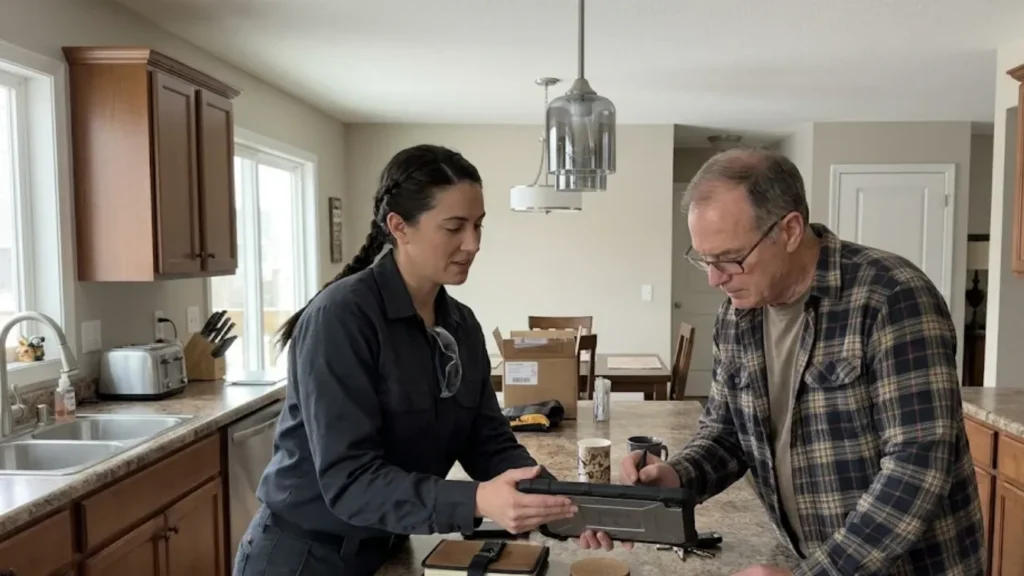
The easiest way to send fewer reminders is to invoice before you leave the job site. With Housecall Pro, you can create and send the invoice from your phone on site, so billing doesn’t wait for an evening at your desk.
Automate payment reminders so you don’t have to chase invoices
When you send reminders yourself, you’re checking balances, finding contact details, and rewriting the same email after hours. Once you’ve set your payment terms and reminder schedule, use software to send those reminders for you.
Housecall Pro connects invoicing, online payments, and overdue reminders so each one goes out on its own. Here’s how each piece helps customers pay.
- Invoices: Send invoices by text or email with payment links so customers can pay without waiting for a paper bill.
- Online Payments: Let customers pay online by card or ACH without calling your office.
- Invoice reminders: After the due date, reminders go out automatically until the invoice is marked paid. You choose how often and how many reminders to send, and you can exclude customers.
- Card on File: With your customer’s permission, save their card and charge it when you finish the job or once a month for recurring maintenance plans.
Pros who processed at least half of their payments with Housecall Pro over the past year got paid, on average, 2X faster.
Spend less time chasing invoices after hours. Start your free 14-day trial of Housecall Pro to send invoices from the field and automate your past-due reminders.
Payment reminder emails FAQs
How do you politely ask for payment by email?
To politely ask for payment by email, state the invoice number, amount, and due date without blaming the customer. Include a secure payment link and invite questions. For a first overdue reminder, add something like: “If you’ve already paid, please ignore this reminder.”
When should you send a payment reminder?
Send a payment reminder three to seven days before the due date, on the due date, and at set intervals after the deadline passes. A reliable schedule is 3–7 days early, on the due date, 1–7 days late, 1–2 weeks late, and 30 or more days late, adjusted to fit your typical job cycle.
How many payment reminders should I send?
You can send up to five payment reminders: one before the due date, one on the due date, and up to three after it goes late. Square notes that two to three reminders are common, so call the customer directly if two past-due emails go unanswered and stop automated reminders once you reach the customer.
What should a payment reminder email include?
A payment reminder email should include the invoice number, balance due, due date or days late, specific job performed, an online payment link, and a line inviting questions. Attaching a PDF copy of the original invoice also prevents delays when customers can’t find the initial bill.
Can I charge a late fee on an overdue invoice?
You can charge a late fee on an overdue invoice only if you stated the fee terms on your estimate, contract, or original invoice before starting the work. State laws regulate late fee limits and grace periods, so check your local rules and consult an attorney before adding late fees.
Can I send a payment reminder by text?
Yes, you can send reminders via text, as long as your customer has first agreed to receive SMS messages from you. Federal rules apply, so check the FCC guide to robocalls and texts before you set up text reminders. Send the text on the same schedule as your email, but don’t send both on the same day. Include “Reply STOP to opt out.” in every text.
What do I do if a customer ignores my payment reminders?
If a customer ignores your payment reminders, confirm the invoice went to the right email, call them, offer a payment plan, and send a final notice with a deadline. If that doesn’t work, decide whether to pursue collections or small claims court. Talk to a lawyer about your options in your state and whether pursuing legal action would be cost effective.
What if a customer says they already paid or disputes the invoice?
Pause automated reminders for that customer, call to find out what they’re questioning, and compare the invoice to the signed estimate line by line. If the invoice is wrong, send a corrected copy in writing before you ask for payment again.
How do I send a payment reminder for a partially paid invoice?
Subtract the deposit or partial payment, then use the remaining balance in the subject line, the email, and the payment link. Show the earlier payment on the attached invoice so the customer can see where the number came from.