Want to win more jobs with less effort?
Grow your business and send quick quotes with our home service software.

Want to see your potential revenue?
See what businesses like yours earn with Housecall Pro in 1 - 2 minutes.

TaskRabbit can be a great place to pick up extra jobs. But some weeks, you might spend more time waiting for bookings than working. Having a few other ways to find jobs can help you fill your schedule.
Plenty of alternatives are worth considering. This guide covers TaskRabbit alternatives, how they charge, and what to consider before signing up. You’ll also find ways to bring in customers through neighborhood recommendations and your own marketing.
Quick answer: What are the best TaskRabbit alternatives?
The best TaskRabbit alternatives are Airtasker, Thumbtack, Angi, Nextdoor, and Yelp. Airtasker is the closest match because customers post tasks and you submit offers. Thumbtack and Angi send you home service customers, but you pay for leads or advertising. Nextdoor and Yelp let you set up a free business page. The right choice depends on the work you do, how much you want to spend on finding customers, and how steady you want your bookings to be.
- Airtasker: Customers post jobs and you make offers, just like TaskRabbit. It charges a 12.5%–20% service fee on completed jobs.
- Thumbtack: Homeowners request quotes and you pay per lead. Cost varies by job and location. Best for handymen who offer several services.
- Angi: Homeowners request quotes or book services, and pros can pay to advertise. Rates aren’t publicly listed. Best for established home service businesses.
- Nextdoor and Yelp: Both offer free business pages, with optional paid ads. Best for neighborhood referrals and building a local reputation.
- Google Business Profile: A free listing that helps nearby customers find you in Google Search and Maps.
Whichever platform you choose, you can pair it with Housecall Pro to manage the jobs you win, with scheduling, dispatching, and invoicing all in one place.
Table of contents
- Why handymen look beyond TaskRabbit
- Best TaskRabbit alternatives at a glance
- Lead marketplaces and task apps: Thumbtack, Angi, Handy, Porch, Bark, and Airtasker
- Local and neighborhood platforms: Nextdoor, Yelp, and Houzz
- Free ways to find handyman work without a marketplace
- How to compare TaskRabbit alternatives before you commit
- How to turn handyman side jobs into a business
- Next steps: How Housecall Pro helps you keep every job organized
Why handymen look beyond TaskRabbit
TaskRabbit can be a helpful way to find customers without doing much marketing yourself. But depending on your services and local demand, relying on it alone can come with a few challenges:
- Platform fees: TaskRabbit charges a registration fee in applicable U.S. cities.
- Competition: If several Taskers offer furniture assembly at similar rates, your reviews and availability may influence who gets booked.
- One-off jobs: A furniture assembly job might keep you busy for an afternoon, but it doesn’t necessarily lead to more work next week.
- Less control: Platform rules affect how customers find you, book your services, and work with you again.
Learn more: 11 handyman marketing & advertising strategies to grow your business
Best TaskRabbit alternatives at a glance
Here’s how eight TaskRabbit alternatives connect you with customers and charge for that work:
| Platform | How pros get work | How pros pay | Best for |
| Thumbtack | Customers contact pros who match their projects | Pay per lead; costs vary by job and location | Handymen and home service pros |
| Angi | Homeowners request quotes or book; paid advertising also available | Advertising costs vary; standard rates aren’t publicly listed | Established home service businesses |
| Handy | Pros claim available jobs at upfront prices | Pro fees not published | Cleaning, assembly, and handyman jobs |
| Porch | Pros purchase leads for projects matching their preferences | Buy individual leads or set a monthly budget; prices vary | Home improvement contractors |
| Bark | Pros contact customers using purchased credits | Pay per lead using credits; cost varies | Pros offering a wide range of services |
| Airtasker | Pros browse tasks and submit offers | Service fee deducted from completed jobs | One-off jobs and general handyman work |
| Nextdoor | Neighbors discover and recommend local businesses | Free Business Page; optional paid ads | Neighborhood referrals |
| Yelp | Customers find businesses through local searches | Free Business Page; optional paid advertising | Pros building a local reputation |
Lead marketplaces and task apps: Thumbtack, Angi, Handy, Porch, Bark, and Airtasker
Lead marketplaces connect you with potential customers, but you still have to win the job. Some apps let you claim available jobs at a set price.
Thumbtack
On Thumbtack, homeowners search for local pros and request quotes for projects like painting, repairs, and installations. You create a profile, choose the types of jobs you want, and receive leads from interested customers.
Pros pay for leads, with the cost varying by service and location. If you offer several handyman services, it can help you find different types of work. Make sure to budget for leads that don’t turn into jobs, too. Use the cost-per-booked-job formula below to see what each lead really costs you.
Angi
Angi connects homeowners with pros for everything from routine repairs to larger renovations. Customers can book certain services instantly at upfront prices or request quotes from local contractors. Pros can pay to advertise their services, although Angi doesn’t publish standard advertising rates.
If you run an established home service business, compare Angi’s costs with the jobs you want to book. Before paying, ask how charges work, what’s included, and whether there’s a minimum commitment.
Handy
Handy now operates through Angi Services for Pros, where you can claim available cleaning, furniture assembly, and handyman jobs. You can browse local jobs, see the price before accepting, and build your own schedule.
Handy doesn’t publish a standard pro fee schedule on its application page. Check whether the listed pay covers your time, travel, and supplies before accepting a job.
Porch
Porch connects home improvement pros with homeowners looking for repairs, installations, and renovations. You choose your service area and preferred projects, then buy leads individually or set a monthly budget for automatic lead delivery.
Lead prices depend on the service and project size. Set a budget you’re comfortable testing, and review the credit policy before buying leads. Porch generally won’t issue a credit simply because a customer doesn’t hire you.
Bark
With Bark, you can browse customer requests across handyman work, cleaning, landscaping, and other services. To contact a customer, you buy credits and spend the required amount for that lead.
Bark lists a standard rate of $2.35 per credit, with package pricing available. Because credit requirements vary by service and project size, check the total cost of contacting a customer before responding. That cost can take a bigger bite out of a small job.
Airtasker
Airtasker is similar to TaskRabbit: customers post jobs, and Taskers make offers. It’s available in the U.S. for furniture assembly, moving help, cleaning, repairs, and other everyday tasks.
The platform lists a service fee of 12.5%–20%, based on your Tasker tier, which is deducted from your payment after the job is complete. You’ll see the fee when making an offer. Include it in your price so the payment you keep covers your costs and the profit you want to earn.
Pro tip: When you’re answering leads, speed matters. In Housecall Pro’s 2025 Customer Service Report, 97% of homeowners said response time influences hiring decisions. Housecall Pro’s AI Team can pick up call overflow and after-hours calls so you don’t miss jobs while you’re on another one; you can also create and send professional estimates quickly without starting from scratch every time.
Read more: Best handyman apps
Get In Touch: 858-842-5746
Let us earn your trust
On average, Pros increase monthly revenue generated through Housecall Pro by more than 35% after their first year.
See plan options and feature breakdown on our pricing page.
Local and neighborhood platforms: Nextdoor, Yelp, and Houzz
Neighborhood recommendations and local searches can help you reach customers close to home. They can also make it easier for those customers to find you again when they need more work done.
Nextdoor
A recommendation from a neighbor goes a long way when you’re doing handyman work, lawn care, or similar neighborhood services. On Nextdoor, neighbors can recommend your business, and you can create a free Business Page to share updates and connect with local homeowners. Housecall Pro handles scheduling and online payments in one place, so jobs from Nextdoor and every other source stay organized.
Yelp
When someone searches for a handyman or cleaner in their area, they may turn to Yelp to compare local businesses. A free Business Page lets you list your services, add photos of completed projects, and collect customer reviews. Customers can also request quotes, giving you another way to turn local searches into jobs.
Houzz
Houzz may be a good fit if you offer remodeling, cabinetry, painting, or design services. You can create a professional profile to showcase past projects and connect with homeowners planning improvements. It’s less suited to quick, one-off handyman tasks.
Free ways to find handyman work without a marketplace
Finding customers on your own takes a little more legwork, but you can get started without spending money on leads. Here are five ways to bring in work:
- Set up your Google Business Profile. A free profile helps nearby homeowners find you through Google Search and Maps. Add your services, service area, and photos of completed jobs so customers know what you offer.
- Ask customers for reviews. After finishing a job, send a quick message asking the customer to share their experience. A review from someone whose furniture you assembled or drywall you repaired gives future customers a better idea of what to expect. Daniel F. of Kura Home saw what a consistent ask can do: “When we hit ‘finish’ on a job, every single one of our clients gets a text and an email asking them to leave us a Google review. And that brought us from 80 reviews, to today, we have over 1,300 Google reviews.”
- Make referrals part of your routine. Let satisfied customers know you’re available if their friends or neighbors need a hand. In Housecall Pro’s 2025 Customer Service Report, a survey of 1,040 U.S. homeowners, 73% said they would refer a pro after excellent service. You could say, “If you know anyone who needs help with repairs or odd jobs, I’d appreciate you passing along my number.”
- Build relationships with other trades and property managers. A plumber might need someone to patch drywall after a repair, while a property manager might need help with small fixes between tenants. Introduce yourself and explain which jobs you can take off their hands.
- Keep in touch with past customers. Someone who hired you to mount a TV might need help assembling patio furniture a few months later. A friendly follow-up can remind them you’re available for their next project. Jay V. of Frontier Air Conditioning puts it this way: “Keep track of your clients. Make sure you let them know that, ‘Hey, I know it’s been a year—by the way, I still exist.’”
How to compare TaskRabbit alternatives before you commit
A platform might send you plenty of leads, but they’re only valuable if those leads actually turn into paying jobs. Before spending money on a new app or marketplace, figure out what each booked job costs you.
Cost per booked job = Total platform spending / Number of jobs booked
Here’s an example of how that works:
| Example: One month of lead spending | Amount |
| Total spent on leads | $200 |
| Leads received | 20 |
| Jobs booked | 5 |
| Cost per booked job | $40 |
In this example, you’re spending $40 to land each job. If those jobs bring in only $75 apiece, that leaves only $35 to cover labor, supplies, travel, and other expenses before earning a profit.
Cost is only part of the picture, though. Also check how the platform fits the way you want to work:
- Can I build repeat business? Check the rules for contacting customers and booking future work.
- Can I set my own prices? Check whether you quote each job or accept a price set by the platform.
- How are cancellations and disputes handled? Find out what happens if a customer cancels or challenges a charge.
- What happens to my reviews if I leave? Find out whether you can use those reviews elsewhere to help new customers evaluate your work.
Set a review date and a spending limit before you start. Track spending, booked jobs, revenue, and whether the leads match your services and service area. Give yourself enough time to spot a pattern, but pause spending if you hit your limit or keep receiving jobs you can’t take. Keep the platforms that bring in work at a cost your business can support.

How to turn handyman side jobs into a business
Repeat customers and referrals can turn occasional side jobs into a fuller schedule. As that work grows, you’ll need a reliable way to track appointments, send invoices, and follow up on payments.
If you’re thinking about turning those side jobs into a business, start by looking into business insurance, licensing, and how you’ll structure it. The Small Business Administration’s guide to choosing a business structure can help you understand your options.
Licensing requirements vary by state and trade, especially for plumbing, electrical, and other specialized work, so check your state’s requirements.
Learn more: How to start a handyman business
Next steps: How Housecall Pro helps you keep every job organized
When jobs come in through apps, texts, and referrals, keeping track of them can eat into your day. An appointment can get buried in your messages, or an invoice can slip your mind while you’re on the next job.
Housecall Pro brings your schedule, estimates, invoices, and payment tracking into one place. Once you’ve booked a job, use it to keep the details organized from the first estimate through the final payment:
- Scheduling: Keep appointments organized on one calendar so you know where you need to be and when.
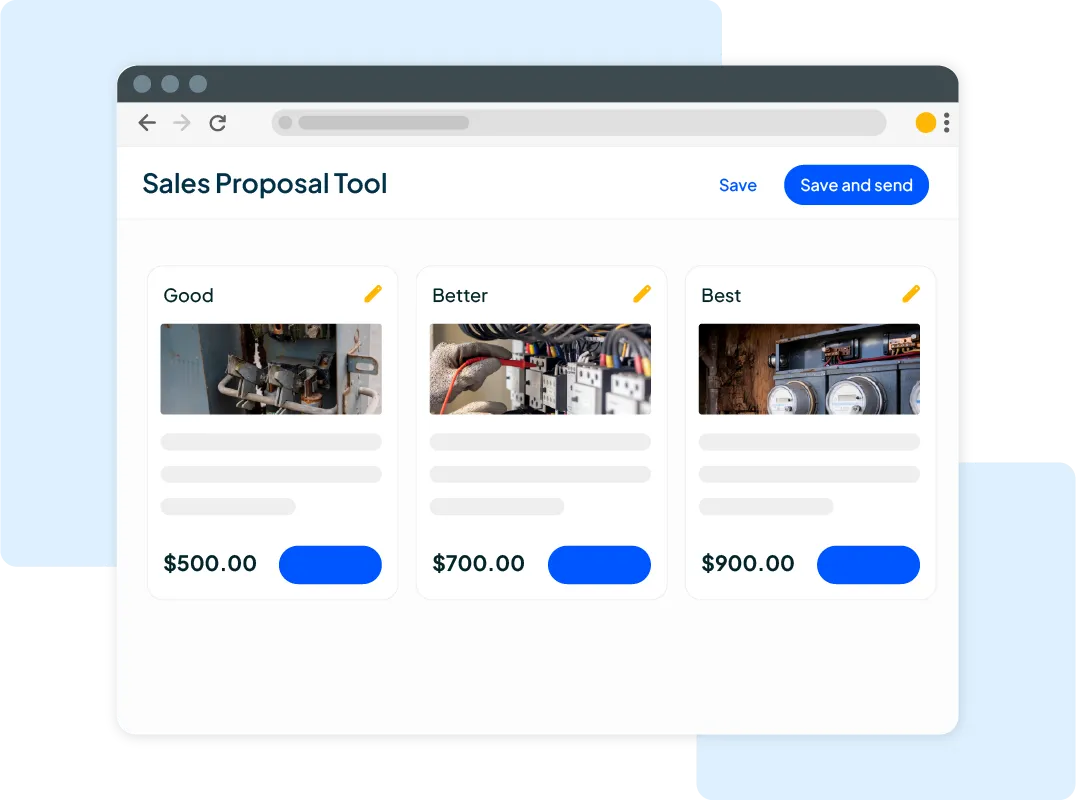
- Estimates: Create and send professional estimates without starting from scratch every time.
- Invoicing: Send invoices after a job so customers know what they owe and how to pay.
- Online Payments: Let customers pay online so you can spend less time collecting checks.
- Review Management: Send review requests after completed jobs to help build your reputation with future customers.
See how Housecall Pro can help you manage your schedule and stay on top of payments with a free 14-day trial.
TaskRabbit alternatives FAQs
What’s the best alternative to TaskRabbit for Taskers?
The best TaskRabbit alternative depends on the work you do and how you prefer to find customers. Airtasker offers a similar task-based setup, while Thumbtack and Angi are worth exploring for home service jobs. Nextdoor and Yelp can also help you find local customers without paying for individual leads. Airtasker deducts a 12.5%–20% service fee from completed jobs, while Thumbtack charges per lead, so compare what each costs you per booked job.
How much does TaskRabbit charge Taskers?
TaskRabbit charges a one-time, nonrefundable $25 registration fee in applicable U.S. cities. According to TaskRabbit’s official fee policy, the platform generally charges customers separate service and Trust & Support fees rather than deducting a commission from Taskers’ set rates. Taskers generally keep 100% of their set rates and tips.
Which TaskRabbit alternatives are free for pros to join?
Nextdoor and Yelp offer free business profiles, so you can promote your services without paying to join or purchase individual leads. Both also offer optional paid advertising. Airtasker lets you submit offers for free, but deducts a service fee when you complete a job. Other platforms may offer free registration while charging for leads or customer contacts.
Can I work on TaskRabbit and other platforms at the same time?
Yes, you generally can work on TaskRabbit and other platforms at the same time, as long as you follow each platform’s terms. Using multiple sources can help fill gaps in your schedule. Just keep your availability updated to avoid double-booking jobs. For example, if you accept a Saturday-morning job on TaskRabbit, block off that time on every other platform and your own calendar right away.
Are TaskRabbit alternatives better for skilled trades like plumbing and electrical?
TaskRabbit alternatives like Thumbtack, Angi, and Porch may be a better fit for licensed plumbers and electricians looking for specialized repairs, installations, or larger projects. These platforms help homeowners find contractors for work that goes beyond typical handyman tasks. You’ll still need to meet the licensing and insurance requirements for your trade and location.
Is TaskRabbit worth it for handymen?
TaskRabbit can be worth it for handymen who want to find furniture assembly, mounting, moving, and small repair jobs without spending much time on marketing. Your earnings will depend on local demand, competition, the rates you set, and how often customers book you. Track your time and expenses to see whether the work pays enough. A quick test: divide what you keep from a job after supplies and travel by the hours you spent, then compare that hourly rate with what you earn from direct customers.
Is Thumbtack better than TaskRabbit for handymen?
It depends on how you want to pay for work. Thumbtack charges per lead, whether or not the customer hires you, while TaskRabbit charges a one-time $25 registration fee in applicable U.S. cities and generally doesn’t deduct a commission from Taskers’ set rates. If you offer several handyman services and want customers who’ve already described their project, Thumbtack may be worth testing. If you’d rather not pay for leads that don’t convert, TaskRabbit or Airtasker may fit better.
How can I find customers without using any app?
You can find customers without a marketplace app by asking past customers for referrals, connecting with property managers, and building relationships with other local contractors. You can also create a free Google Business Profile so nearby homeowners can find you through Google Search and Maps. Staying in touch with previous customers gives them an easy way to reach you when another job comes up.