Want to win more jobs with less effort?
Grow your business and send quick quotes with our home service software.

Want to see your potential revenue?
See what businesses like yours earn with Housecall Pro in 1 - 2 minutes.
Think about how much information passes through your business each day. Customer requests, appointment times, job notes, technician updates, invoices, payments. Every job comes with its own details, and someone has to keep track of them as the work moves along. The busier you get, the harder that can be.
Field service management software helps keep that information organized and accessible to the people who need it. Instead of chasing down job details or trying to remember what you’ve already done, your team can work from a shared record of each job. We’ll walk through how the software works, what features are available, and what to consider when choosing a system for your business.
Quick answer: What is field service management software?
Field service management (FSM) software is a tool that helps home service businesses manage jobs at customer locations, from booking through payment. Owners, office staff, dispatchers, and technicians use it to manage appointments, job assignments, customer records, estimates, and payments. Features and automation vary by provider and plan.
Table of contents
- What is field service management?
- How does field service management software work?
- What does field service management software do?
- What are the benefits of field service management software?
- Features to look for in field service management software
- Field service management software examples by trade
- How is FSM software different from a CRM or accounting app?
- When does a home service business need FSM software?
- How do you get started with field service software?
- How Housecall Pro’s field service management software handles scheduling, estimates, and payments
What is field service management?
Field service management is the process of organizing and overseeing work performed at customer locations. That includes tasks like:
- Scheduling appointments
- Assigning technicians
- Tracking job progress
- Communicating with customers
- Sending invoices and collecting payments
For example, an HVAC company needs to coordinate calls, keep technicians informed about equipment issues, and follow up with customers after repairs. All of that falls under field service management, no matter how the company tracks it.
What is the difference between field service management and FSM software?
Field service management refers to the day-to-day work of coordinating service jobs. Field service management (FSM) software is the tool a business uses to handle those tasks digitally.
You might manage field service with a paper calendar, spreadsheets, phone calls, and handwritten notes. FSM software brings many of those activities into a shared system, making it easier to access job information and track what’s happening throughout the workday.
Who uses field service management software?
Field service management software is useful for many people in home service businesses, including:
- Business owners: An electrical contractor can review upcoming jobs, track completed work, and monitor outstanding invoices.
- Office staff: A cleaning company’s office manager can book appointments, update customer information, and answer scheduling questions.
- Dispatchers: An HVAC dispatcher can assign service calls based on technician availability and job requirements.
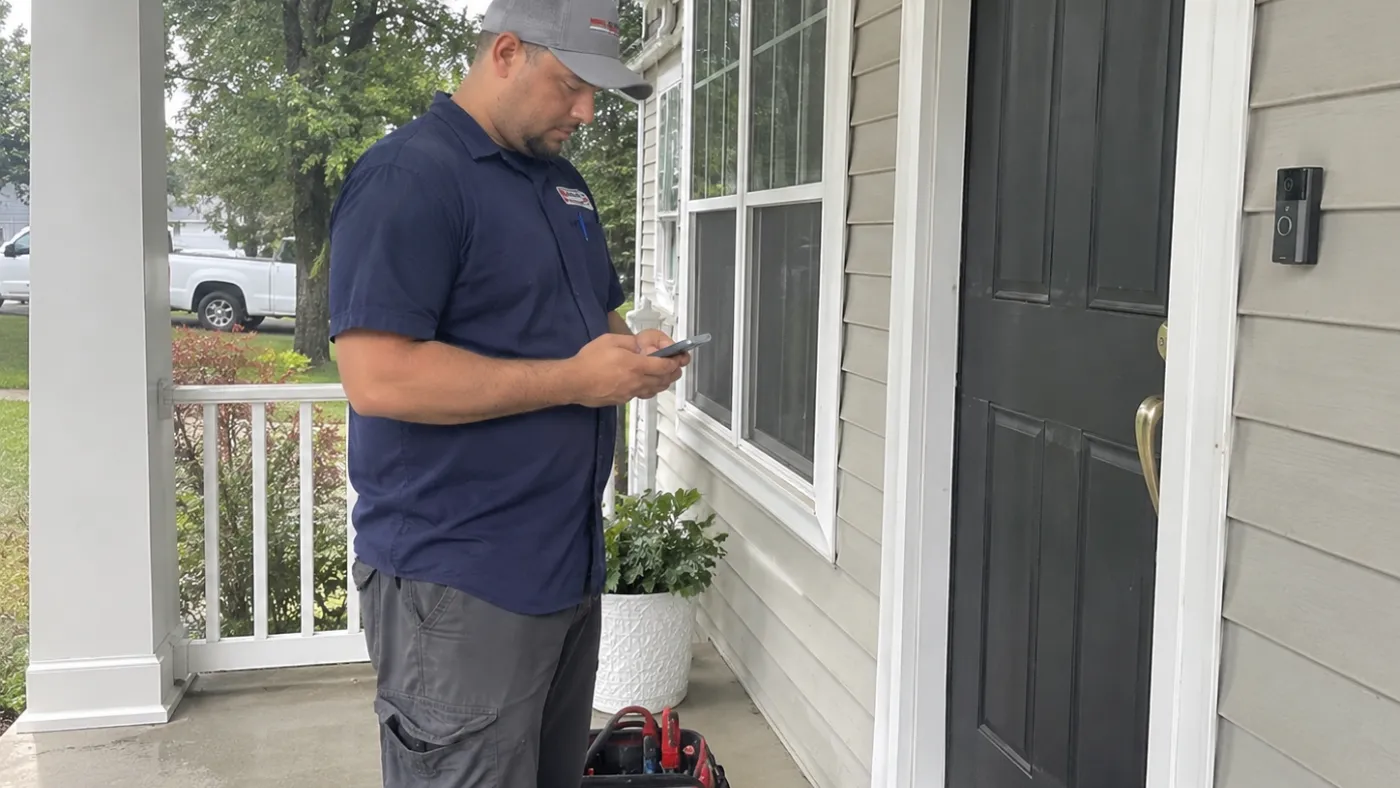
- Field technicians: A plumber can check customer notes, document repairs, and prepare an invoice from the jobsite.
FSM software is also useful in landscaping, pest control, appliance repair, and other industries where employees travel to customer locations to do work.
How does field service management software work?
Field service management software keeps job information connected as a service call moves from booking to completion. Office staff and technicians can access updates from the same job record, so the team can use details already entered without tracking them down again.
Here’s how that might look for a plumbing company responding to a leaking kitchen sink:
- Capture the customer’s request. A homeowner calls about a leak under their kitchen sink. The office manager enters their contact information, address, and a description of the problem into the software.
- Schedule and assign the job. The office manager checks technician availability, books an appointment, and assigns the repair to a plumber. The assigned technician can now view the appointment and job details.
- Inspect the problem. The plumber opens the job on their phone to review the job notes, then inspects the leak. They can add photos and notes about what they find.
- Prep an estimate and get approval. After identifying the problem, the plumber can create an estimate on the jobsite and send it to the homeowner for review. Once the customer approves the work, the plumber can begin the repair.
- Complete the work and collect payment. The plumber fixes the leak, documents the completed work, and prepares an invoice using the job details. Depending on the software, they may also take payment on-site.
- Follow up with the customer. After the visit, the company can send a receipt, request a review, or schedule additional work as needed.
If the office and tech are working from different notes, jobs slip. In Housecall Pro, both can refer to the same job details throughout the process, helping keep scheduling, field work, and billing connected.

What does field service management software do?
Field service management software helps businesses manage the office and field work behind each service call. Most platforms cover scheduling, job management, customer records, and billing, while some also offer tools for pricing, reporting, marketing, and other business needs.
Common field service management software features
Many FSM platforms include the following tools, though availability varies by provider and plan:
| Tool | What it does | Job example |
| Scheduling and dispatching | Books jobs, assigns techs, and shares job details. | An HVAC dispatcher assigns an AC repair to an available tech. |
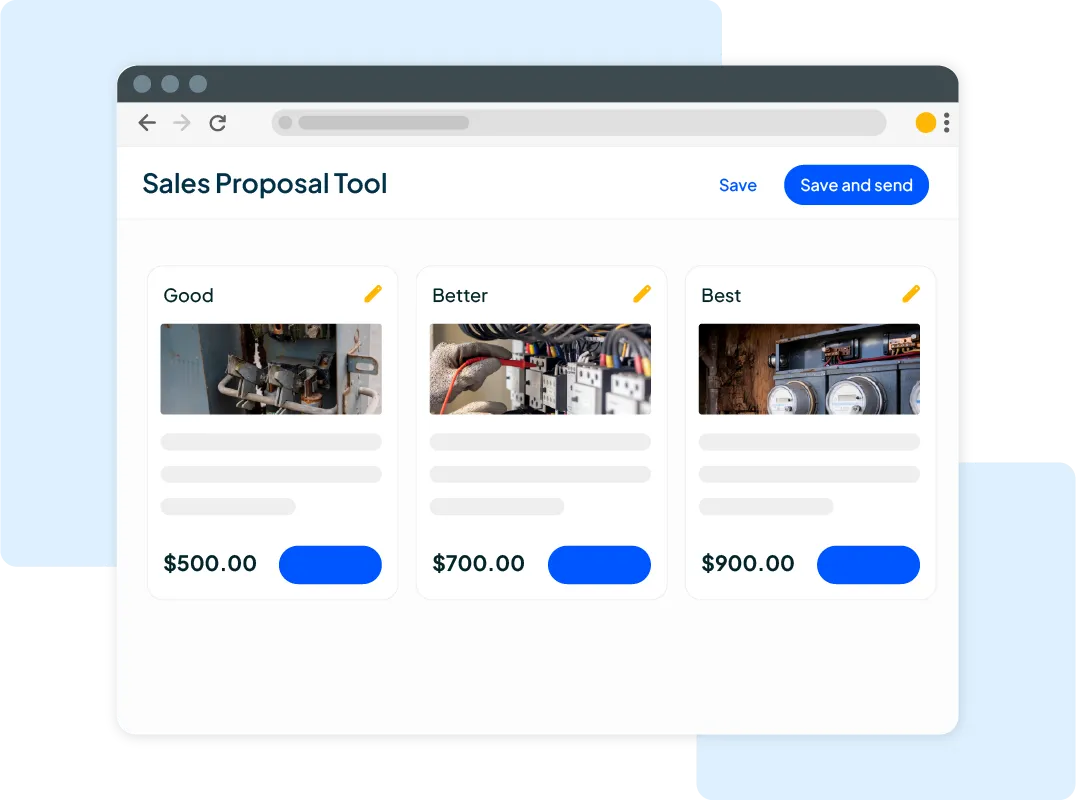
| Estimating and quoting | Creates estimates customers can review and approve. | An electrician prepares an estimate for a panel replacement. |
| Invoicing and payments | Creates invoices, tracks balances, and collects payments. | A plumber sends an invoice after replacing a water heater. |
| Customer management (CRM) | Stores customer details, service history, and job notes. | A cleaning company checks a customer’s service instructions. |
| Customer notifications | Sends appointment confirmations, reminders, and job updates. | A homeowner gets a reminder before a furnace tune-up. |
Some platforms also offer tools for managing pricing, recurring work, and business performance. Check which tools are included in each plan and whether they cost extra.
| Tool | What it does | Job example |
| Price book and flat-rate pricing | Organizes service prices for more consistent estimates. | An HVAC tech selects a repair from the company’s price book. |
| Recurring jobs and service plans | Schedules repeat visits and tracks service agreements. | A pest control company schedules quarterly treatments. |
| GPS tracking and route optimization | May show tech locations or help plan efficient routes. | A dispatcher checks tech locations to assign an urgent call. |
| Reporting and analytics | Summarizes revenue, completed jobs, and unpaid invoices. | An owner reviews which services brought in the most revenue. |
| Marketing and review requests | Sends customer messages, promotions, or review requests. | A cleaning company requests a review after an appointment. |
| Integrations | Connects with other business tools, such as accounting software. | An electrician syncs invoices with accounting software. |
Scheduling, dispatching, and job tracking
Scheduling determines when a job happens; dispatching determines who handles it. Housecall Pro’s Scheduling Software and Dispatching Software help your office book appointments, assign technicians, and adjust the schedule as the day changes. Job status updates help dispatchers see how work is progressing.
Housecall Pro’s Employee GPS Tracking lets you see technicians’ last reported phone locations during business hours when the feature is included in your plan and location access is enabled.
Read more: How AI booking and dispatch works for home service companies
Customer records and mobile job details
When a technician adds photos or notes from the field, office staff can reference that information when answering customer questions or scheduling follow-up work. Housecall Pro keeps customer information and job history accessible to team members with the right permissions.
Estimates, invoices, and payments
An approved estimate can provide the starting point for an invoice, helping businesses avoid entering the same information twice. In Housecall Pro, teams can manage estimates, invoices, and payments in the same system, with the opportunity to review details at each step.
Recurring service, reporting, and integrations
Recurring appointments help businesses keep maintenance visits on schedule, while reports can help owners track unpaid invoices and changes in revenue. Integrations may also reduce duplicate data entry by sharing information with accounting software, depending on the platforms connected.
Get In Touch: 858-842-5746
Let us earn your trust
On average, Pros increase monthly revenue generated through Housecall Pro by more than 35% after their first year.
See plan options and feature breakdown on our pricing page.
What are the benefits of field service management software?
For most home service businesses, the benefits come down to fewer gaps between the office and the field:
- Fewer scheduling mix-ups: Technicians see schedule changes and job details without waiting on a phone call.
- Faster invoicing: Job details carry into the invoice, so finished work doesn’t sit while you track down notes.
- Less double entry: Customer and job information is entered once and reused across estimates, invoices, and records.
- Easier follow-up: Service history is easy to find when a customer calls back or a repeat visit comes due.
Results depend on how consistently your team uses the system and which features your plan includes.
Features to look for in field service management software
The right FSM software depends on how your team works, who needs access, and where you spend the most time on admin work. As you compare options, use your daily tasks to guide what you look for:
- Look for scheduling tools that make last-minute changes easy to manage.
- Make sure technicians can access and update job details from the field.
- Check whether customers can review and approve estimates electronically.
- Choose a system that simplifies invoicing and payment collection.
- Look for customer records that make past service details easy to find.
- Make sure reporting tools show the numbers you use to track business performance.
- Confirm compatibility with your accounting software and other essential tools.
- Ask what training and ongoing customer support are included.
Field service management software examples by trade
Different trades have different ways of working, but they all need to keep jobs organized. Here’s how FSM software can help with common challenges across home service businesses:
- HVAC: During a summer heat wave, HVAC software helps dispatchers manage urgent AC repair calls and assign available technicians.
- Plumbing: When an emergency repair changes the day’s schedule, plumbing software helps the office reassign appointments and keep technicians informed.
- Electrical: For a panel replacement, electrical software can keep the approved estimate and job notes accessible to the assigned technician.
- Cleaning: Cleaning software can help cleaners track recurring appointments and customer instructions for each visit.
How is FSM software different from a CRM or accounting app?
The main difference between FSM software, CRM software, and accounting software is what each system helps you manage. Their features can overlap, but they serve different purposes.
| Tool | Primary purpose | Where it overlaps with FSM software |
| FSM software | Manages service jobs from booking through payment | Includes customer records and may handle invoicing |
| CRM software | Manages customer relationships and communication | Stores customer details and interaction history |
| Accounting software | Handles bookkeeping and financial records | Tracks invoices and payments |
| Calendar or spreadsheet | Organizes appointments or manually tracks information | Can support basic scheduling and job tracking |
FSM software may include CRM tools and integrate with accounting software, but you may still need specialized tools for parts of your business.
When does a home service business need FSM software?
You don’t need a certain number of employees or service calls to benefit from FSM software. Even a solo operator might find it worthwhile if paperwork and scheduling take up too much of the day.
Here are a few signs your current process could use some help:
- You’re entering the same customer or job information in multiple places.
- Technicians aren’t always getting schedule changes or job updates in time.
- Completed jobs sit for days before you get around to sending invoices.
- Finding notes from a previous service call means digging through paperwork or old messages.
If these problems sound familiar, FSM software could help you spend less time tracking down information and more time getting work done. Look for a system that makes the tasks slowing you down easier to manage.

How do you get started with field service software?
Start by identifying the tasks that cause the most delays or extra work, then compare how different platforms handle them. Use that shortlist to find the best field service management software for your business.
- Identify your biggest challenges. Maybe scheduling changes get missed, or invoices take too long to send. List what you need to improve and prioritize the tools that address those needs.
- Test a complete job. During a demo or trial, try booking an appointment, updating the job from your phone, and sending an invoice. Check how the process works on both desktop and mobile.
- Look beyond the monthly price. Review per-user fees, access permissions, data migration options, and available support before committing.
Questions to ask a field service vendor:
- What’s included in the advertised price, and which features cost extra?
- Can I import my existing customer and job records?
- How can I control who sees customer information, and how is it protected?
- What happens if a technician loses internet access?
- Can I connect the software to my existing accounting system?
- What training and technical support will my team receive?
How Housecall Pro’s field service management software handles scheduling, estimates, and payments
When job details are scattered between the office and the field, even routine service calls can require extra follow-up. Housecall Pro’s Field Service Management Software helps you manage jobs in one place, from the first appointment through payment.
Here’s how Housecall Pro helps you manage the work:
- Scheduling and dispatching: Book appointments and assign technicians so they have the job details they need.
- Customer and job records: Keep service history accessible when customers call back or technicians arrive on-site.
- Estimates and invoices: Create estimates, get customer approvals, and turn completed work into invoices.
- Payments: Let customers pay online or in person, helping you get paid faster.
See how Housecall Pro fits your workday with a free 14-day trial. Try scheduling a job, creating an estimate, and sending an invoice to see how it works for your business.
FAQs
Is field service management the same as dispatching?
Field service management is not the same as dispatching. Dispatching focuses on assigning technicians to service calls, while field service management covers the entire job process, including scheduling, customer communication, invoicing, and payment collection.
Can field service software work offline?
Some field service management software can work without internet access, depending on the provider and offline features. Technicians may be able to view saved job details or record work while offline, then sync updates when they reconnect. However, functions such as processing online payments may require an internet connection.
How much does field service management software cost?
Field service management software costs depend on the provider, subscription plan, number of users, and included features. Pricing models vary, with some companies charging per user and others offering monthly subscription tiers. Before signing up, check whether you pay per user or per plan, and whether onboarding, payment processing, or integrations cost extra. Ask each vendor to quote the same number of users and features so the totals are comparable.
What are examples of field service management software?
Housecall Pro is an example of field service management software designed for home service businesses. It helps HVAC, plumbing, electrical, cleaning, and other service professionals manage appointments, customer information, estimates, invoices, and payments. Platforms differ in size and focus, from tools built for small home service teams to systems built for large field operations, so compare features against your trade and team size.
Is field service management software worth it for a solo operator or small business?
Field service management software can be worth it for a solo operator or small business when it saves enough administrative time to justify the cost. For example, a self-employed electrician might use it to send estimates from the job site and collect payment after completing a repair, reducing end-of-day paperwork.
Does field service management software integrate with accounting software?
Many field service management software platforms integrate with accounting programs such as QuickBooks. Depending on the integration, businesses may sync invoice or payment information and reduce duplicate bookkeeping. Available connections and supported data vary by provider.
How long does it take to set up field service management software?
Setup time depends on your business size and how much information you need to transfer. A solo operator with a small customer list may be able to get started relatively quickly, while a larger company may need additional time to import records, configure workflows, and train employees. Typical setup steps include importing customers, adding team members, setting up your price book, and connecting payments and accounting.
Can I move my existing customer list into field service management software?
You can often move an existing customer list into field service management software using a CSV file or another supported import method. Before transferring records, check the provider’s formatting requirements and remove outdated or duplicate entries to avoid importing inaccurate customer information.
Does field service management software include AI features?
Some does, depending on the provider and plan. Common uses include answering customer calls, booking appointments, and helping assign jobs. If AI matters to your business, ask which AI features are included in the price, how the software handles calls outside business hours, and where you can review what the AI did.