Want to win more jobs with less effort?
Grow your business and send quick quotes with our home service software.

Want to see your potential revenue?
See what businesses like yours earn with Housecall Pro in 1 - 2 minutes.

Your office is chasing job updates, techs are calling for missing details, and invoices are waiting until someone has time to catch up. You’re considering field service management software to take some of that work off your team—but will the benefits justify another monthly bill and the time it takes to switch?
The value comes down to where your business needs help. This guide breaks down nine practical benefits of FSM software, from fewer scheduling mix-ups to faster invoicing, and shows you how to measure whether it’s worth the investment for your team.
Quick answer: What are the benefits of field service management software?
Field service management software helps you reduce paperwork, avoid scheduling conflicts, keep techs and customers informed, and send invoices sooner. It also makes recurring service easier to manage and gives you a clearer view of job costs and profit. It can be worth the investment when those improvements help your team lower costs or complete more profitable work.
Table of contents
What benefits can field service management software offer?
Field service management (FSM) software helps home service businesses manage daily operations. It brings scheduling, job tracking, customer communication, and payments together so your office and field team can work from the same information.
Here’s how those tools can help with everyday challenges, plus what to track to see your progress.
| Benefit | Problem it solves | Metric to track |
| Spend less time entering the same information | Cut repeat typing across estimates, job records, and invoices | Admin minutes per job |
| Build schedules with fewer conflicts | Reduce double bookings and assignment conflicts | Scheduling corrections per week |
| Reduce unnecessary driving | Limit extra travel between appointments | Drive minutes per completed job |
| Give technicians the details they need before arrival | Avoid return trips caused by missing job information | Return visits due to missing info |
| Keep the office informed about job progress | Reduce calls to technicians for routine status checks | Internal status calls per week |
| Keep customers updated with less back-and-forth | Reduce questions about appointments and arrival times | Customer status calls per week |
| Send invoices sooner and make payment easier | Cut billing delays and make it easier to pay | Time to invoice and days to payment |
| Stay on top of recurring service | Reduce missed maintenance visits and follow-ups | Recurring visits completed vs. due |
| See which jobs are most profitable | Identify job types with higher costs or lower margins | Gross profit by job type |
1. Spend less time entering the same information
Entering customer and job details into multiple systems wastes a lot of office time. With Housecall Pro, information moves from estimates to job records and invoices without repeated typing. For example, a plumber can turn an approved water heater estimate into a scheduled job and use those details for billing.
2. Build schedules with fewer conflicts
Double bookings and overlapping appointments can leave technicians scrambling. Housecall Pro’s scheduling tools let dispatchers view appointments, technician assignments, and availability in one calendar. When an emergency call comes in, the dispatcher can identify an available technician and adjust assignments.
3. Reduce unnecessary driving
Extra driving between service calls wastes fuel and limits how many jobs technicians can complete. Housecall Pro’s route mapping tools help dispatchers plan appointments based on location and travel time. For example, an electrician can complete nearby service calls before driving across town.
4. Give technicians the details they need before arrival
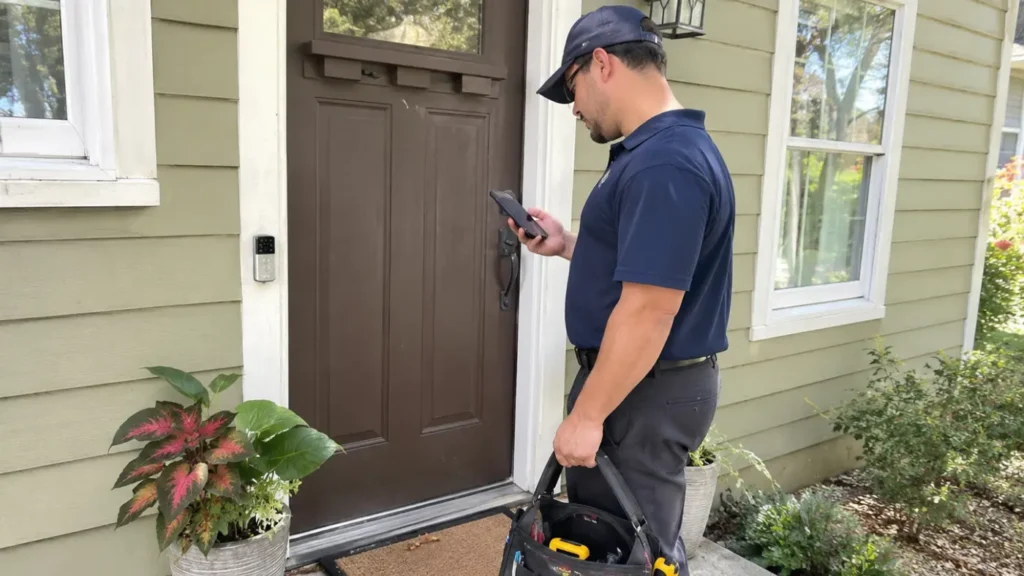
Missing job information can lead to unnecessary return visits. Housecall Pro gives technicians mobile access to customer history, notes, and job details, including attached photos. For example, an HVAC tech can review previous repairs before a visit to get a better idea of what to expect.
5. Keep the office informed about job progress
Repeated calls to check job progress interrupt your techs and keep the office tied up. With Housecall Pro, techs can update their status when they’re on the way, starting work, and finishing a job. When a plumbing repair runs long, dispatchers can check the latest job status as they adjust the schedule.
6. Keep customers updated with less back-and-forth
When customers don’t know when to expect their tech, they often call the office for an update. Housecall Pro helps keep them informed with appointment confirmations, reminders, and arrival notifications when techs select “On My Way.” For example, a homeowner receives a text when their electrician heads over.
Pro tip: Homeowners expect this kind of communication. In Housecall Pro’s 2025 Customer Service Report, a survey of 1,040 U.S. homeowners, 59% said they expect to receive text updates throughout the job.
7. Send invoices sooner and make payment easier
The longer you wait to send an invoice, the longer you may wait to get paid. Sending it promptly helps keep cash moving into your business. Housecall Pro lets technicians generate invoices immediately after completing jobs and gives customers options to pay electronically.For example, a plumber can invoice a completed drain cleaning before leaving the driveway.
8. Stay on top of recurring service
Missed maintenance visits can cost your business repeat revenue. Housecall Pro’s service plans help you organize recurring appointments and keep track of customer agreements. For example, an HVAC company can schedule seasonal tune-ups and monitor upcoming service needs.
9. See which jobs are most profitable
A job can bring in plenty of revenue and still leave little profit after labor and materials. Housecall Pro’s job costing tools help you review labor and material costs to see how each job performed.
For example, an electrical contractor can compare panel replacements with smaller repairs to see which work leaves more room for profit. Keep labor and material costs up to date so you can compare gross profit by job type.
Get In Touch: 858-842-5746
Let us earn your trust
On average, Pros increase monthly revenue generated through Housecall Pro by more than 35% after their first year.
See plan options and feature breakdown on our pricing page.
How can you measure whether FSM software is worth it?
Software is another business expense, so it helps to know what you’re getting for your money. The U.S. Small Business Administration (SBA) recommends tracking business finances and using cost-benefit analysis to evaluate business decisions. You can apply that approach by comparing the software’s full cost with the improvements you can measure.
To find out, measure your current business performance before switching to new software. Once your team is comfortable using the software, compare results over a period of the same length.
For an accurate comparison, follow these guidelines:
- Use the same timeframe. Compare two periods of equal length, ideally 60 to 90 days.
- Consider seasonal differences. Match the season, team size, and types of jobs completed as closely as possible.
- Account for business changes. If conditions differ between periods, document those differences when reviewing the results.
Use the following metrics to evaluate four common field service management software benefits.
| Goal | Baseline measure | What to compare |
| Spend less time on repeat data entry | Avg. admin minutes per job: 10 timed jobs over 4 weeks | Repeat after setup: same duration, job types, and team size |
| Build schedules with fewer conflicts | Weekly scheduling corrections over 4 weeks | Corrections per week after adoption |
| Send invoices sooner | Avg. hours from job completion to invoice over 4 weeks | Avg. hours to invoice after adoption |
| Cut routine “where is the tech?” calls | Weekly customer arrival-status calls over 4 weeks | Weekly arrival-status calls after adoption |
Include the full cost of using the software
Add up the full cost of using the software, including:
- Monthly or annual subscriptions
- Additional user fees and add-ons
- Initial setup and data migration
- Employee training time
- Applicable payment processing fees
Saving time gives your team more room to handle other work. To measure a financial return, look at whether that time helps you reduce expenses or complete more profitable jobs.
Put a value on the time you save
Start with the hours your team saves on admin tasks and what you pay for that time. Then subtract the software’s ongoing costs.
For context, Housecall Pro customers save an average of 8.6 hours per week, and 98% of Pros save time on admin work. Your results will depend on how much admin work you do today, so start with your own baseline.
Here’s a monthly example using hypothetical numbers:
- Time saved: 20 hours × $25/hour = $500 worth of staff time for other work
- Recurring costs: $200/month for software and add-ons.
- One-time costs: $300 for setup and training.
- Net capacity value: $300/month before one-time costs.
The $500 shows the value of time your team can spend elsewhere. For a financial return, calculate the actual expenses you cut or the additional profit you earn from that time. Count each saved hour once.

Common field service management software problems and how to avoid them
Field service management software works best when your team uses it consistently and keeps information accurate. A little preparation can help you avoid these common problems:
- Incomplete records: Make updating customer details, job notes, and service history part of wrapping up each visit.
- Inconsistent technician updates: Agree on when techs should update their job status.
- Poor mobile usability: Test the mobile app with technicians before committing.
- Missing integrations: Verify that the software connects with your existing accounting and business tools.
- Inadequate onboarding: Give your team hands-on practice and simple instructions for everyday tasks.
- Data security concerns: Set user permissions that limit access to pricing, customer records, and payment information. Follow NIST’s cybersecurity basics, including using strong passwords, enabling multi-factor authentication, and keeping software updated.
Keep working on hiring, training, and marketing alongside the software rollout to address broader business needs.
How to choose field service management software for your business
Start with a task that’s costing your business time or money, such as scheduling or invoicing. As you compare software options, focus on how each one handles that task. Involve the office staff and technicians who handle those tasks daily, and choose two or three measures to track your progress.
Housecall Pro’s field service management software helps you manage the work from booking through payment:
- Scheduling: Assign technicians based on availability, location, and job requirements.
- Job management: Give technicians mobile access to job details, customer information, and service records.
- Invoicing: Create and send digital invoices without returning to the office.
- Payments: Accept credit cards, bank transfers, and other electronic payment methods.
Ready to try it with your team? Sign up for Housecall Pro’s free 14-day trial and see how scheduling, job management, invoicing, and payments fit into your day.
Benefits of field service management software FAQs
What are the main benefits of field service management software?
The main benefits of field service management software include less administrative work, better scheduling, fewer unnecessary trips, improved communication, and faster invoicing. It also helps contractors manage recurring services and track business performance. Each one is measurable: track admin minutes per job, scheduling corrections per week, drive minutes per completed job, and time from job completion to invoice.
What features should you look for in field service management software?
Look for the tools that match the problems costing you the most time or money: scheduling and dispatching with technician availability in one view, mobile access to job details and customer history, job status updates and arrival notifications, invoicing and electronic payments, service plans for recurring work, job costing reports, and integrations with your accounting software. Also check that you can set user permissions that limit access to pricing, customer records, and payment information.
Is field service management software worth it for a small business?
Field service management software is worth it for a small business when the time saved and additional profitable work justify the costs. Even a company with two or three technicians can benefit from fewer scheduling conflicts, less paperwork, and more organized customer records. To check, compare admin minutes per job, scheduling corrections per week, and hours to invoice before and after you switch.
How do you measure the ROI of field service management software?
Determine the ROI of field service management software by comparing the financial benefits with the total cost of the software. Factor in subscriptions, setup, training and transaction fees. Then estimate savings from reduced administrative expenses or additional profitable work. To calculate ROI as a percent, take the net financial gain, divide by total costs, and multiply by 100.
How long does it take to see benefits from field service management software?
The time it takes to see benefits from field service management software depends on setup, employee training, and consistent use. Some improvements, such as easier scheduling, may become apparent within weeks. Compare performance over 60 to 90 days after full adoption for a more meaningful assessment. For a clear before-and-after comparison, time 10 jobs for admin minutes and count scheduling corrections each week over four weeks before you switch, then repeat the same measures once your team is comfortable with the software.
What are the disadvantages of field service management software?
Field service management software has downsides, including subscription costs, employee training time, and the labor involved in migrating existing customer and job records. Adoption can also cause temporary productivity disruptions. Incomplete data or inconsistent software use will not deliver the expected benefits.
Which trades benefit most from field service management software?
Trades that manage multiple daily appointments, mobile technicians, and repeat customers benefit most from field service management software. These include HVAC, plumbing, electrical, landscaping, cleaning, and pest control businesses. Companies with several technicians or frequent schedule changes often have more opportunities to reduce administrative work.
Can field service management software help with getting paid faster?
Field service management software can help businesses get paid faster by letting technicians send invoices right after they complete jobs and accept electronic payments. Automated payment reminders can also reduce the need for manual follow-up. Actual payment timing depends on customer behavior, payment terms and processing times.