Want to win more jobs with less effort?
Grow your business and send quick quotes with our home service software.

Want to see your potential revenue?
See what businesses like yours earn with Housecall Pro in 1 - 2 minutes.
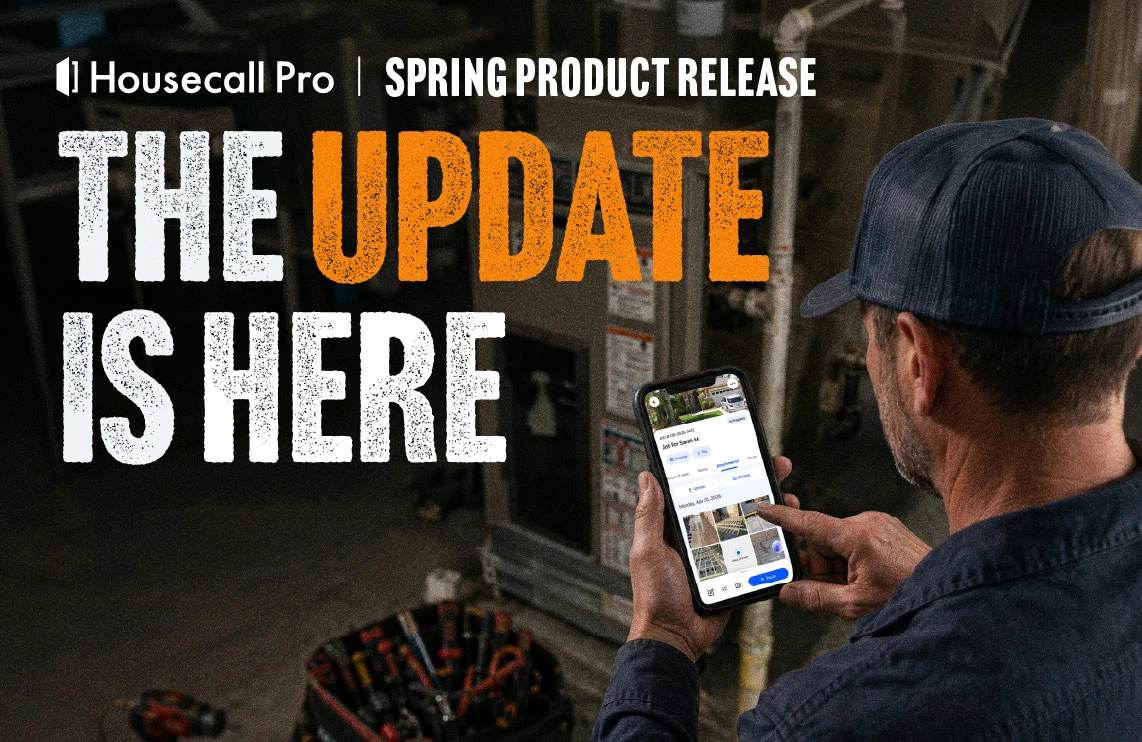
There’s nothing quite like a fresh truck wrap. But the best wraps aren’t just about looks. They’re precision-cut to fit every curve, built to withstand the elements, and designed with impact in mind.
This spring, we applied that same thinking to Housecall Pro. We’ve stripped away friction and put a high-performance layer across the entire workflow—a rebuilt mobile app, a modernized web experience, upgraded routing, better reporting, and back-office tools that just work.
Table of contents
A completely redesigned Housecall Pro
We’ve overhauled our app and platform to be more intuitive for both you and your team. Whether you’re in the office or on a ladder, the information you need is exactly where you expect it to be.
Modernized mobile app
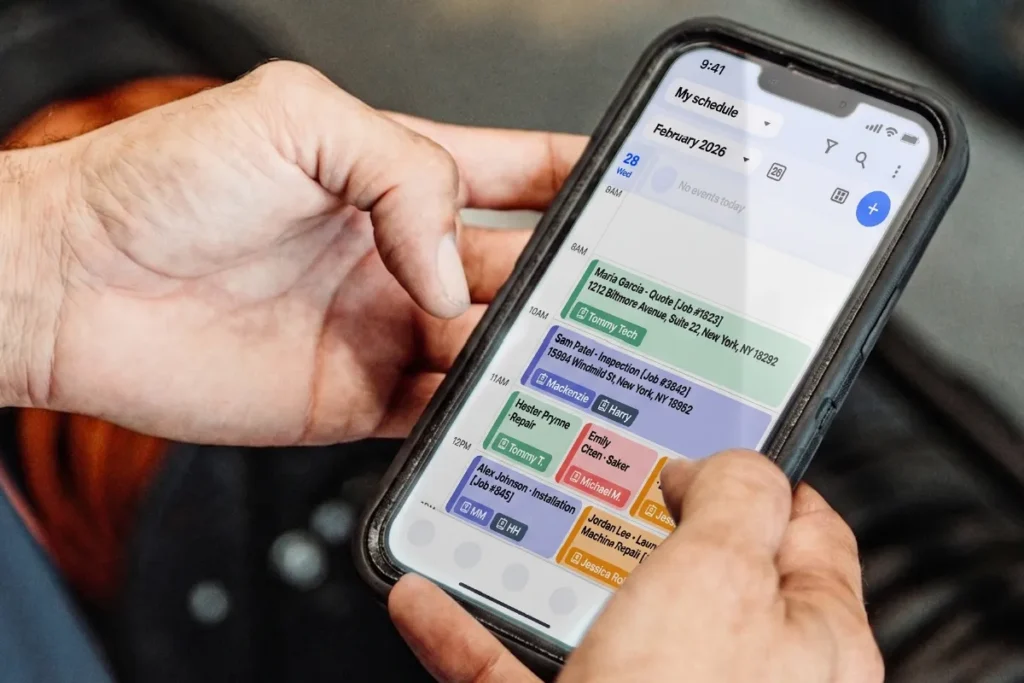
The mobile app’s been rebuilt from the ground up—faster, cleaner, and designed for the way Pros actually work in the field. New and updated screens include estimate details, job details, and new invoices, with a refreshed scheduling view (iOS) coming soon.
Updated web experience
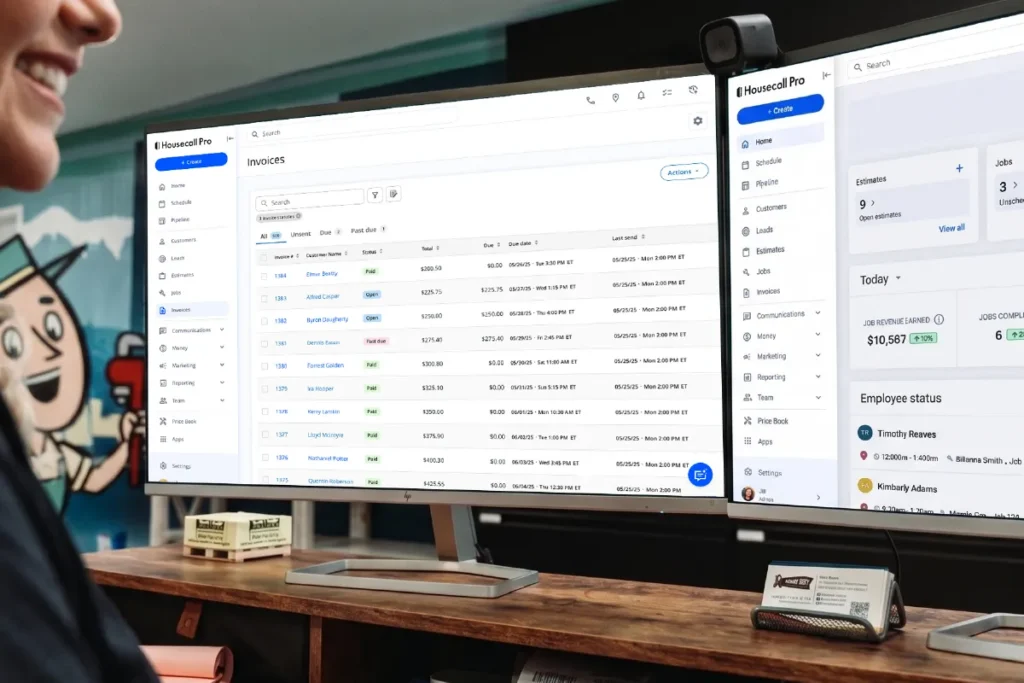
The Housecall Pro web platform has been modernized to match. Expect a redesigned navigation, a revamped Estimates page, and cleaner layouts across the board.
Other key updates
The new modern look is the foundation. These are the upgrades built on top of it. From how you schedule your team to how you close out a job, each of these features targets a specific part of your workflow—so you can move faster, look more professional, and run a tighter operation from the field to the back office.
Route-based scheduling
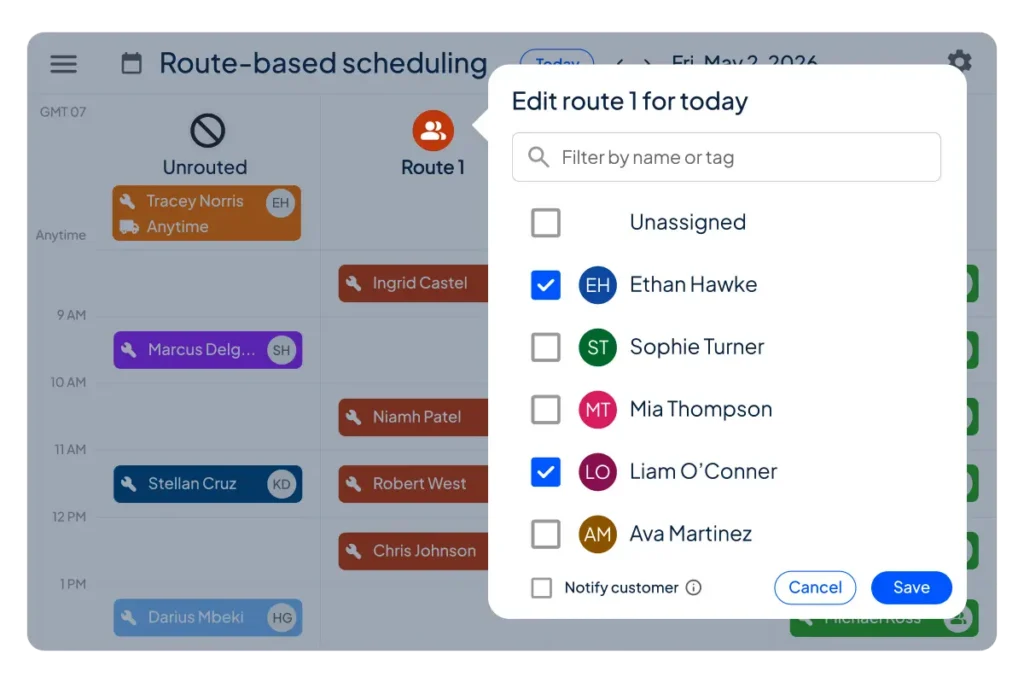
Organize your team’s day by route so jobs flow in a smarter sequence and less time is spent driving between stops.
Upgrade your workflow from one-by-one employee scheduling to route-centric logic. Sort job assignments by geography, service type, or any other grouping. Minimize drive time, set recurring routes once and let them repeat, and handle employee call-outs or route changes quickly without reworking your entire schedule.
Head to Schedule Settings to set up routes today.
Job photo reports
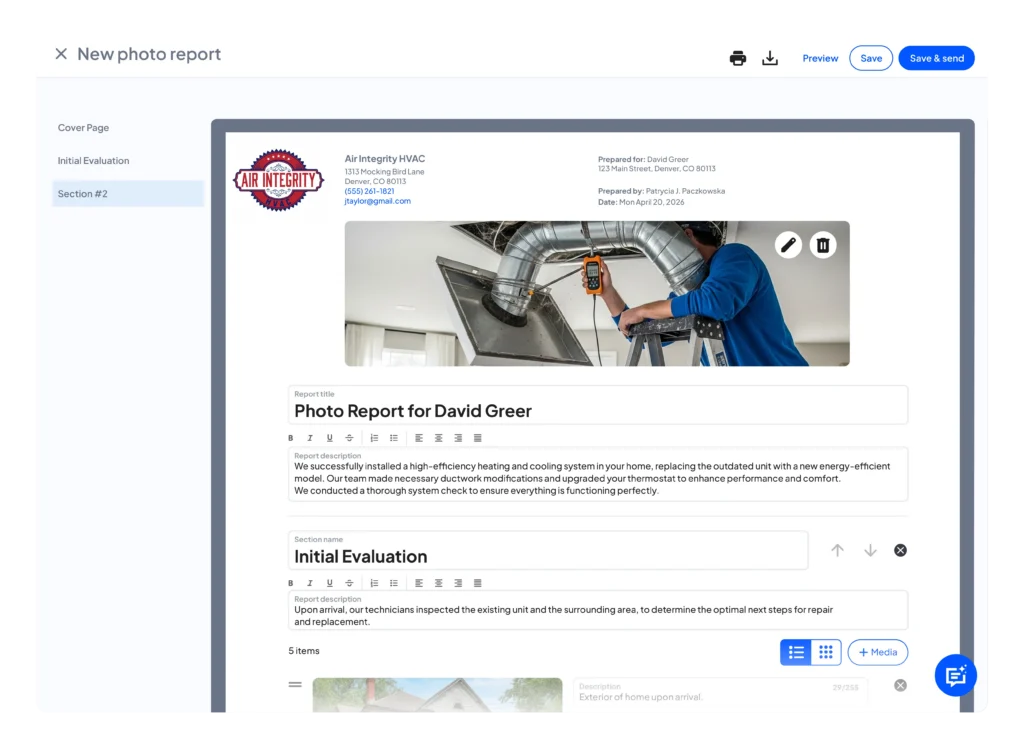
Send customers a polished photo report after every job so they can see exactly what was done and why.
Organize photos into structured sections, add an executive summary, and send a clean, shareable report that builds trust with customers. Provide visual proof of work completed to reduce questions and disputes, and keep all job details in one place to minimize back-and-forth follow-ups. Close the loop on every job with documentation that looks as professional as the work itself.
Start using job photo reports today.
6×9 postcards
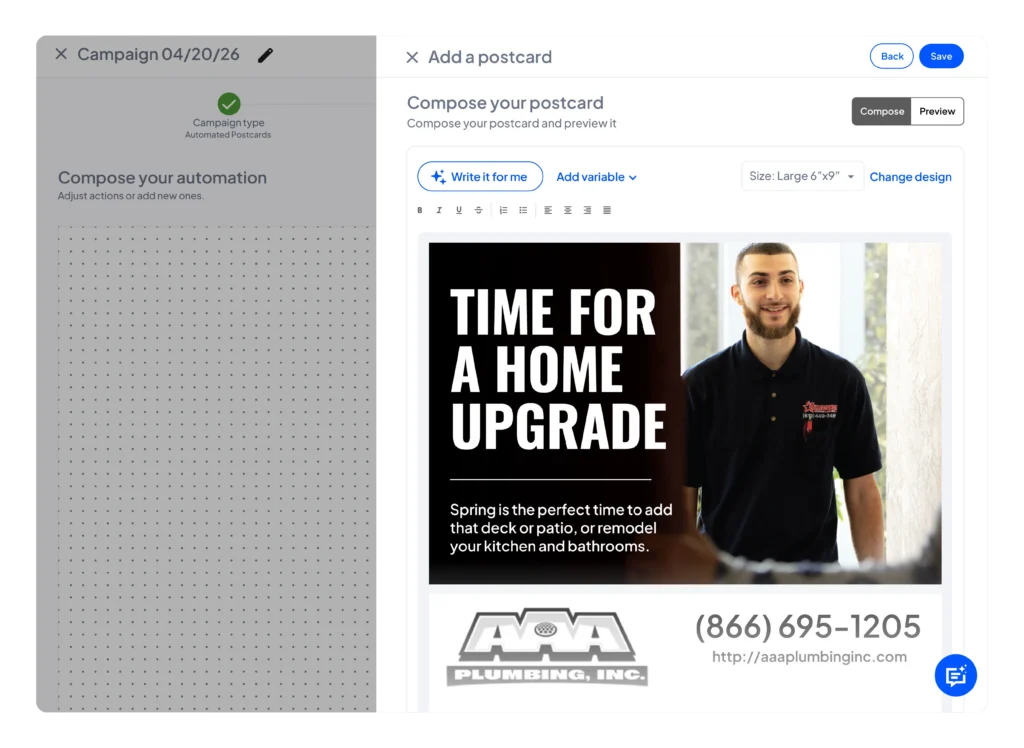
Send postcards that are easier to notice in the mailbox and harder to forget.
Reach new and existing customers with larger postcards. More space means more room to tell your story, showcase your work, and give customers a reason to call when they need service.
Head to Marketing Campaigns to start sending postcards.
Commissions
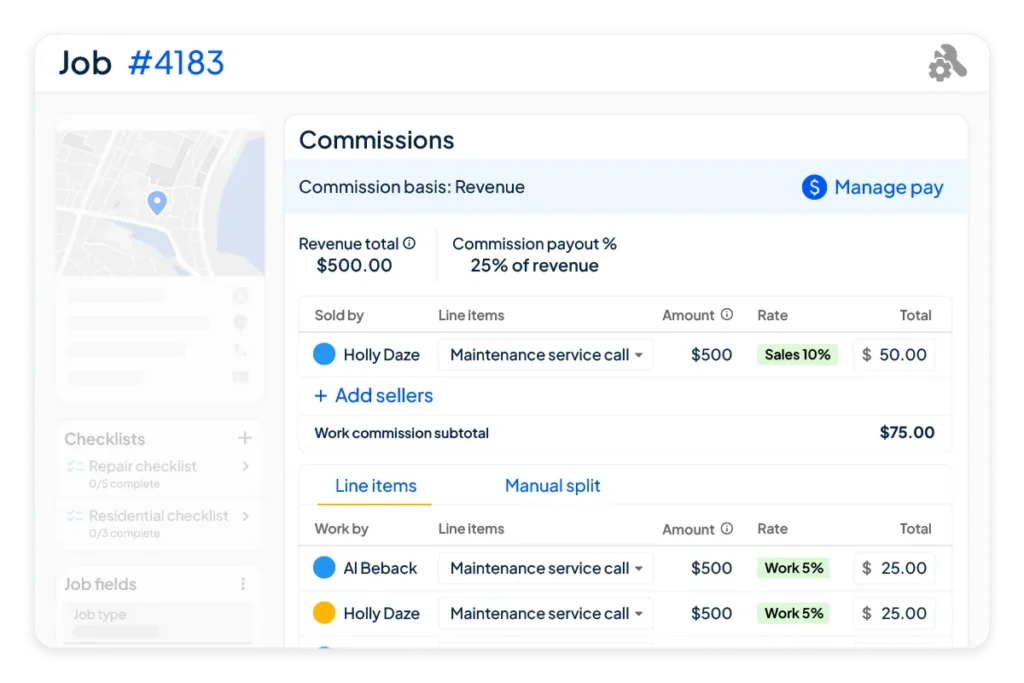
Set up flexible commission structures for your team and get clearer insights
Calculate team earnings more simply. Choose between revenue or gross profit-based calculations, split commissions by role—who sold the job and who completed it—and view detailed individual reporting with commission breakdowns by job and line item.
Set up your commission structure in Settings today.
Automated sales tax
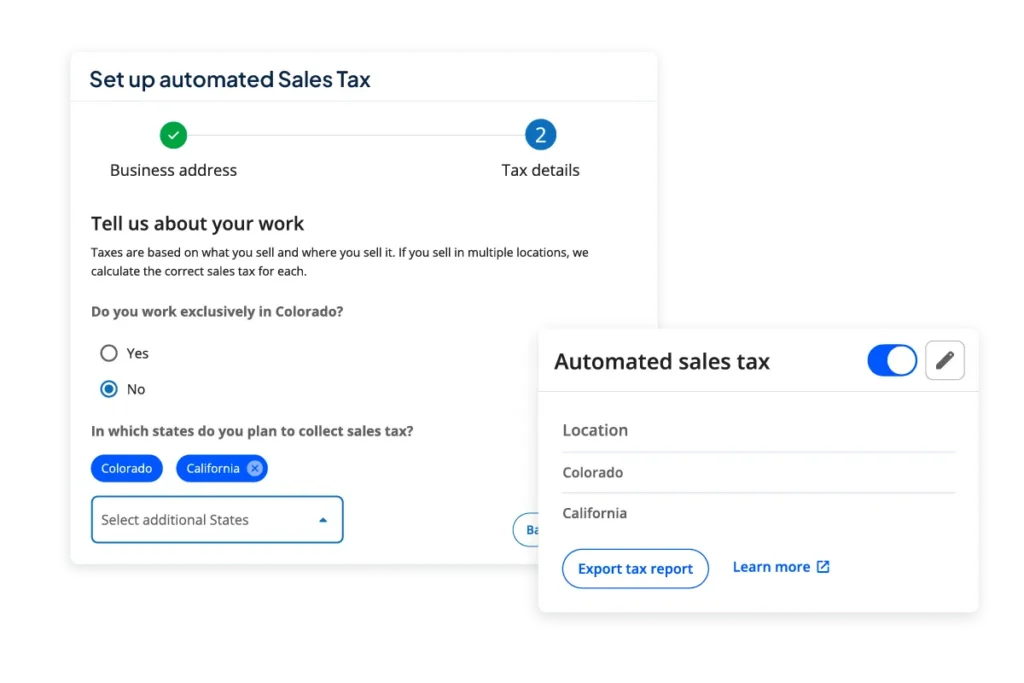
Save time and reduce invoice admin by automating sales tax calculations.
Set it up once and have the right sales tax calculated based on job location and service type. Less mental math and more time to stay focused on the job.
Head to the Price Book settings page to start using automated sales tax.
And there’s more: See everything we’ve shipped in the past few months
Here are all the product updates that have dropped this spring.
- Job Inbox
- Yelp integration
- Auto reply
- Communications
- Aggregate settings
- Online Booking
- Auto enroll
- Pipeline
- Custom automations
- Rich text editor
- Remove cards (bulk archive)
- Estimates & Jobs
- Job summary: rich text editor
- Job Summary: refine it for me
- Individual checklist editing
- Reviews
- New UI
- Export reviews
- Basic plan access to premium features
- Pricing
- Service area pricing
- Integrations
- Bluon on desktop
- Financial Services
- Business insurance
- Payments
- Klarna: deposits on estimates
- Klarna: toggle on individual invoice settings
- Wisetack consumer financing: longer loan terms & updated “as low as” pricing
- Time tracking / Payroll
- Unified time tracking
- 401(k) plans via Vestwell
Have feedback on the updates or want to follow what’s rolling out next? Check out our roadmap. And don’t forget to see these updates in action at the Spring Virtual Summit on Thursday, June 4.