Want to win more jobs with less effort?
Grow your business and send quick quotes with our home service software.

Want to see your potential revenue?
See what businesses like yours earn with Housecall Pro in 1 - 2 minutes.

Klarna may already be turned on in your Housecall Pro account, but if you’re waiting for customers to bring it up, you could be missing opportunities to close more jobs.
Most customers won’t ask about pay-over-time options because they don’t know they’re available or assume they’ll need to figure out financing on their own.
This guide shows you how Klarna works in Housecall Pro, when to bring it up, what to say, and how to make it part of your normal sales process.
Quick answer: How do you get customers to use Klarna?
Customers are more likely to use Klarna when you introduce it early in the sales conversation, not after they hesitate about the price. Instead of focusing only on the total cost, explain that they can split payments into interest-free installments while getting the work done right away. Mention financing options when presenting estimates, discussing larger repairs or installations, and following up on unsold jobs.
Table of contents
- What Klarna is and how it works for your business
- Why customers want Klarna (and why Pros don't bring it up)
- When to pitch Klarna: spotting the right jobs
- What to say to your customer
- How to handle the questions customers ask
- How to build Klarna into your sales process
- Where to mention Klarna on your website
- How to promote Klarna at the job site
- How to enable Klarna in Housecall Pro
What Klarna is and how it works for your business
Klarna is a Buy Now, Pay Later (BNPL) service that lets your customers split their payments into smaller, more manageable amounts. They can pay in four interest-free installments or with financing options for larger projects. On your end, nothing changes. You send the invoice like you always do, the customer picks Klarna at checkout, and you get paid in full upfront, while they get the flexibility to pay over time.
Here’s the workflow at a glance:
| Step | What happens |
| 1. You send the invoice | Klarna shows up as a payment option |
| 2. Customer picks Klarna | Klarna runs a quick eligibility check |
| 3. Customer is approved | The customer reviews the payment plan |
| 4. You get paid in full | Klarna pays you upfront in 2-3 business days |
| 5. Customer pays Klarna over time | Klarna handles customer payments, while you’re already paid |
Table: How a Klarna payment works in Housecall Pro, from invoice to payout. Payment timing may vary.
What this means for you:
- You get paid upfront. No waiting on installments. No chasing down payments.
- You don’t take on the risk. Klarna is the lender. If a customer misses a payment to Klarna, that’s between them and Klarna.
- The fee is 4.99% per transaction. On a job a customer might have walked away from, that fee is cheaper than losing the job.
Read more: How to offer customer financing
Why customers want Klarna (and why Pros don’t bring it up)
When customers hesitate on larger estimates, it’s often not because they don’t want the work done—it’s because paying the full amount upfront feels overwhelming. Giving them a way to pay over time with no interest can be the difference between a customer who says “let me think about it” and one who approves on the spot.
The challenge is that many customers don’t know this option exists. Most Pros never mention Klarna unless a customer asks first, and customers rarely do. Bringing up payment options can feel awkward, like you’re assuming they can’t afford the work, so the conversation never happens.
When you introduce Klarna as a standard payment option, it becomes a normal part of the sales conversation rather than a last-minute solution for customers who are struggling with the price.
Pro tip: The customers most likely to use Klarna usually aren’t the ones who can’t afford the job. They’re the ones who could write the check but would rather keep their cash free for other things. Presenting Klarna as a normal payment option makes the conversation easier for everyone.
When to pitch Klarna: spotting the right jobs
Klarna doesn’t need to be part of every small repair conversation. If the customer might hesitate at the price, mention Klarna before they have to ask.
Klarna can be especially useful for:
- HVAC repairs or replacements
- Plumbing repairs with higher labor or material costs
- Electrical panel work
- Water heater replacement
- Drain or sewer work
- Whole-home service projects
- Multi-day jobs
- Repeat customers booking a larger project than usual
- Emergency work the customer did not plan for
What to say to your customer
The hardest part for most Pros is just knowing what words to use. Equipping your team with pitches will make it easier to close the job.
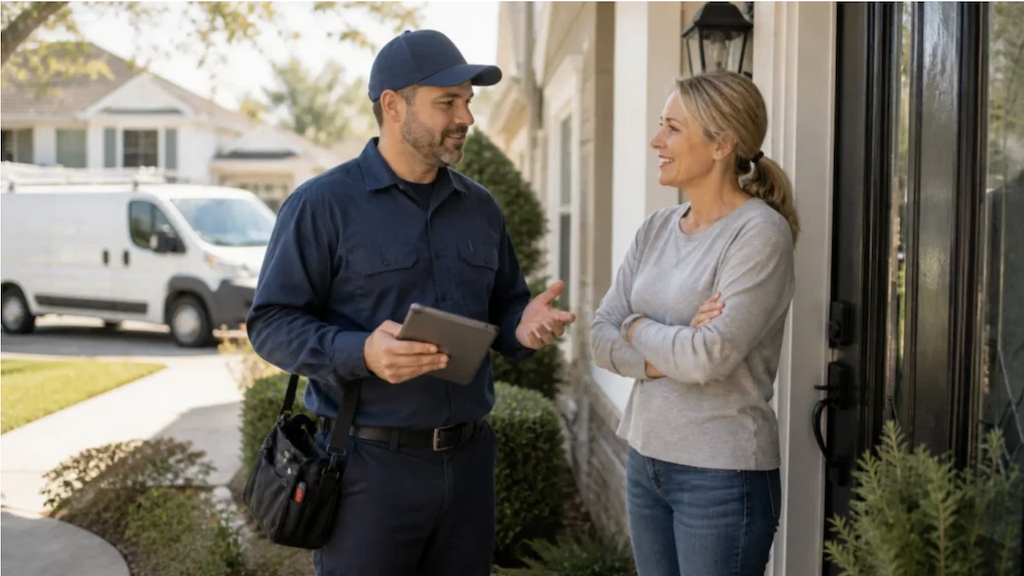
During the estimate, before you talk price
“I also want to mention that we take all the usual payment methods, plus a buy now, pay later option through Klarna. That lets you split the cost into interest-free payments over time if that’s easier for you.”
This puts Klarna out there as a standard offering, not a backup plan for customers who are short on cash.
After you give the price, if they hesitate or bring up budget
“I hear you, it’s an investment. One thing worth knowing: you can split this into smaller payments through Klarna, interest-free. A lot of customers like having that flexibility. Want me to show you where it appears on the invoice?”
Letting your customer know that many customers take this route makes it feel like a normal method.
If the customer asks for a discount
“I understand. If the upfront cost is the main concern, I want to mention that we offer Klarna. It lets you split the cost into smaller payments over time while still getting the full repair done now.”
This shifts the conversation from the total price to how the customer pays for the work.
For a repeat customer on a bigger job
“Hey, I know last time you paid by card. This one’s a bigger project, so I wanted to mention we also offer Klarna for pay-over-time if that helps.”
A quick verbal mention during the job
“By the way, when I send the invoice you’ll see Klarna as one of the payment options. It’s a pay-over-time, interest-free choice if you ever want to spread out a larger payment.”
This lets your customer know that Klarna is available, even if they pay in full this time.
How to handle the questions customers ask
When customers do ask, it’s almost always the same three or four questions. Have your answers ready:
“How does it work?” You’ll see Klarna as a payment option when I send the invoice. You tap it, fill out a quick form, and Klarna shows you the payment options available before you confirm.
“Is there a credit check?” Yes, but it’s a soft check, so it doesn’t impact your credit score.
“Is there interest?” The shorter pay-in-four plans are interest-free as long as payments are made on time. Longer financing options may carry interest; Klarna shows you the full terms before you confirm, so there are no surprises. You can also track all upcoming due dates in the Klarna app.
“What if I miss a payment?” That’s handled between you and Klarna, and they’ll walk you through how it works when you sign up. Klarna does send payment reminders before each due date.
Get In Touch: 858-842-5746
Let us earn your trust
On average, Pros increase monthly revenue generated through Housecall Pro by more than 35% after their first year.
See plan options and feature breakdown on our pricing page.
How to build Klarna into your sales process
Klarna works best when it’s part of your normal process, not something you mention only when a customer pushes back.
Add it to the places where customers already make decisions.
Estimates and quotes
Add a line to every estimate above a certain dollar amount:
Payment options: Credit card, ACH, or pay-over-time with Klarna. Ask for details.
You can also add the Klarna badge near your payment terms so the customer sees it before deciding.
Invoices
Make sure Klarna is enabled on eligible invoices so customers can select it at checkout. If your team sends a note with the invoice, include a short reminder:
“Your invoice is attached. You can pay by card, ACH, or pay over time with Klarna if eligible.”
Follow-up emails
When you follow up on an open estimate, name Klarna directly:
“Wanted to follow up on the estimate I sent over. If the project cost is the main holdup, we do offer pay-over-time through Klarna. Happy to walk you through where to find it on the invoice.”
This gives the customer a reason to re-engage without discounting the job.
Read more: Sales follow-up strategies
Social media and marketing
A periodic social post reminding your audience that you accept Klarna keeps the message in front of people who follow you but haven’t needed your services yet.
“Did you know we accept Klarna? Pay for your service over time, interest-free, so you can get the work done now.”
Pro tip: If you run any digital ads (Google, Facebook, Local Services Ads), work “Klarna available” or “Financing options available” into your copy where it fits. It can bump up click-through on your higher-ticket pages.
Phone calls
Train your office team to mention Klarna when booking or confirming larger jobs:
“We also offer pay-over-time through Klarna on eligible invoices, so you’ll see that option when the invoice is sent.”
Technician handoff
If your techs present estimates in the field, make Klarna part of their close:
“The total is [$X]. You can pay in full, or you’ll see Klarna on the invoice if you want to split the payment over time.”
This keeps the payment conversation clear and simple.
Where to mention Klarna on your website
Your website is often the first place customers go before they call. If Klarna isn’t visible there, they may never know it’s an option.
Good places to add Klarna include:
- Homepage: Add a short callout near your services or pricing section, such as “Now offering pay-over-time through Klarna.”
- Service pages: Add Klarna to higher-ticket service pages, such as HVAC installation, repiping, electrical panel work, or whole-home projects.
- Pricing or financing page: If you already have a financing page, give Klarna its own section with a short explainer.
- Footer: Add a small Klarna badge so the option is visible across your site.
- Quote request page: Add a reminder near the form, such as “Ask about pay-over-time options.”
Use plain language. Customers should understand the benefit in one sentence.
Example:
Need the work done now? Ask about pay-over-time options through Klarna on eligible invoices.
Where to get the assets
Use Klarna’s approved marketing assets instead of creating your own logo or messaging. You can find downloadable logos, banners, and pre-approved messaging on Klarna’s partner marketing hub. A few places to start:
- Brand guidelines and logos: docs.klarna.com brand guidelines
- Pre-made advertising assets (US): docs.klarna.com online marketing assets
Use the official Klarna logo and approved colors.
How to promote Klarna at the job site
The more often customers see Klarna, the more likely they are to remember it when reviewing an estimate. Use both printed materials and in-person conversations to make customers aware of their payment options.
Add Klarna to your branded materials
A simple “Now accepting Klarna” callout can help customers discover financing options without a sales pitch.
Consider adding Klarna to:
- Business cards
- Door hangers
- One-page service summaries
- Estimate folders
- Leave-behind materials
- Follow-up receipts
Use on-site signage
Some Pros add Klarna messaging to physical marketing materials, such as:
- Yard signs
- Truck decals
- Vehicle wraps
Remember: If you use Klarna branding, follow Klarna’s logo and marketing guidelines.
Mention it before you leave
A quick verbal reminder can help customers remember financing is available.
For example:
“I’ll send the estimate tonight. You’ll see Klarna as a payment option if you’d rather spread out the cost.”
You don’t need a detailed explanation—just enough to make customers aware of the option.
How to enable Klarna in Housecall Pro
If you’re not yet set up to take payments in Housecall Pro: Go to My Money to complete payments setup. Klarna will automatically be enabled once that’s done.
If you’re already taking payments: Go to Invoice Settings and toggle Klarna on. Once enabled, it appears automatically as a payment option on your invoices.
The Pros who get the most out of Klarna aren’t waiting until checkout to mention it. They’re weaving it into their booking confirmations, their estimates, their website, and their on-site conversations. Make it part of how you talk about your services, and watch how it changes the close rate on your bigger jobs.
Klarna FAQ
Does Klarna work for commercial customers?
No. Klarna is only available for residential invoices. If you work with commercial customers, they’ll need to pay by card or ACH.
Can I offer Klarna and Wisetack at the same time?
Yes. Both can be enabled simultaneously. Klarna works well for shorter-term, interest-free payment splits; Wisetack covers longer financing terms up to 10 years. Offering both gives customers more options on larger jobs.
What if my customer isn't approved?
If a customer isn’t eligible for Klarna, they can still pay by card or ACH. You get paid either way.
Does Klarna show up on every invoice I send?
Only if you have it enabled and the invoice is under $10,000. You can also turn it off on a per-invoice basis under Payment options without changing your default settings.
Can my customer use Klarna to pay a deposit on an estimate?
Yes, once the estimate is approved. Klarna will appear as a payment option on the deposit at that point.