Want to win more jobs with less effort?
Grow your business and send quick quotes with our home service software.

Want to see your potential revenue?
See what businesses like yours earn with Housecall Pro in 1 - 2 minutes.

AI can help home service pros save time on everyday work, but only if you know how to ask the right questions. The best AI prompts help AI understand what you need, who it’s for, and how the final answer should look—making the difference between a generic response and something you can actually use in your business.
Below, you’ll find ready-to-use AI prompts for common home service business tasks, plus a simple framework for writing better prompts yourself.
Quick answer: What are the best AI prompts for business?
The best AI prompts for business clearly explain the task, goal, audience, and desired format so AI tools can generate more accurate, useful results. For home service businesses, strong prompts can help with marketing, customer communication, technician training, hiring, scheduling, and everyday admin tasks.
Key takeaways
Here’s a quick look at how to structure AI prompts for your business:
Be specific: Include role, audience, format, and tone in every prompt
Use prompts by workflow: Group prompts by marketing, sales, service, hiring, operations, and admin tasks.
Add real context: Include service area, customer type, job details, price range, or business goal when relevant.
Review every output: Check AI responses for accuracy, privacy, tone, and unsupported claims before using them.
Save your best prompts: Turn repeat prompts into templates for emails, estimates, SOPs, reviews, and follow-ups.
Table of contents
- How to write a good AI prompt for business
- Best AI prompts for business marketing
- Best AI prompts for sales and customer follow-up
- Best AI prompts for customer service
- Best AI prompts for operations and admin
- Best AI prompts for hiring and training
- Best AI prompts for finance, pricing, and reporting
- AI prompt examples for home service businesses
- Weak AI prompts vs. better AI prompts
- What to watch out for with AI tools
- How HCP AI can help turn ideas into real workflows
Note: The prompts in this article are for businesses using general AI tools like Claude, ChatGPT, or Gemini. Keep in mind that some of these tasks—estimate follow-ups, customer messages, job details, reporting—may involve sensitive or confidential information you should be mindful of putting into a public tool.
If you’d rather keep data within one app, Housecall Pro handles these tasks natively. Call answering, follow-ups, marketing campaigns, and reporting all have AI features built into the platform where your jobs, customers, and communications already live.
Disclaimer: Housecall Pro does not endorse or recommend any external tool or integration. When using external AI tools, data privacy is your responsibility. Be sure to review the security and data policies of any tool you use.
How to write a good AI prompt for business
A good AI prompt gives the tool enough direction to create something useful the first time.
The strongest business prompts include:
- Role: Tell the AI who to act as, such as a marketing assistant, office manager, hiring coordinator, or customer service rep.
- Task: Say exactly what you want created, summarized, rewritten, compared, or planned.
- Context: Add your business type, customer type, location, goal, offer, pricing, or situation.
- Format: Ask for bullets, a table, an email, a checklist, a script, a job description, or a step-by-step plan.
- Tone: Tell the AI how it should sound: friendly, professional, simple, reassuring, direct, or conversational.
- Review instructions: Ask the AI to flag missing information, assumptions, risks, or anything a person should verify.
Here’s a general framework you can reuse.
Note: AI can generate realistic-sounding statistics, guarantees, and competitor claims that aren’t true. The framework below includes a built-in instruction to flag these—keep it in any prompt you build from scratch.
Act as a [role]. Help me [task] for a [business type] that serves [audience/location]. The goal is [goal]. Use this context: [details]. Format the response as [format]. Keep the tone [tone]. Don’t invent statistics, benchmarks, guarantees, testimonials, or competitor claims—flag anything that needs a source or professional review. Before giving the final answer, list any assumptions or missing details.
If the first output isn’t exactly what you want, don’t scrap the prompt—tighten it. Add one constraint at a time: a word count, a specific customer objection, a real scenario from your business, or an example of what you don’t want. Something like: “Don’t use bullet points” or “Here’s an example of the tone I’m going for: [paste example].”
Most prompts produce usable output by the second or third attempt. If you’re still getting generic results after a few tries, the issue is usually missing context—add more detail about your business type, customer situation, or the job at hand.
Best AI prompts for business marketing
Marketing is one of the top ways home service pros are using AI. Our 2026 AI Industry Report found that just under half (48%) of Pros surveyed are already using AI—and of those, 43% use it for marketing and lead generation.
This is also one of the easiest places for business owners to get started. Most of the time, you already know what you want to say in your marketing materials—you just need help shaping it. These prompts can help you create content, social posts, service pages, and review responses faster.
Local service page prompt
Act as a local SEO strategist for a [business type]. Create an outline for a service page targeting “[service] in [city].” Include the main H1, H2s, FAQs, trust signals, internal link ideas, and a short CTA.
Social media post prompt
Act as a social media manager for a [business type]. Write 5 short posts promoting [service/offer]. Keep the tone helpful and local. Include one educational post, one customer pain point post, one seasonal post, one review-based post, and one offer post.
Google Business Profile prompt
Act as a local marketing assistant. Write 3 Google Business Profile updates for a [business type] in [city]. Each post should mention [service], explain when customers need it, and end with a simple booking CTA.
Blog idea prompt
Act as an SEO content strategist. Give me 15 blog ideas for a [business type] that serves [customer type]. Group them by awareness stage: beginner questions, pricing questions, comparison questions, and emergency-service questions.
Seasonal campaign prompt
Act as a marketing manager for a [business type]. Create a 4-week seasonal campaign for [service] in [city]. Include weekly themes, email ideas, social post ideas, customer pain points, and one simple offer.
Competitive research prompt
Act as a local marketing strategist. Review these competitor service pages and identify common offers, customer pain points, trust signals, and content gaps we can address without copying them: [competitor notes or URLs].
Review response prompt
Act as a customer service manager. Write a warm, professional response to this customer review: “[review].” Keep it under 100 words, thank the customer, mention the service naturally, and don’t sound robotic.
Pro tip: Set up a ChatGPT project folder with your business name, logo, and preferred response style. Then paste a screenshot of any review and ask it to respond. A member of our Housecall Pro Community group shared that they use this approach to get personalized replies that vary in length and tone without starting from scratch each time. With HCP AI, you can also draft and send review responses directly from your review—no separate tool needed.
Best AI prompts for sales and customer follow-up
Sales prompts work best when they help you respond quickly without sounding pushy. Speed is the clearest payoff here: 2 in 5 AI users (40%) say it helps them respond faster and lose fewer leads, making it the single most-cited business change in our 2026 survey.
Use these prompts to follow up on estimates, explain pricing, qualify leads, and help customers understand their options.
Estimate follow-up prompt
Act as a friendly office manager for a [business type]. Write a follow-up text for a customer who received an estimate for [service] but hasn’t responded in [number] days. Keep it helpful, low-pressure, and under 320 characters.
Lead qualification prompt
Act as a sales coordinator or a [business type]. Create 10 questions to qualify a new lead for [service]. Group the questions by urgency, property details, budget, timeline, and decision-making needs.
Price objection prompt
Act as a service business owner. Help me respond to a customer who says our price for [service] is too high. Explain the value clearly without sounding defensive. Mention licensing, materials, labor, warranty, and long-term quality if relevant.
Proposal option prompt
Act as an estimator for a [business type]. Turn this job description into three proposal options: basic, recommended, and premium. Include what’s included, who each option is best for, and a short explanation the customer can understand. List any assumptions before creating the options.
Missed call follow-up prompt
Act as an office manager for a [business type]. Write a short text message to follow up with a customer who called but didn’t leave a voicemail. Keep it friendly, direct, and easy to reply to.
Cold lead reactivation prompt
Act as a sales assistant for a [business type]. Write a short reactivation email for customers who asked about [service] in the past but never booked. Keep it helpful, mention the common reason people schedule this service, and include a simple CTA.
Pro tip: On a Max plan or higher, API access allows you to connect Housecall Pro data with tools like Claude to uncover business opportunities. Vern Crawford of Flow Logic Automation used this approach to identify customers with open estimates or no revenue in the past year, generating a prioritized list of warm leads that were ready for follow-up within minutes.
Financing explanation prompt
Act as a customer service rep for a [business type]. Explain financing options for [service] in a simple, non-pushy way. Make it clear that approval, terms, and monthly payments may vary.
Read more: How to use AI in customer service
Best AI prompts for customer service
Customer service prompts are useful when you need a clear, calm first draft. They can help with delays, complaints, reviews, policy explanations, and technical questions.

Service reminder prompt
Act as a customer support assistant. Write a reminder text for customers who are due for [service]. Keep it under 320 characters, mention the benefit of booking now, and include a simple CTA.
Customer explanation prompt
Act as a [business type] technician who explains things clearly. Rewrite this technical explanation so a homeowner can understand it: “[technical explanation].” Keep it accurate, simple, and reassuring.
Policy explanation prompt
Act as an office manager for a [business type]. Write a clear customer-facing explanation of our [cancellation/deposit/warranty/payment] policy. Make it firm but friendly, and include why the policy helps us provide better service.
Apology email prompt
Act as a customer service manager for a [business type]. Write an apology email to a customer whose appointment was delayed because of [reason]. Keep it accountable, calm, and helpful. Include a next step and avoid making excuses.
Complaint response prompt
Act as a customer service manager for a [business type]. Write a response to a customer complaint about [issue]. Acknowledge the concern, avoid blame, explain the next step, and keep the tone professional.
Negative review response prompt
Act as a [industry] business owner responding to a negative online review. Write a short, professional reply that thanks the customer, acknowledges the issue, avoids arguing online, and invites them to contact us directly.
Best AI prompts for operations and admin
AI can be especially helpful for turning repeat work into clear processes. In our 2026 survey, more than 1 in 4 AI users said they save 6+ hours of admin work a week, and 38% cited “spending less time buried in paperwork” as the biggest change AI has made to how they work.
Use these prompts to build checklists, organize schedules, write SOPs, prioritize tasks, and identify places where your team may be losing time.
SOP prompt
Act as an operations manager for a [business type]. Create a step-by-step SOP for [task] at a [business type]. Include the goal, tools needed, steps, quality checks, common mistakes, and who owns each step.
Daily schedule prompt
Act as a dispatcher for a [business type]. Help organize this service schedule for [number] technicians. Use the job list below and suggest an efficient order based on location, urgency, job length, and customer availability: [job list].
Job completion checklist prompt
Act as a field service manager for a [business type]. Create a job completion checklist for [service]. Include arrival steps, safety checks, work quality checks, customer communication, photos, cleanup, and payment or invoice steps.
Process improvement prompt
Act as a business coach for a [business type]. Review this process and identify where we’re losing time, money, or customer trust: [process]. Suggest practical improvements we can make this week.
Task prioritization prompt
Act as an operations assistant for a [business type]. Organize this task list into urgent, important, delegate, and later categories. Explain what I should do first based on customer impact, revenue impact, and deadlines: [task list].
Pro tip: Several Housecall Pro users recommend Motion AI for managing daily tasks. You tell it what needs to get done and when, and it builds your day around those deadlines. When something comes up and priorities shift, it reshuffles automatically—no manual reorganizing.
Meeting summary prompt
Act as an operations assistant for a [business type]. Summarize these meeting notes into decisions made, open questions, assigned tasks, deadlines, and follow-up items: [notes].
Internal memo prompt
Act as a general manager for a [business type]. Write an internal memo explaining a change to [policy/process]. Keep it clear, respectful, and practical. Include what’s changing, why it’s changing, when it starts, and what employees need to do next.
Call summary prompt
Act as an executive assistant for a [business type]. Summarize this call transcript into three parts: key points discussed, action items with next steps, and anything that needs a follow-up. Keep it skimmable: [paste transcript].
Pro tip: Use iPhone’s built-in call recording feature while driving so you don’t have to pull over to take notes. Then, run the transcript through ChatGPT and have it email you a summary plus a bulleted action list. Ian Stewart of the Connecticut-based electrical company Power Forward LLC saves several hours a week using this method.
Best AI prompts for hiring and training
Hiring takes a lot of repeat writing: job posts, interview questions, onboarding plans, training checklists, and employee expectations. These prompts can help you get the first draft down faster.
Job description prompt
Act as a hiring manager for a [business type]. Write a job description for a [role]. Include responsibilities, must-have skills, nice-to-have skills, schedule expectations, pay range placeholder, benefits, and what makes the company a good place to work.
Free download: Job description template
Interview questions prompt
Act as a hiring manager for a [business type]. Create 12 interview questions for a [role] at a [business type]. Include technical questions, customer service questions, reliability questions, and red-flag follow-ups.
Note: Be sure to run your questions by a professional before asking them to ensure they comply with any applicable laws.
Onboarding plan prompt
Act as a training manager for a [business type]. Create a 30-day onboarding plan for a new [role]. Break it into week-by-week goals, shadowing tasks, customer communication practice, safety training, and performance checkpoints.
Employee handbook prompt
Act as an HR assistant for a [business type]. Draft an employee handbook section about [topic]. Keep it clear, practical, and easy for employees to understand. Flag anything that should be reviewed by an HR or legal professional.
Training checklist prompt
Act as a field service trainer. Create a training checklist for a new [role] learning how to perform [task/service]. Include safety, tools, customer communication, quality standards, and manager sign-off.
Best AI prompts for finance, pricing, and reporting

In our 2026 survey, 43% of pros who’ve tried AI said it’s improved how they plan and report on the business. You can use it to organize financial information, spot missing categories, and turn raw numbers into summaries.
However, AI should not replace professional financial, tax, accounting, or legal advice. AI tools can make mistakes, misinterpret data, or generate inaccurate calculations and recommendations.
Use these prompts to organize financial information and speed up reporting tasks, then review everything with your bookkeeper, accountant, financial advisor, or tax professional before making business decisions.
Pricing review prompt
Act as a business analyst for a [business type]. Review this pricing for [service] and identify what costs may be missing. Consider labor, materials, overhead, drive time, callbacks, warranty work, software, insurance, and desired profit margin. Don’t invent benchmarks. Flag anything that needs source verification.
Expense category prompt
Act as a bookkeeper for a [business type]. Organize these expenses into categories for review: [expense list]. Flag anything that may need a human accountant’s review.
Cash flow planning prompt
Act as a small business finance assistant for a [business type]. Help me organize these upcoming expenses and expected payments into a simple cash flow plan: [details]. Flag timing risks, missing information, and items I should review with a financial professional.
Estimate margin prompt
Act as a pricing assistant for a [business type]. Review this estimate for [service] and calculate the likely gross margin based on labor, materials, subcontractor costs, overhead, and price. List any assumptions before calculating.
Monthly report prompt
Act as an operations analyst for a [business type]. Turn this monthly business data into a simple report: [data]. Summarize revenue, completed jobs, average ticket, close rate, repeat customers, and areas to improve next month.
Pro tip: Most reporting AI makes you paste in your own data first. HCP AI works straight from your actual job history—just ask, and it builds a custom report in seconds. No spreadsheet exports, no formulas. “I can do a month’s worth of KPIs in 20 minutes,” says Amber D., who co-runs DeLong & Sons HVAC.
Want it on repeat? Set up a report to land in your inbox every week: go to Custom Reports, save the report you want, then click Share & Schedule to set your weekly cadence. Try it now.
Get In Touch: 858-842-5746
Let us earn your trust
On average, Pros increase monthly revenue generated through Housecall Pro by more than 35% after their first year.
See plan options and feature breakdown on our pricing page.
AI prompt examples for home service businesses
For home service businesses, AI prompts work best when they’re tied to real customer situations: missed calls, estimate follow-ups, seasonal reminders, job checklists, price explanations, and review responses.
Here are a few trade-specific prompts you can adapt.
HVAC business prompt
Act as an HVAC office manager. Write a follow-up text for a customer who requested an estimate for a new AC install but hasn’t booked yet. Keep it under 320 characters and mention comfort, scheduling, and financing options without sounding pushy.
Plumbing business prompt
Act as a plumbing technician. Explain why a water heater replacement estimate includes labor, disposal, code requirements, parts, and warranty. Keep it simple enough for a homeowner to understand.
Cleaning business prompt
Act as a cleaning business owner. Create a checklist for a deep cleaning job in a 3-bedroom, 2-bath home. Include supplies, room-by-room tasks, quality checks, and customer walkthrough steps.
Electrical business prompt
Act as an electrical contractor. Write a customer-friendly explanation of why panel upgrades vary in price based on amperage, permits, labor, materials, and local code requirements.
Landscaping business prompt
Act as a landscaping business owner. Create a seasonal email reminding customers to book spring cleanup. Keep it friendly, local, and focused on preventing overgrown lawns, clogged beds, and scheduling delays.
Roofing business prompt
Act as a roofing company owner. Write a follow-up email for a customer who received a roof repair estimate after a storm. Keep the tone helpful and explain why booking quickly can help prevent further damage.
Pest control business prompt
Act as a pest control customer service rep. Write a simple explanation of what a first pest control visit includes. Mention inspection, treatment plan, safety instructions, follow-up timing, and what the customer should expect.
Weak AI prompts vs. better AI prompts
A clunky or unhelpful output is almost always a prompt problem, not an AI problem. The more specific your prompt, the less editing you’ll do on the back end.
Here are some examples of how to strengthen your prompts:
- Write a marketing email → “Act as a marketing assistant for a plumbing company. Write a 150-word email promoting water heater inspections before winter. Keep the tone helpful and include one booking CTA.”
- Make this sound better → “Rewrite this estimate explanation for a homeowner. Keep it clear, friendly, and under 120 words. Explain labor, materials, and warranty without sounding defensive.”
- Give me social posts → “Create 5 Facebook posts for an HVAC company in Dallas promoting AC tune-ups. Include one educational post, one seasonal reminder, one customer pain point, one offer, and one review-based post.”
- Help me hire → “Write a job description for an entry-level HVAC technician. Include responsibilities, required skills, schedule expectations, training opportunities, and a friendly company overview.”
- Make a checklist → “Create a job completion checklist for a residential cleaning business. Include arrival, room-by-room tasks, quality checks, customer walkthrough, photos, and payment steps.”
What to watch out for with AI tools
AI can save time, but it can also create problems if you paste in sensitive information or publish unchecked outputs. Business owners should have a simple review process for anything AI helps create.
What not to put in:
- Private customer information: Don’t paste full names, addresses, phone numbers, payment details, or sensitive job notes unless your team has internally approved AI tools for that use.
- Passwords or account access: Don’t paste login credentials, API keys, private documents, or internal access information.
What not to publish or create:
- Unverified legal or financial claims: AI can help draft language, but legal, tax, insurance, and accounting advice should be reviewed by a qualified professional.
- Claims you can’t back up: Don’t publish AI-generated stats, guarantees, competitor claims, or performance promises without checking the source.
- Fake reviews or deceptive claims: Don’t use AI to create fake customer reviews, misleading testimonials, or exaggerated business claims. The Federal Trade Commission has taken action against deceptive AI-related claims—review current FTC guidance before publishing AI-assisted customer-facing content.
The NIST AI Risk Management Framework is one resource organizations use to identify and manage AI-related risks. For small businesses, the practical takeaway is simple: protect customer information, verify important claims, and have a real person review the output before it goes live.
How to turn AI prompts into reusable templates
Once a prompt gives you a strong answer, save both the prompt and the final approved version. That way, the team isn’t starting from scratch every time—and every AI-assisted message still reflects your business’s real voice.
Start with the prompts your team repeats most often:
- Estimate follow-ups: Save versions for 1-day, 3-day, and 7-day follow-ups.
- Appointment reminders: Create short templates for confirmations, delays, reschedules, and arrival windows.
- Review responses: Keep approved replies for positive, neutral, and negative reviews.
- Job checklists: Save checklists by service type so techs and office staff follow the same process.
- Seasonal campaigns: Reuse prompts for busy-season reminders, maintenance emails, and local service promotions.
The further you push this, the bigger the payoff. Alexandra Alarcon Hansil of the Florida-based Plumbtastic Plumbing & Potty Doctor used Claude to solve a migration problem she’d planned to outsource to a freelancer: she had a spreadsheet with hyperlinks to 25,000 job photos that needed to be downloaded, organized by customer and job number, and saved to Google Drive. She used Claude Code to do it. Thirty minutes later, all 25,000 images were organized and ready. She kept the prompts she used so she can reuse them for future migrations.
Pro tip: If you’re using Claude, you can also use the skill file feature to bundle multi-step processes into a single saved workflow. Morgan Knox, Housecall Pro’s Senior Director of Accounting Solutions and Business Coaching, used this feature to turn what was 15 chained prompts into a single repeatable workflow.
How HCP AI can help turn ideas into real workflows
A prompt can help you draft the message, but your team still needs a reliable way to send it, track it, and connect it to the right job. That’s where HCP AI can help.
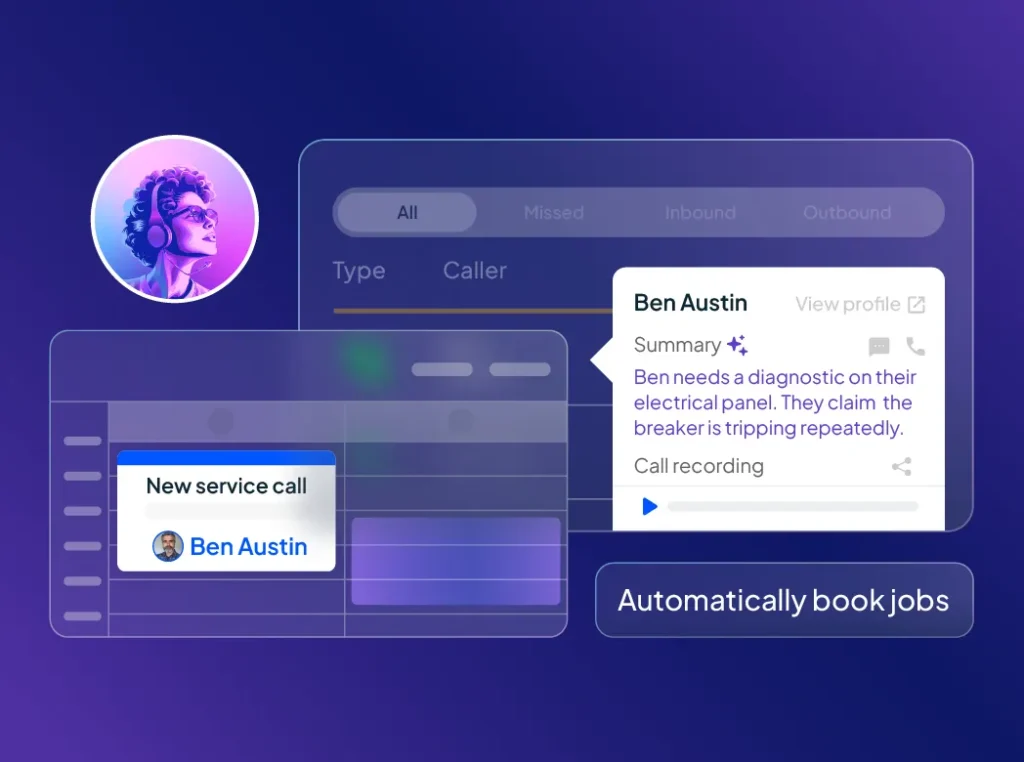
Instead of using AI in a separate tab and then copying everything back into your workflow, Housecall Pro brings embedded AI into the same system home service businesses already use to manage calls, scheduling, marketing, estimates, invoices, payments, reviews, reporting, and customer communication.
HCP AI helps helps home service businesses:
- Capture more customer inquiries: Answer incoming calls and chats, collect job details, and help customers get scheduled without adding work for your team.
- Create customer communications faster: Draft emails, review responses, appointment reminders, and promotional messages without starting from scratch.
- Turn business data into actionable insights: Surface trends in revenue, job performance, and operations so you can spend less time digging through reports.
- Get guidance for everyday business decisions: Receive recommendations and next steps related to growth, pricing, staffing, and other operational challenges.
- Keep work connected: AI-assisted messages, reports, and recommendations can support the same workflows your team already uses for scheduling, estimates, invoices, payments, and customer communication.
The proof is in the numbers:
- Pros who use CSR AI earn over 2x more revenue on average than those who don’t.
- Pros have used Marketing AI to create over 700,000 emails, texts, and service descriptions.
- Analyst AI has generated 7,000 custom reports for Pros.
- Coach AI has provided over 50,000 strategies to help Pros drive business growth.
Start a free trial of Housecall Pro and see how HCP AI can turn your best AI prompts into real business results.
AI prompts for business FAQs
What are AI prompts for business?
AI prompts for business are instructions that help an AI tool complete a specific work task, such as drafting a message, organizing notes, creating a checklist, or shaping a first version of customer-facing copy. A business prompt is usually tied to a specific workflow, customer situation, or internal process—not just a general question.
What is the best AI prompt format for business?
The best AI prompt format includes a role, task, context, output format, tone, and review instructions. For example: “Act as a customer service manager for a plumbing company. Write a friendly follow-up text for a customer who hasn’t responded to an estimate in 3 days. Keep it under 320 characters.”
How can small businesses use AI prompts?
Small businesses can use AI prompts to move faster on repeat work like customer messages, social posts, job descriptions, meeting summaries, checklists, sales follow-ups, and local marketing ideas. The best use cases are tasks you do on repeat—estimate follow-ups, review responses, job checklists, seasonal emails—where you already know what needs to be said but want a cleaner first draft in less time.
Can AI prompts help with customer service?
Yes, AI prompts can help with customer service by drafting review responses, apology emails, appointment reminders, policy explanations, and follow-up messages. A business owner or manager should still review the message before sending it to make sure it’s accurate, appropriate, and specific to the customer’s situation.
What are the best AI prompts for marketing?
The best AI prompts for marketing include the business type, customer audience, location, offer, channel, and goal. For example, you could ask: “Act as a local marketing assistant for a plumbing company in Denver. Write 3 Facebook posts promoting water heater inspections before winter. Keep the tone helpful and include one booking CTA.”
Can AI write business emails?
Yes, AI can help write business emails, including follow-ups, appointment reminders, customer updates, sales messages, and internal team emails. Human review matters most for emails about pricing, complaints, refunds, contracts, warranties, legal language, or service delays.
The three most common options are ChatGPT, Claude, and Gemini—all three work with the prompts in this article.
Which AI tool is best for home service businesses?
The three most common options are ChatGPT, Claude, and Gemini—all three work with the prompts in this article. Which one you use comes down to your setup:
- ChatGPT has the largest user community and extensive tutorials, templates, and resources for small business use cases.
- Claude is known for handling long documents and detailed instructions well, making it useful for tasks that require a specific tone, structure, or format.
- Gemini integrates directly into Gmail, Docs, and Sheets if your team already works in Google Workspace.
- Housecall Pro is built specifically for home service businesses. Unlike general AI tools, HCP AI connects to your actual jobs, customers, and data, so outputs are specific to your business, not generic drafts. The platform includes built-in AI for call answering, estimate follow-ups, marketing copy, review responses, and reporting.
For a full breakdown, Zapier’s AI chatbot comparison covers the key differences across use cases
Can I use AI prompts inside Housecall Pro, or do I need a separate tool?
Both—but less than you’d think. HCP AI handles call answering, business reports, marketing campaigns, review responses, and coaching natively, with your customer and job data already built in. For tasks like writing job descriptions, SOPs, or training materials, an external tool like ChatGPT or Claude can help you draft faster, then bring the output into HCP to put it to work.