Want to win more jobs with less effort?
Grow your business and send quick quotes with our home service software.

Want to see your potential revenue?
See what businesses like yours earn with Housecall Pro in 1 - 2 minutes.
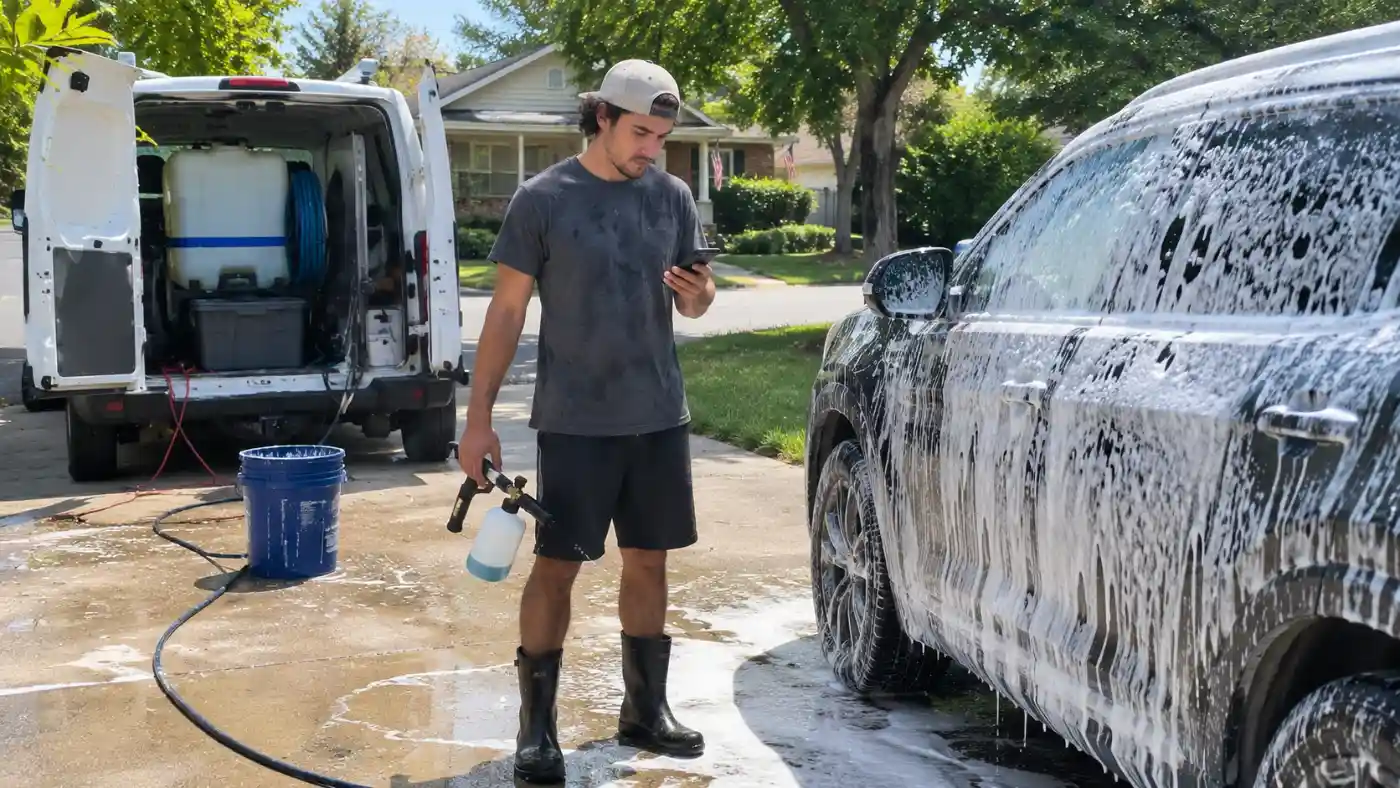
When you’re halfway through an interior detail, it’s hard to stop and answer a booking request, chase a payment, or check tomorrow’s schedule. Those tasks can follow you home if you don’t have a reliable way to keep track of them.
The right apps can take some of that work off your plate. This guide compares eight tools for your car detailing business, including what they do, what they cost, and what to check before signing up.
Quick answer: What are the best apps for car detailing businesses?
The best car detailing apps depend on the work you need help with: Square Appointments handles bookings and payments, Wave offers invoicing and accounting, and MileIQ tracks mileage between jobs. If you want to manage scheduling, invoicing, payments, and customer review requests together, Housecall Pro brings those tasks into one platform.
Table of contents
- What to look for in a car detailing app
- Car detailing apps at a glance
- Car detailing apps for vehicle lookup and booking
- Car detailing apps for accounting and invoicing
- Car detailing apps for marketing and reputation
- Car detailing apps for team scheduling and mileage
- How Housecall Pro brings it all together for car detailing businesses
What to look for in a car detailing app
Not every car detailing app is worth the investment. Before you get locked into multiple subscriptions, consider which parts of your day take more time than they should. Are customers waiting for you to confirm appointments? Are receipts piling up in your truck? Knowing where you need help makes it easier to compare apps and decide what’s worth paying for.
Here are four factors to consider:
- Does it solve the problems you need help with? A focused app may be enough for mileage tracking or bookkeeping. If you need help with bookings, invoices, and follow-ups, compare tools that handle those tasks together.
- Can you use it on its own? Check whether the features you need work independently or require a subscription to another platform.
- Does the price make sense? A solo mobile detailer has different needs and a different budget than a business with multiple crews. Consider monthly fees, transaction costs, and whether the app charges extra for additional users.
- Will you still use it as your business grows? Check user limits, data export options, and integrations. You may need to add employees or connect your apps later.
An app should save you time once it’s set up. If you’re entering the same customer details in several places or constantly fixing scheduling mix-ups, review how your tools work together.
Car detailing apps at a glance
Use this table to compare each tool’s main purpose, starting costs, and fit for your business. The sections below explain the features and limits to check before signing up.
| App | Category | Price | Best for |
| NHTSA VIN Decoder | Vehicle information | Free | Looking up vehicle specifications using a VIN |
| Square Appointments | Scheduling and payments | Free plan; paid plans from $49/month | Booking appointments and accepting payments |
| QuickBooks Online | Accounting and bookkeeping | From $38/month for 1 user; $340/month for up to 25 users | Tracking income, expenses, and business finances |
| Wave | Invoicing and accounting | Free Starter plan plus card fees. Pro: $190/year. | Creating invoices and managing basic bookkeeping |
| NiceJob | Customer reviews | From $95/month; add-ons cost extra | Collecting reviews and building an online reputation |
| Broadly | Customer communication and marketing | From $199/month (AI Voice, calls only). AI Front Desk: $299/month. | Managing incoming leads, customer messages, and online marketing |
| Homebase | Employee scheduling and time tracking | Free for 1 location, up to 10 staff; paid from $30/location/mo | Scheduling detailing crews and tracking employee hours |
| MileIQ | Mileage tracking | 40 free drives/month; unlimited for $11.66/month | Tracking business mileage for mobile detailing services |
Car detailing apps for vehicle lookup and booking
Before you can detail a customer’s vehicle, you need to know what you’re working with and when the customer wants the service. A vehicle identification number (VIN) lookup gives you the car’s make, model, year, and specs, so you know what you’re pricing before you send the estimate. Booking apps, on the other hand, help manage appointments and availability.
NHTSA VIN Decoder
The free NHTSA VIN Decoder lets car detailers look up vehicle information using a VIN. Enter the VIN to see details such as the make, model, model year, and body type before preparing a quote or scheduling a job.
- Best for: Identifying vehicles and confirming basic vehicle details before providing a detailing estimate.
- Standout feature: Access to manufacturer-reported vehicle information without creating an account or paying for a subscription.
- Pricing: Free on the NHTSA website.
- Watch out for: Vehicle information may be incomplete, and the tool doesn’t provide details about a car’s current condition, interior materials, or detailing needs. You’ll still need to inspect the vehicle or ask customers questions before quoting a price.
Note: The NHTSA VIN Decoder is a web tool, not a standalone app. If you choose a third-party VIN decoder app, check who provides it, what information it includes, and whether it charges a fee.
Square Appointments
Square Appointments helps detailing businesses accept online bookings, manage their calendars, and collect customer payments. Customers can schedule services based on your availability, reducing the need to manage appointments by phone and text.
- Best for: Solo detailers and small detailing businesses that need online scheduling and payment processing.
- Standout feature: An online booking page that lets customers select services and appointment times, with booking information automatically added to your calendar.
- Pricing: A free plan is available, with payment processing fees of 2.6% + 15¢ for in-person card transactions and 3.3% + 30¢ for online payments. Square Plus costs $49 per month per location.
- Watch out for: Payment processing fees apply even with the free plan, and some advanced scheduling features require a paid subscription. Mobile detailers should also account for travel time between appointments when setting their availability.
Read more: How to avoid double booking
Car detailing apps for accounting and invoicing
Between buying cleaning supplies, maintaining equipment, paying employees, and collecting customer payments, car detailing businesses have plenty of financial transactions to track. Accounting apps help you organize those expenses, send invoices, and monitor how much money your business brings in.
Keeping those records up to date gives you a clearer view of your income and expenses and makes tax preparation easier.
QuickBooks Online
QuickBooks Online helps car detailing business owners track income, categorize expenses, and generate financial reports. Connect your business bank accounts to cut down on manual entry, and give your accountant access to help prepare for tax season.
- Best for: Established detailing businesses that need detailed financial reporting and expense tracking.
- Standout feature: Automatic transaction categorization helps organize expenses such as cleaning chemicals, equipment purchases, and vehicle maintenance.
- Pricing: Simple Start costs $19 per month for the first three months, then $38 per month. It includes one user and access for two accountants. Plans with more users cost more, up to $340 per month for 25 users.
- Watch out for: The introductory price is temporary, and payment processing costs extra. Businesses with multiple employees who need software access may require a more expensive plan.
Wave
Wave offers free accounting and invoicing tools for small businesses. Detailers can create estimates, send invoices, record expenses, and keep track of customer payments without committing to a monthly subscription.
- Best for: Solo detailers and small businesses looking for free invoicing and basic bookkeeping.
- Standout feature: Create unlimited estimates and invoices with the free Starter plan, making it useful for detailers who handle their own billing.
- Pricing: Starter is free, with online payment fees of 2.9% + 60 cents per credit card transaction or 3.4% + 60 cents for American Express. Pro costs $190 annually.
- Watch out for: Automatic bank transaction imports and automated late payment reminders require the paid Pro plan. Receipt scanning is included in Pro or available as a paid add-on on Starter. Credit card processing fees also apply to online payments, even with the free version.
Car detailing apps for marketing and reputation
Positive customer reviews and consistent communication help car detailing businesses attract new customers and encourage repeat bookings. Marketing and reputation management apps make it easier to request reviews, respond to customer feedback, and promote your services.
If you’re moving between jobs all day, automated review requests and customer follow-ups can help you stay in touch without you having to manually send every message yourself.
NiceJob
NiceJob helps car detailing businesses collect customer reviews and share positive feedback online. It automatically sends review requests by text or email after a completed service, so you don’t have to remember to follow up with every customer.
- Best for: Detailers who want to collect more customer reviews and build their online reputation.
- Standout feature: Automated review requests and follow-ups, with the ability to share customer reviews on your website and social media.
- Pricing: Starter costs $95 per month. Pro costs $135 per month and includes referral campaigns, repeat booking reminders, and additional marketing features. Add-ons, such as a managed website, cost extra.
- Watch out for: Features such as automated review replies and repeat booking campaigns require the Pro plan. NiceJob also isn’t a complete scheduling or payment management system, so you’ll need separate tools for those tasks.
Broadly
Broadly helps detailing businesses manage customer calls, online reviews, and marketing from one platform. Its AI tools answer incoming calls and book appointments, which is useful when you’re busy detailing a vehicle and can’t pick up the phone.
- Best for: Established detailing businesses that miss calls while working and want help with leads, reviews, and marketing.
- Standout feature: An AI receptionist that answers calls 24/7, books appointments, and texts you when a lead comes in.
- Pricing: AI Voice, which covers calls only, costs $199 per month. AI Front Desk adds review requests and replies plus weekly social posts for $299 per month. The full 24/7 AI Workforce package costs $699 per month. Paid plans require a 12-month agreement and a one-time setup fee of $99 to $500.
- Watch out for: The 12-month commitment and setup fee are a lot for a solo detailer. If you only need reviews, a review-focused tool like NiceJob costs less, and if you only need call answering, AI Voice is the cheaper Broadly option.
Car detailing apps for team scheduling and mileage
As you add detailers to your crew, you need a clear record of who’s working and when. Employee scheduling apps help you plan shifts and track hours.
If you offer mobile detailing, a mileage app can also help you keep a record of business trips between customer locations.
Homebase
Homebase helps detailing businesses manage employee schedules, track hours, and communicate with team members. Employees can view their schedules and clock in and out using their phones.
- Best for: Detailing businesses with multiple employees that need shift scheduling and time tracking.
- Standout feature: Employee scheduling tools that let workers view upcoming shifts, request time off, and manage shift changes.
- Pricing: Free Basic plan for one location with up to 10 employees. Essentials costs $30 per month per location for unlimited employees and includes advanced scheduling, time tracking, and team communication.
- Watch out for: Payroll costs extra, and the free plan has limited scheduling features. Homebase manages employee shifts rather than customer appointments, so you’ll need another tool to schedule detailing jobs.
MileIQ
MileIQ automatically records drives using your phone, so you can review your trips without logging each one by hand. Mobile detailers can classify drives as business or personal and generate mileage reports for tax records or reimbursement.
- Best for: Mobile car detailers who travel between customer locations and need accurate mileage records.
- Standout feature: Automatic drive detection with simple swipe controls to classify business and personal trips.
- Pricing: Free plan includes 40 drives per month. Unlimited costs $11.66 per month when billed annually or $13.99 when billed monthly.
- Watch out for: The free plan’s 40-drive limit may not be enough for busy mobile detailers. MileIQ tracks mileage but doesn’t manage fuel purchases, vehicle maintenance expenses, or customer appointments.
How Housecall Pro brings it all together for car detailing businesses
A booking app, an invoicing tool, and a review platform can each help with part of the job. But if you’re copying customer details between them or checking several calendars, that extra work can eat into the time you saved. Housecall Pro brings scheduling, invoicing, payments, and review requests into one system.
Here’s how that can help during a detailing job:
- Online booking and scheduling: Let customers book detailing appointments online, assign jobs to employees, and send automated appointment reminders to reduce missed bookings.
- Invoicing and payments: Create invoices after completing a detail and accept payments online or directly from the customer’s driveway.
- Automated review requests: Follow up with customers after a completed service to request feedback and build your online reputation.
You can use Housecall Pro for day-to-day business tasks and keep specialized tools, such as a VIN decoder, for vehicle lookups. Before choosing a plan, check that it includes the features and number of users your team needs.
Try managing your next detailing jobs in one place. Start your free 14-day Housecall Pro trial to see how it fits your workday.
Get In Touch: 858-842-5746
Let us earn your trust
On average, Pros increase monthly revenue generated through Housecall Pro by more than 35% after their first year.
See plan options and feature breakdown on our pricing page.
Car detailing apps FAQ
What's the best app for a mobile car detailing business?
The best app for a mobile car detailing business depends on which tasks you need help managing. Square Appointments is a popular choice for customer bookings and payments, while MileIQ tracks mileage between jobs.
QuickBooks Online handles accounting and expense tracking. For detailers who want to manage scheduling, invoicing, payments, and customer review requests from one platform, Housecall Pro is another option worth considering.
What software helps detailers with booking and invoicing?
Square Appointments helps car detailers manage online bookings, schedule appointments, and accept customer payments. It also supports digital invoicing, allowing you to bill customers after completing a detailing service. Its free plan makes it accessible to solo operators who don’t need advanced scheduling tools. Wave’s free Starter plan covers unlimited invoices and estimates, with card fees of 2.9% + 60 cents per credit card transaction on online payments.
How much does car detailing business software cost?
Car detailing business software ranges from free to several hundred dollars per month, depending on the features included. Square Appointments offers a free plan with payment processing fees, while QuickBooks Online Simple Start costs $38 per month. More specialized platforms, such as Broadly’s AI receptionist plans, cost $199 to $699 per month.
Is there a free app for car detailing businesses?
Yes, several free apps are available for car detailing businesses. The NHTSA VIN Decoder provides vehicle information at no cost, while Wave offers free invoicing and basic accounting tools. Square Appointments also has a free scheduling plan, although transaction fees apply when customers pay by card. Homebase’s free Basic plan covers one location with up to 10 employees, and MileIQ’s free plan includes 40 drives per month.
What app do mobile detailers use to manage appointments?
Mobile detailers can use Square Appointments to manage customer bookings, view upcoming jobs, and send appointment reminders. Customers can book available time slots online without calling or texting. When setting up the calendar, detailers should allow enough time between appointments for travel, equipment setup, and cleanup.
What apps does a new mobile detailer need to get started?
A lean starter stack for a new mobile detailer is Square Appointments’ free plan for bookings and payments, Wave’s free Starter plan for invoices and bookkeeping, and MileIQ’s free plan (40 drives per month) for mileage between jobs. Card-processing fees apply on Square and Wave. Add NiceJob (from $95 per month) for automated review requests and Homebase (free for up to 10 employees at one location) once you hire a crew.
How do I track mileage for a mobile detailing business?
MileIQ tracks business mileage automatically using your phone, so you can classify drives as business or personal and generate mileage reports for tax records or reimbursement. The free plan includes 40 drives per month. Unlimited drives cost $11.66 per month billed annually or $13.99 billed monthly.