Want to win more jobs with less effort?
Grow your business and send quick quotes with our home service software.

Want to see your potential revenue?
See what businesses like yours earn with Housecall Pro in 1 - 2 minutes.
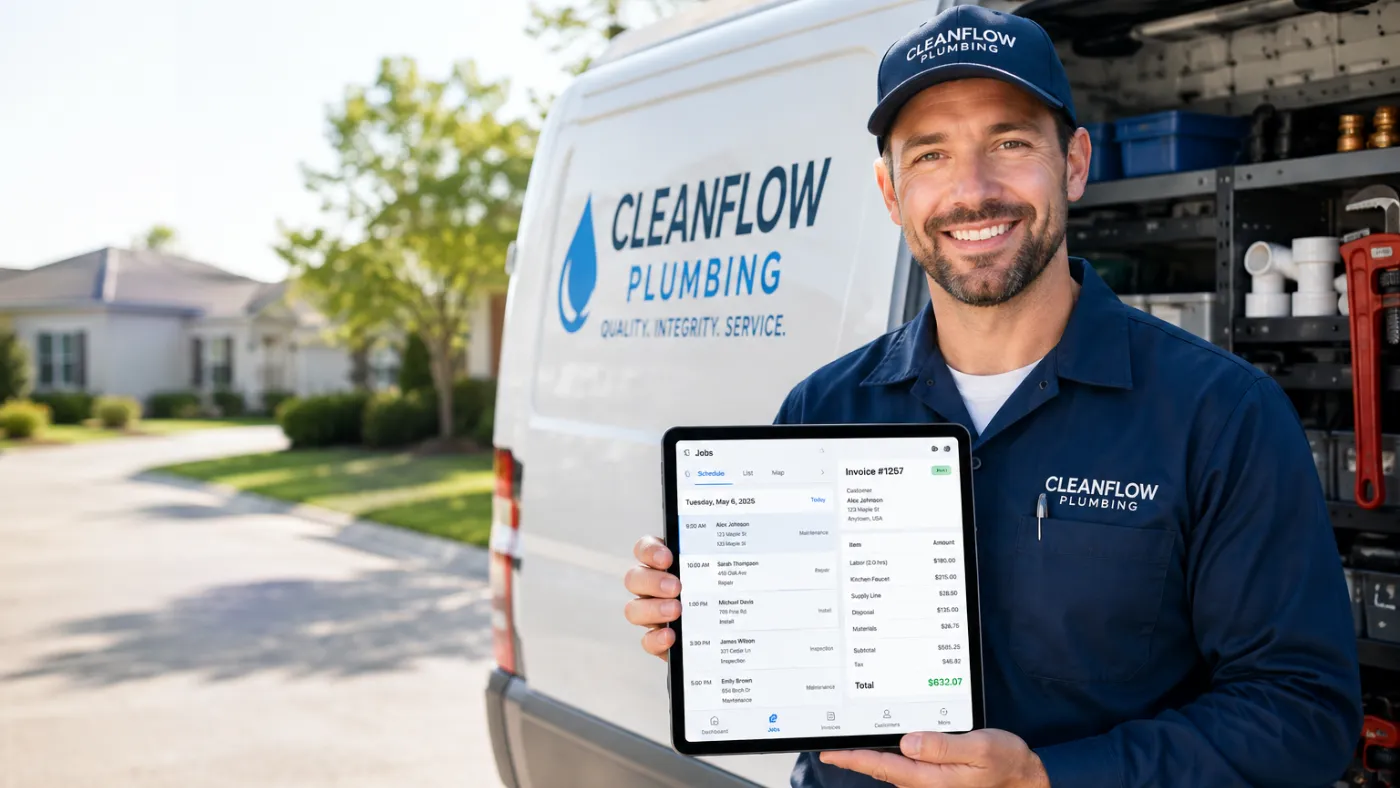
When your plumbing business has a few trucks on the road, a growing schedule, and more invoices than one person can comfortably keep up with, manual systems start to break down. Jobs get moved around without everyone getting the update, techs spend too much time driving between calls, and completed work may not get invoiced until days later.
The best plumbing dispatch and invoicing software brings these tasks together in one place. It can help your office see where technicians are, assign the right plumber to each job, update schedules in real time, create invoices from the field, and collect payment without passing paperwork back and forth.
We evaluated the platforms below based on how well they handle both sides of that workflow. The right choice depends on how many techs you’ve got, how many jobs you’re running, your budget, and how complicated your day-to-day work actually is.
Quick answer: What’s the best plumbing dispatch and invoicing software for growing businesses?
The best plumbing dispatch and invoicing software keeps scheduling, dispatching, field communication, invoicing, and payments connected in one system, so a schedule change or a completed job doesn’t require a separate call, text, or spreadsheet update to catch up.
Housecall Pro is a strong all-around option for growing plumbing businesses. It combines real-time dispatching, route planning, mobile invoicing, online payments, and field tools in one platform built for home service businesses. High-volume operations that need deeper reporting and job costing may find ServiceTitan a better fit, while established multi-truck contractors that need shared service history across trucks may prefer FieldEdge. Simpler operations may prefer Jobber, and teams that need more tools for customer communication and automated tasks may prefer Workiz.
When comparing plumbing software, focus on your biggest day-to-day challenge: seeing and changing the schedule, sending invoices quickly, collecting payments, or reviewing business results. Then compare platforms based on your crew size and job complexity today while leaving room for growth.
Table of contents
- What to look for in plumbing dispatch and invoicing software
- The best plumbing dispatch and invoicing software
- Plumbing dispatch and invoicing software comparison
- How to choose the right software for your plumbing business
- When should a plumbing business switch dispatch and invoicing software?
- How much does plumbing dispatch and invoicing software cost?
- Run your plumbing business on one connected system
What to look for in plumbing dispatch and invoicing software
Good plumbing software should help your team react to schedule changes quickly and invoice finished jobs without adding extra steps.
We used the following criteria to evaluate every platform in this list.
Real-time dispatch and crew tracking
Plumbing schedules change fast. One tech may run long on a sewer-line job, another may finish early, or an urgent call may need to be worked into an already full day.
Your dispatcher should be able to see the current schedule, job status, technician availability, and location information without calling or texting every plumber individually. Changes made in the office should also reach the tech in the field quickly.
Drive-time and route optimization
The nearest plumber isn’t always the right plumber, but location matters when you’re dealing with urgent calls and a packed schedule.
Better routing can help prevent situations where one plumber crosses town for a service call while another qualified tech is already working a few miles away. Look for software that helps your dispatcher compare technician locations, appointment windows, routes, and estimated drive times.
Invoice generation speed
A completed job shouldn’t sit in a folder for three days before someone in the office turns it into an invoice.
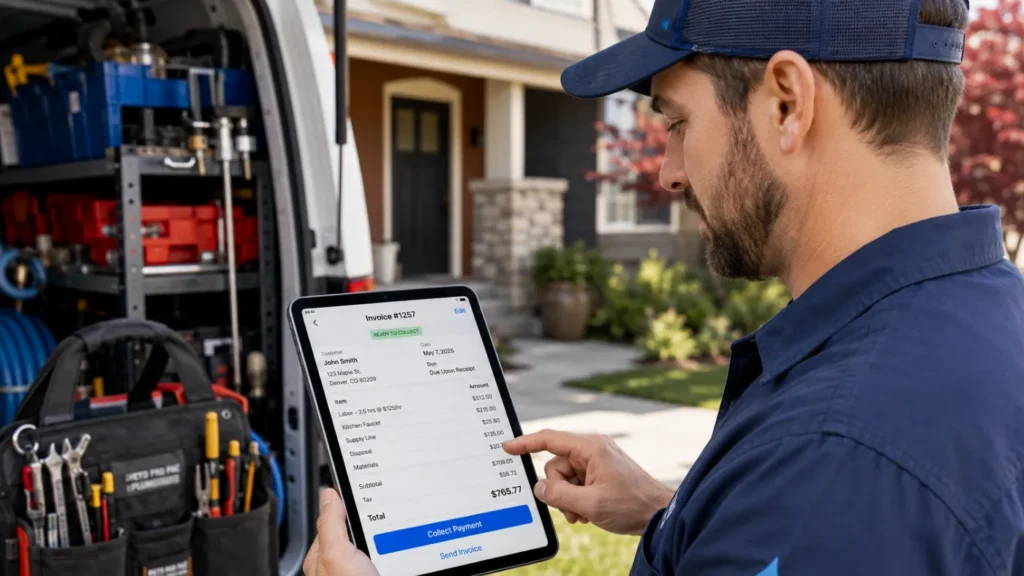
Strong plumbing invoicing software lets technicians create or complete invoices from the field, add labor and materials, include photos or notes when necessary, and send the bill to the customer immediately. The shorter the gap between finishing the job and sending the invoice, the sooner you can start collecting payment.
Payment collection options
Giving customers more ways to pay can make payment easier at the end of a job. Depending on the platform and plan, that may include credit and debit cards, online payments, saved cards, tap-to-pay options, or financing.
The important question isn’t simply whether a platform accepts payments. Look at whether your plumber can collect payment before leaving the customer’s property and whether your office can quickly see what’s paid, partially paid, or still outstanding.
Mobile app quality for technicians
The best software won’t help much if your plumbers can’t easily use the mobile app.
Techs should be able to view job information, update their status, access customer history, add notes and photos, build estimates or invoices, and collect payment without jumping through a dozen screens.
Also test what happens when signal is weak or unavailable, especially if your techs regularly work in basements, mechanical rooms, rural areas, or new construction sites.
Accounting and data sync
If you already use accounting software, check whether customer records, invoices, payments, taxes, and job data can transfer between the two systems automatically.
Manual re-entry creates more work and increases the risk of billing errors or mismatched records.
Pro tip: Don’t test software using a perfect, simple job. Run through a messy real-world scenario: one tech is running late, another finishes early, the customer approves extra work, and payment needs to be collected before the plumber leaves. That’s a much better test of whether the software can handle your actual day.
The best plumbing dispatch and invoicing software
No single platform is the best fit for every plumbing company. A three-truck residential shop doesn’t need the same system as a regional operation with dozens of technicians, multiple dispatchers, and more detailed reporting needs.
We compared these platforms based on dispatch visibility, routing support, field invoicing, payment collection, mobile usability, pricing structure, and fit for growing plumbing teams. They’re listed by use case, not ranked head-to-head.
Housecall Pro
When jobs run long or urgent calls force a schedule change, Housecall Pro’s plumbing software helps office staff reassign work and send schedule updates to technicians without relying on calls or group texts.
The dispatch board lets office staff schedule and assign jobs, make changes as the day moves, and keep technicians updated through the mobile app. Dispatch mapping tools can show job addresses and estimated drive times, while route changes update for techs in the field. Real-time GPS and vehicle tracking are also available for businesses that need more visibility into their fleet. For example, if a no-hot-water call comes in while every tech is already booked, a dispatcher can check the map, see who’s closest and likely to free up soonest, and send the updated job straight to that tech’s phone.
On the invoicing side, Housecall Pro helps techs create and send invoices from the field, collect payment, and keep the office updated on job and payment status without entering the same customer and service information into separate systems.
What Housecall Pro does well:
- Combines scheduling, dispatching, invoicing, payments, estimates, and customer information in one system.
- Gives dispatchers map views and estimated drive times to help plan the day.
- Lets office staff make real-time schedule changes that update for technicians.
- Supports mobile invoicing and field payment collection.
- Publishes standard plan pricing, making initial cost comparisons easier.
Best for: Growing plumbing businesses that need stronger dispatch visibility, mobile invoicing, and payment collection without the setup and training often required by software built for very large operations.
The tradeoff: Plumbing companies with highly complex operations, many branches, or extensive custom reporting requirements may need capabilities beyond what a small-to-midsize field service platform is designed to provide.
ServiceTitan
ServiceTitan may work well for larger plumbing businesses that need advanced dispatching, reporting, pricing, job costing, and additional tools for managing a more complex business.
Its plumbing dispatch tools are designed to help companies respond to schedule changes, assign work orders, monitor job progress, and match technicians with jobs based on factors including location and workload. ServiceTitan also connects dispatching with invoicing, payment processing, job costing, customer history, and accounting tools.
Techs can create invoices in the field, send them by text or email, and collect payment through supported payment options. Because the platform covers a broad range of business functions, it can be especially useful for plumbing businesses managing high call volume or more complex residential and commercial work.
What ServiceTitan does well:
- Offers advanced scheduling and dispatching capabilities.
- Connects invoicing with job costing, reporting, pricebooks, and accounting workflows.
- Supports field invoicing and multiple payment options.
- Provides detailed reporting and management tools for complex businesses.
- Can support residential, commercial, and construction work.
Best for: Big enterprise plumbing companies with larger teams, high job volume, dedicated office staff, and a need for detailed reporting and management tools.
The tradeoff: ServiceTitan’s broader feature set can mean more setup, staff training, data migration, and software configuration than a five-truck plumbing company actually needs.
Jobber
Jobber may be a good fit for plumbing businesses that want a simpler, more approachable system for moving away from paper schedules, spreadsheets, and manually created invoices.
Its plumbing software combines scheduling and dispatching with estimates, invoices, client information, and payment collection. Office staff can use the calendar to assign and move work, while techs can access job details and update information through the mobile app.
Jobber is particularly strong for businesses that want a straightforward way to manage everyday tasks. A plumber can go from viewing job details to completing the work, invoicing the customer, and recording payment without needing separate scheduling and accounting apps for each step.
What Jobber does well:
- Offers an approachable interface for teams moving off paper.
- Connects scheduling and dispatching with quotes, invoices, and payments.
- Provides a mobile app for techs in the field.
- Includes a customer-facing Client Hub for quotes, invoices, and payments.
- Publishes standard pricing plans, making initial cost comparisons easier.
Best for: Plumbing businesses that want simple scheduling and invoicing without a long setup process or heavy dispatch complexity.
The tradeoff: Jobber may become less appealing for companies that need more advanced tools for assigning and routing jobs, detailed reporting, or more complicated multi-location operations. Costs can also rise as you add users or move into higher-tier plans for more advanced scheduling, automation, or reporting.
Workiz
Workiz is best suited to plumbing businesses that are struggling to keep job updates, customer communication, dispatching, and billing coordinated across separate tools.
Its dispatch tools help office teams assign jobs, track progress, and use technician availability, location, and skills to coordinate work. Its mobile app also lets technicians generate estimates and invoices and record job revenue from the field.
That can help growing plumbing businesses cut down on the calls, texts, and separate apps it takes to keep one job moving.
What Workiz does well:
- Combines scheduling, dispatching, invoicing, and payments.
- Includes technician tracking and real-time job progress.
- Provides customer communication tools and features that can automate repeat tasks.
- Supports mobile estimates and invoices.
- Is designed for growing field service businesses, including multi-location teams.
Best for: Growing plumbing businesses that want dispatch and billing tools but also place a high priority on customer communication and automating repeat tasks.
The tradeoff: Businesses primarily looking for straightforward dispatch and invoicing may find some of its additional communication and automation tools unnecessary for their needs.
FieldEdge
FieldEdge is designed for plumbing companies that need dispatchers and technicians to see the same customer history, job information, and billing status across multiple trucks.
Dispatchers can manage schedules and send plumbers to jobs, while technicians use the mobile app to access customer information and service history in the field. Techs can also create invoices and collect payment from the field, which helps reduce the time between finishing work and getting paid.
What FieldEdge does well:
- Connects dispatch with customer and service history.
- Supports field invoicing and mobile payment collection.
- Offers real-time, two-way QuickBooks Online and Desktop sync.
- Targets growing multi-truck contractors that need a clearer view of jobs, technicians, and customer information.
Best for: Established plumbing contractors with multiple trucks, repeat customers, and a need to give field techs access to service history while keeping invoicing and accounting connected.
The tradeoff: FieldEdge is built around established, multi-truck operations, so smaller or newer plumbing businesses without that structure may find that it’s more complex than they currently need.
Plumbing dispatch and invoicing software comparison
Features shown reflect generally available capabilities at the time of review; some tools may require higher-tier plans, add-ons, payment processing agreements, or custom pricing.
| Software | Best fit | Dispatch tools | Invoices & payments | Starting price | Main tradeoff |
| Housecall Pro | Small to midsize teams | Live dispatch, maps, drive times, GPS options | Field invoices and on-site payments | $59/mo, annual | May not fit highly complex enterprise needs |
| ServiceTitan | Large or complex operations | Advanced assignment and job management | Field invoices, payments, and job costing | Custom quote | More setup and training may be required |
| Jobber | Plumbing businesses with simpler dispatch needs | Scheduling and basic crew dispatch | Mobile invoices and payment collection | $29/mo, annual | Fewer advanced dispatch/reporting tools |
| Workiz | Teams focused on communication | Live dispatch, tracking, and automation | Mobile estimates, invoices, and payments | Custom quote | Extra automation may not suit simple needs |
| FieldEdge | Established multi-truck teams | Dispatch linked to service history | Mobile invoicing and payment tools | Custom quote | May offer more than smaller teams need |
How to choose the right software for your plumbing business
The best software isn’t the one with the longest feature list. It’s the one that matches the problems your business needs to solve today and can still support you as your team grows.
Start with your actual team size and job volume.
A solo plumber or two-person crew may only need simple scheduling, customer information, invoicing, and mobile payments. A business with five or 10 trucks may need a clearer view of the schedule, better route planning, technician tracking, different access levels for staff, and reporting. A much larger company may need advanced job costing, multiple branches, more detailed reports, and dedicated setup support.
Also compare the cost and effort of switching. Ask whether the provider helps import customer records, pricebooks, invoices, and service history; how long setup typically takes; and whether your team will need formal training before you start using the system.
Before committing, ask:
- Can my dispatcher see what’s happening across the entire day without calling every tech?
- How quickly can a completed plumbing job become a sent invoice?
- Can my tech collect payment before leaving the customer’s property?
- How easily can I reassign an urgent job when one tech runs late or another finishes early?
- Does the mobile app give plumbers everything they need without calling the office?
- What features will require a higher plan or additional fee?
- Will the software still make sense if I double my team size?
- How much work will it take to migrate customer history, pricebooks, and accounting data?
Pro tip: Have one dispatcher and one field tech test the software separately. The owner may love the reporting tools, but the system won’t deliver much value if the people dispatching jobs and creating invoices find it difficult to use day to day.
When should a plumbing business switch dispatch and invoicing software?
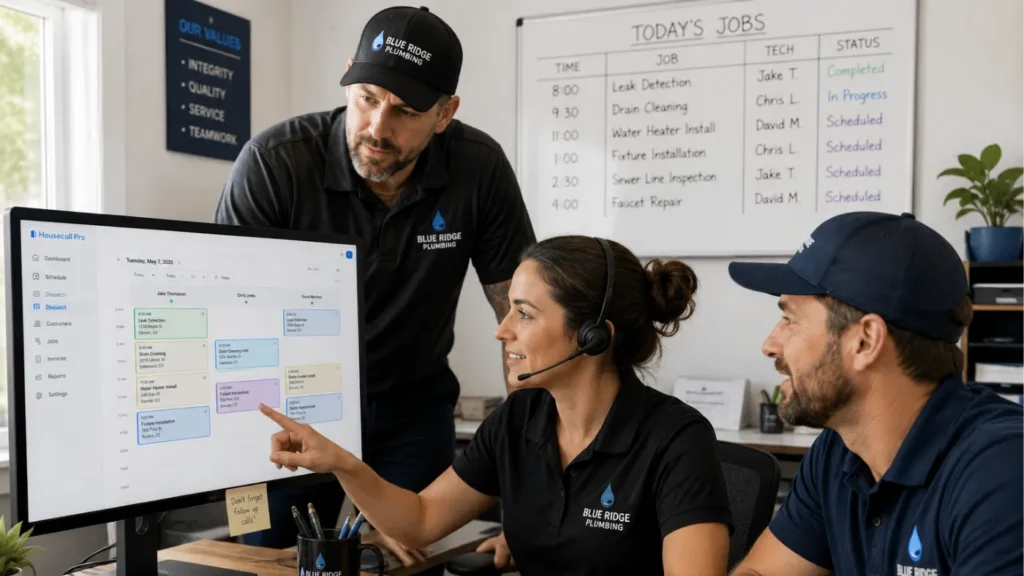
It may be time to switch plumbing software when your current system creates more work than it saves.
Common signs include:
- Dispatchers are managing schedule changes mostly by phone or text
- Techs don’t have reliable job or customer history in the field
- Invoices sit for days after a job is completed
- Customers have to call the office for job or payment status
- You can’t see where techs are or what they’re working on without asking
- Emergency calls are hard to slot into an already full day
- Reports don’t show what’s actually happening across trucks and jobs
- Your current tool handles scheduling but not invoicing, or the reverse
Before you commit to a new platform, ask each provider how long setup takes, what customer and job data they can import, and how your techs will be trained to use the mobile app before you switch over.
At minimum, plan to bring over customer records, service and warranty history, open estimates, unpaid invoices, and any service agreements still in effect.
Switching is real work, so it’s only worth it if it solves a problem you’re actually feeling. Waiting can also mean having more customer history, invoices, and other records to move later.
Pro tip: Before signing anything, have your dispatcher and a busy field tech test the software using realistic jobs. Pay attention to how easily they can handle a same-day emergency call, update the schedule, and finish the invoice.
How much does plumbing dispatch and invoicing software cost?
Plumbing software pricing varies widely. Jobber’s plans start at $29 per month when billed annually, while platforms like ServiceTitan, Workiz, and FieldEdge require a custom quote. Housecall Pro has plans starting at $59 per month when billed annually and offers a free 14-day trial. Confirm current pricing directly with each provider before you buy, since plans and add-ons change.
Costs may also change based on add-ons such as payment processing, GPS tracking, reporting, or additional integrations.
When comparing pricing, ask each provider for the total monthly cost based on:
- Number of office users
- Number of field technicians
- Required features
- Add-ons
- Setup or onboarding fees
- Support costs
- Contract length
- Payment processing fees
- Connections with other software you use
The lowest monthly price doesn’t always tell you which platform will cost less to run. Compare the total cost of the software and features your plumbing business actually needs.
Run your plumbing business on one connected system
As your plumbing business grows, dispatching and invoicing become more closely connected. Adding trucks can create more scheduling and billing work if your dispatcher can’t easily keep track of jobs or completed work sits unbilled for days.
The right plumbing software gives your office and field teams a shared system for assigning jobs, updating schedules, creating invoices, and getting paid. Focus on the features your team will actually use, test the software with real plumbing scenarios, and choose a platform that matches the needs of your business today without limiting your options as you grow.
Housecall Pro helps plumbing businesses manage scheduling, dispatching, invoicing, payments, and field operations in one place. Sign up for a free 14-day trial of Housecall Pro.
Get In Touch: 858-842-5746
Let us earn your trust
On average, Pros increase monthly revenue generated through Housecall Pro by more than 35% after their first year.
See plan options and feature breakdown on our pricing page.
FAQ about plumbing dispatch and invoicing software
Do I need separate software for dispatch and invoicing, or one platform that does both?
Most growing plumbing businesses are better served by one platform that handles both dispatch and invoicing because job, customer, technician, and billing information can move through the same workflow.
Using separate tools can create extra data entry and make it harder for the office to know whether a job is still in progress, completed, invoiced, or paid. Separate tools may still make sense for a very small shop that only needs basic calendar scheduling and sends a handful of invoices per month, but most multi-tech businesses benefit from keeping dispatch and billing in one workflow.
Can plumbers create and send invoices from the field?
Yes, most modern plumbing field service platforms let technicians create, complete, or send invoices from a mobile app while they’re still at the job.
The better question is whether the tech can complete the entire invoice workflow, including labor, materials, photos, signatures, and payment, without sending the job back to the office.
During a demo or trial, test whether your plumber can add labor and materials, attach photos or notes, apply the correct price, send the invoice, and collect payment without needing someone in the office to finish the job.
What's the most important feature in plumbing dispatch software for a growing business?
For most growing plumbing businesses, the most important dispatch feature is real-time visibility into technician schedules, locations, and job status.
That visibility matters most when the schedule changes mid-day, because the dispatcher can reassign work based on availability and proximity instead of calling every technician individually. Housecall Pro’s dispatch board is built around that kind of real-time visibility, showing job status, technician location, and schedule changes in one view as they happen.