Want to win more jobs with less effort?
Grow your business and send quick quotes with our home service software.

Want to see your potential revenue?
See what businesses like yours earn with Housecall Pro in 1 - 2 minutes.

Housecall Pro and ServiceTitan are both field service management platforms built for home service businesses, but they’re designed for different ways of running your business.
Housecall Pro is built for teams of 1 to 100+ that want easy setup and little software admin. ServiceTitan is built for businesses with dedicated office teams, more complex workflows, and advanced reporting needs. The better fit comes down to how your business runs and what you need your software to handle.
Quick answer: Why do home service businesses choose Housecall Pro over ServiceTitan?
Home service businesses tend to choose Housecall Pro over ServiceTitan for its straightforward setup, tools that work on your phone in the field, and everyday workflows that run automatically and don’t require a dedicated software admin.
ServiceTitan is worth considering when a business needs more advanced reporting, detailed operational controls, or has a dedicated staff to manage the software.
Neither platform is automatically better. The right choice depends on the level of complexity your business actually needs.
Table of contents
- Housecall Pro vs. Service Titan at a glance
- Who ServiceTitan is built for
- Who Housecall Pro is built for
- Where the differences show up in day-to-day use
- When ServiceTitan is the better choice
- When Housecall Pro is the better Service Titan alternative
- What switching from ServiceTitan to Housecall Pro looks like
Housecall Pro vs. Service Titan at a glance
If you’re looking for a Service Titan alternative, here’s a side-by-side look at how it compares to Housecall Pro on pricing, setup, integrations, reporting, and AI.
| Factor | Housecall Pro | Service Titan |
| Best for | Teams of 1 to 100+ users that want easy setup and automation | Larger operations with dedicated office and admin staff |
| Pricing | Plans start at $59/month (varies by industry and company size) | Custom quote (priced per technician) |
| Contract | Month-to-month | Typically 12 months |
| Trial | 14-day free trial, self-serve | Free demo through sales |
| Setup | Core workflows running quickly, same-day for some teams | More configuration, price book and backend setup |
| Integrations | 25+ (QuickBooks, Mailchimp, CallRail), thousands more via Zapier | 70+ built-in |
| AI | AI Team (copy, numbers, setup) and optional 24/7 CSR AI for calls | Atlas AI assistant |
| Admin time | Routine tasks run automatically | More settings and upkeep, suits dedicated admins |
Who ServiceTitan is built for
ServiceTitan can be a strong fit for home service businesses with more complicated operations and the staff to manage them. That might include companies with dedicated dispatchers and office admins or organizations that need very complex reporting. ServiceTitan also offers deeper configuration in areas Housecall Pro also covers, such as reporting, payroll, price book management, and recurring membership plans.
For a business that actively uses those capabilities, the extra setup and administration may be worth it. The key question is whether your team needs those tools and has the time and staff to manage them.
Pro tip: Don’t buy software only for the business you hope to have in five years. Make sure it also works for the team you’re running today.
Who Housecall Pro is built for
Housecall Pro works well for home service businesses with growing and midsize teams that want to automate everyday work in one place without adding a major software-management burden. Customers save an average of 8 hours per week by using Housecall Pro. That time back can mean more selling, training techs, reviewing the numbers, or just getting out from behind the desk.
Housecall Pro supports teams from solo operators to 100+ users. You can manage scheduling, estimates, invoicing, payments, customer communication, recurring work, reporting, and other day-to-day operations in the platform. The built-in AI Team handles repetitive work like writing marketing copy, answering questions about your numbers, and guiding setup. An optional CSR AI answers calls and books jobs 24/7.
Housecall Pro also offers advanced tools such as advanced automation, route optimization, and API access. You don’t have to switch platforms just to get more capability as your business needs change. Core workflows stay simple as you add techs, jobs, and customers.

Where the differences show up in day-to-day use
Feature lists only tell you so much. The differences get easier to see when you’re trying to get a new tech working, update prices, find customer history, connect your accounting software, or keep the backend organized.
How long it takes to get up and running
Software isn’t helping your business until your team can actually use it. Aspen T., director of operations at Rapid Rooter Plumbing, saw that difference firsthand:
“If you’re using something like ServiceTitan or FieldPulse, sometimes it can take you days, weeks, months to get everything running the way that you want it to. But with Housecall Pro, I was able to get on, run, and have my tech do a job within the same day.”
Setup time will vary depending on your business, and that’s true whichever platform you’re using. If you’re moving years of customer records, rebuilding a large price book, connecting integrations, or recreating more complex workflows, you may need additional time to get everything in place. Housecall Pro is built to get your core workflows running quickly, but how much of a difference that makes for you depends on how much you’re bringing over from your current setup.
Pro tip: Pick the three workflows you need on day one—usually scheduling, customer records, and invoicing—and get those working before you worry about every advanced setting.
Field tech experience
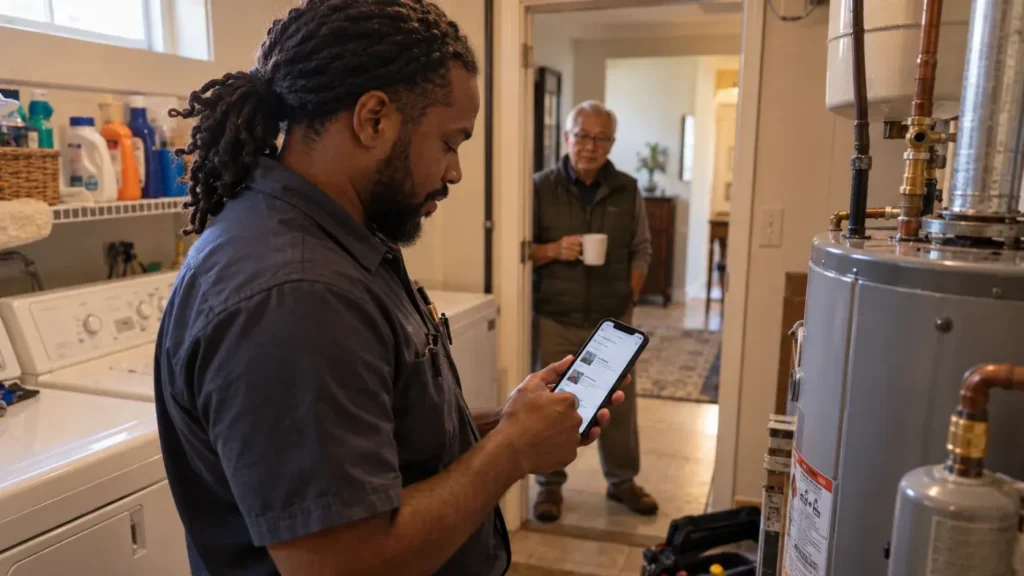
Your software only works if your techs use it. A field tech needs to see where they’re going, what the customer called about, what happened on previous visits, and what needs to happen next without constantly calling the office.
Housecall Pro’s mobile app gives techs a timeline of past visits and notes on the customer, pulls up the job address on Google Maps, and lets them capture photos, checklists, and video on-site. They can message customers right in the app, send a quick “On My Way” text when they’re headed over, build the estimate, and collect payment before they leave. That access keeps techs informed between jobs and gives the next person on-site more context about the customer.
ServiceTitan’s app covers similar ground: techs can pull up a customer’s history, get directions to the job, and put together an estimate, collect a signature, and take payment without heading back to the truck. The real difference tends to show up in daily use—which interface is easiest for techs to use and how much training it takes to get there.
When comparing the two, it’s worth having your field techs participate in the demo instead of making the decision entirely in the office.
Pricing and cost structure
Housecall Pro and ServiceTitan both price with custom quotes. Housecall Pro’s plans start at $59/month, but your final cost depends on your industry and company size. ServiceTitan uses per-technician pricing and doesn’t share plan prices publicly. Either way, you’ll need to request a quote to get an exact number for your business.
Custom pricing is common in the field service industry because team size, complexity, and feature needs vary significantly. The key difference is what you can try before committing. Housecall Pro offers a 14-day free trial with self-serve access to the platform—no sales call required—and plans are month-to-month with no long-term contract. ServiceTitan offers a free demo through its sales team, and using the platform typically requires a 12-month contract.
For current plan information, see the Housecall Pro pricing page.
Pro tip: Don’t compare the subscription price alone. Consider onboarding, training, add-ons, admin time, integrations, and any other tools you’ll need to keep paying for.
Integrations and your existing tools
A field service platform doesn’t operate by itself. Before switching, check how either platform fits with the software your business already depends on, including accounting, payroll, payments, marketing, and other systems.
ServiceTitan has a larger built-in library with 70+ integrations. Housecall Pro’s list is smaller, at more than 25 integrations—including QuickBooks, Zapier, Mailchimp, CallRail, and Gusto—but Zapier alone connects it to thousands of additional apps.
The list that matters is the one with your specific tools on it. If a specific accounting, payroll, or marketing platform is central to how your office runs, ask to see that exact integration in a demo.
Admin overhead
If you’re already handling dispatch, pricing, customer issues, and everything else that comes with running a service business, you probably don’t want software maintenance turning into another major job.
More configurable systems give you more control, but that can also mean more settings, reports, price book work, and backend upkeep. Housecall Pro takes the opposite approach: everyday tasks like appointment reminders, follow-ups, and payment collection run automatically, so you’re not the one keeping the system going.
That might not be every company’s experience with ServiceTitan, and for some businesses, that extra setup and maintenance can be worthwhile. For any team without dedicated admin support, though, it raises a practical question: Who’s going to manage all of it? If the answer is you, or someone juggling it alongside everything else on their plate, that’s worth weighing before choosing a platform built around dedicated admin support.
Get In Touch: 858-842-5746
Let us earn your trust
On average, Pros increase monthly revenue generated through Housecall Pro by more than 35% after their first year.
See plan options and feature breakdown on our pricing page.
When ServiceTitan is the better choice
ServiceTitan can be the better choice when your business has enough moving parts to benefit from its deeper operational controls.
That might include:
- Dedicated dispatch and operations teams
- Complex technician compensation or commission structures
- Detailed inventory and price book requirements
- More advanced reporting needs
- Existing workflows and integrations built around ServiceTitan
A business that uses those capabilities every day may find the extra setup and administration worthwhile. ServiceTitan can also make sense if your team already knows the platform. Switching a mature operation to another system can create training, migration, and process changes that may not be worth the disruption without a clear reason to move.
There isn’t a specific technician count where ServiceTitan suddenly becomes the better option. A 15-tech company with complex operations may need more control than a 30-tech company with relatively simple workflows.
When Housecall Pro is the better Service Titan alternative
Housecall Pro can be the better fit when you want strong field service tools that work automatically in the background without making software management a major part of your workday.
That often fits growing and midsize teams that want to scale without adding admin headcount, owner-led businesses that want to stay hands-on, and teams that want office staff and techs to get comfortable with the platform quickly.
For some pros, the decision comes after trying another platform. “We began the search for an alternative program when ServiceTitan became unreasonable with their pricing and service,” says Tracey F., office manager of Remedy Plumbing. “Housecall Pro was the best fit for our company.”
That’s only Remedy Plumbing’s experience, and every business will have its own priorities when comparing platforms. But it gets at the bigger point: you don’t necessarily need the platform with the most features. You need the one that handles the work your team actually does without creating more complexity than the business needs.
There are also cases where Housecall Pro may not be the best fit. If your team depends on very deep custom reporting, highly specialized operational controls, or ServiceTitan-specific workflows, confirm that Housecall Pro supports those needs before you switch.
For a feature-by-feature breakdown, see our full Housecall Pro vs. ServiceTitan comparison.
What switching from ServiceTitan to Housecall Pro looks like
Switching field service software takes planning. Your current system may hold years of customer records, job histories, price book data, invoices, memberships, and other information your team uses every day.
- Decide what you actually need to move.
Customer records, active jobs, current pricing, recurring work, and open invoices are usually the priorities. Housecall Pro provides migration help for customer, job, and settings data, and dedicated onboarding is available on select plans. - Flag anything heavily customized.
Some parts of a highly customized ServiceTitan account may still need to be reviewed or rebuilt manually. If your business uses custom reports, complicated pricing logic, specialized integrations, or other heavily configured workflows, review those one by one before committing to the switch. - Set up the workflows your team uses every day.
Once the core data is ready, start with scheduling, job types, pricing, invoicing, payments, and customer communication. - Train your team on the tools they’ll actually use.
Teach your office team and techs what they need for their day-to-day work instead of trying to cover every feature at once. - Test a normal job from start to finish.
Schedule it, dispatch it, complete it in the field, and send the invoice. Then make sure the payment and customer information end up where your team expects them. - Use support after launch.
Housecall Pro offers live chat and in-app support across its plans, with dedicated onboarding and escalated phone support available on select plans.
Switching can be worth the work if you end up with simpler admin, easier field adoption, or a system that better matches the way your team operates.
Pro tip: Don’t run two systems forever. Pick a clear transition date so everyone knows which platform is the source of truth for new jobs, customer updates, and payments.
Housecall Pro is rated 4.7/5.0 based on over 2,700 reviews on Capterra.com, GetApp, and Software Advisor. Ready to see if it fits your business? Start your free 14-day trial.
Housecall Pro vs. ServiceTitan FAQs
Why do home service businesses choose Housecall Pro over ServiceTitan?
Home service businesses may choose Housecall Pro over ServiceTitan because Housecall Pro offers straightforward setup, mobile field tools, and automated workflows that can be managed without a large back-office team.
ServiceTitan may be the better fit when a business needs deeper reporting, more configurable operational controls, or already has teams and processes built around the platform.
Is Housecall Pro a good ServiceTitan alternative?
Yes, Housecall Pro is a good ServiceTitan alternative for many teams, especially growing and midsize crews that want fast setup and less admin time. It supports businesses from solo pros to 100+ users, with scheduling, dispatching, route optimization, advanced automation, and API access. Everyday work stays easy to manage as you add techs, jobs, and customers. That makes it a fit for growing and midsize crews that want fast setup and less admin time. If your team relies on very deep custom reporting, complex commission structures, or ServiceTitan-specific workflows, ask for a demo of those exact workflows before you switch.
What is the difference between Housecall Pro and ServiceTitan?
The main difference is how much work each platform asks of you. Housecall Pro is built for Pros who are busy doing the job, so everyday workflows like appointment reminders, follow-ups, and payment collection run automatically in the background. Its built-in AI Team also helps with calls, marketing, and business insights. ServiceTitan offers more depth in areas such as advanced reporting, payroll, commissions, memberships, and other operational controls, along with its own AI assistant, Atlas. That suits larger operations with dedicated office staff to manage them.
Is Housecall Pro easier to use than ServiceTitan?
Housecall Pro is designed to make common field and office workflows straightforward without requiring a dedicated software administrator. For example, Aspen T. of Rapid Rooter Plumbing says her team was able to get Housecall Pro running and have a technician complete a job the same day. Ease of use is subjective, though. A business with dedicated admins may be comfortable with ServiceTitan’s additional configuration when it needs that extra level of control.
How does Housecall Pro pricing compare to ServiceTitan?
Housecall Pro plans start at $59 per month but vary based on your industry and company size, with no long-term contract required. ServiceTitan does not share pricing publicly, uses per-technician pricing, and typically requires a 12-month contract. You’ll need to request a quote to get exact pricing for your business for either platform. When comparing the two, include onboarding, training, add-ons, admin time, and integrations, not just the subscription.
Who is ServiceTitan best for?
ServiceTitan can be a strong fit for home service businesses that need advanced reporting, detailed price book or inventory management, and other deeper operational controls. It may also make sense for companies with dedicated admins or teams that already have established ServiceTitan processes.
Who is Housecall Pro best for?
Housecall Pro is a strong fit for home service businesses that want scheduling, dispatching, estimates, invoicing, payments, customer communication, reporting, and other everyday tools in one place that handle routine work automatically without making software management a major part of the operation. It supports businesses from solo pros to teams of 100+, so the question is less about company size than how much complexity your workflows require.
Can Housecall Pro handle a larger team?
Yes. Housecall Pro supports teams from 1 to 100+ users. Team size matters less than how complex your workflows are, and Housecall Pro’s advanced tools, including advanced automation, route optimization, and API access, are there as your business grows. If you run multiple crews or locations, ask about setup for your structure during a demo.
Can you switch from ServiceTitan to Housecall Pro?
Yes. You can switch from ServiceTitan to Housecall Pro, and Housecall Pro offers help migrating customer, job, and settings data. A switch still takes planning, especially if you use custom reports, specialized integrations, detailed price books, memberships, or other heavily configured ServiceTitan workflows. Review anything your team depends on before you move so you know what can be migrated and what needs to be rebuilt.
Does Housecall Pro have AI like ServiceTitan?
Yes. Housecall Pro’s AI Team handles repetitive work like writing marketing copy, answering questions about your numbers, and guiding setup. An optional CSR AI answers calls and books jobs 24/7. ServiceTitan offers its own AI assistant, Atlas.