Want to win more jobs with less effort?
Grow your business and send quick quotes with our home service software.

Want to see your potential revenue?
See what businesses like yours earn with Housecall Pro in 1 - 2 minutes.
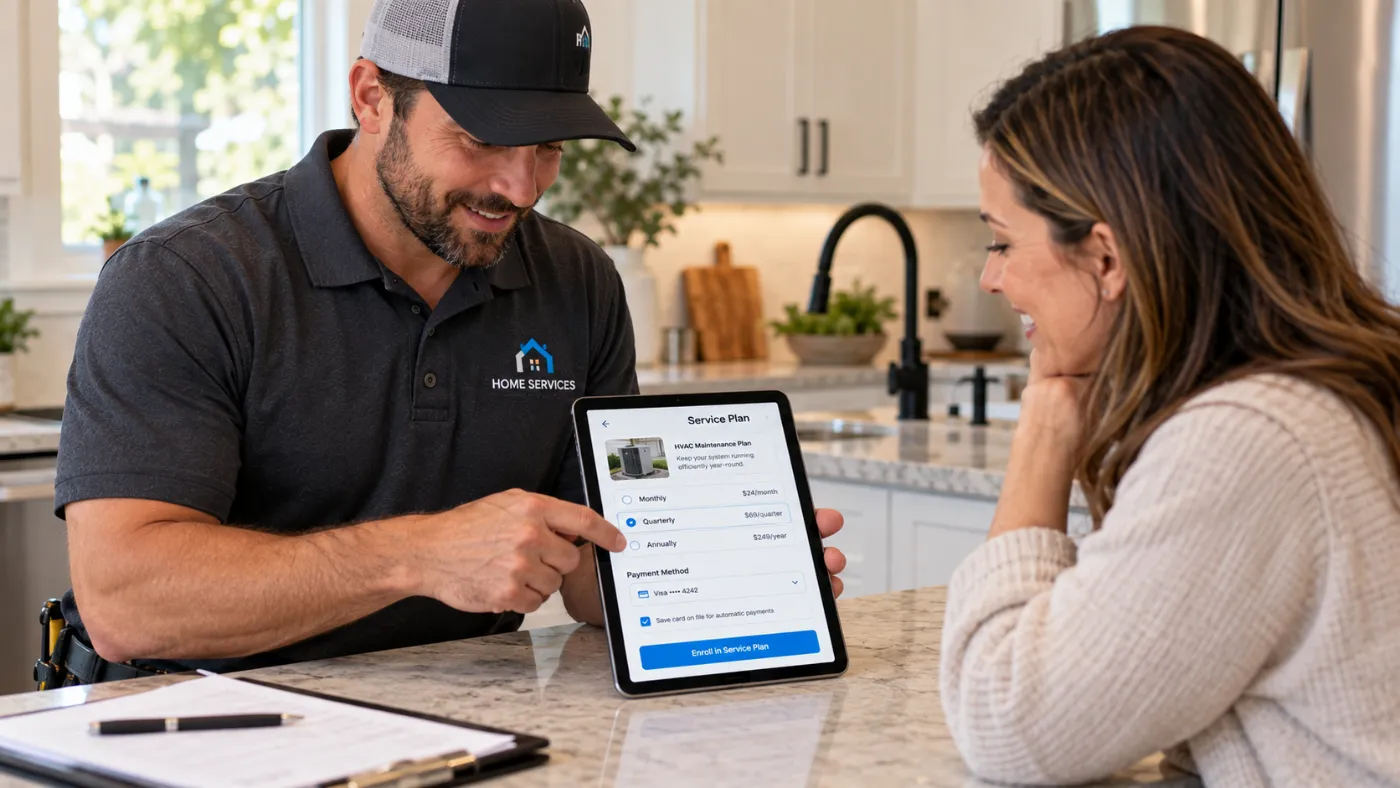
Recurring service agreements can create steady revenue, but only if your payment process can keep up. If you manage 200 active HVAC maintenance plans, pest control routes, lawn care contracts, or plumbing memberships without a consistent way to collect payment, your office ends up chasing invoices, fixing declined cards, and reconciling payments every week.
That work gets expensive fast. One missed invoice on a $200 monthly plan is frustrating. Fifty missed invoices can tie up thousands of dollars you counted on for payroll, fuel, materials, and overhead.
Quick answer: What’s the best payment setup for recurring service agreements?
The best setup lets customers pay on a set schedule—monthly, quarterly, annually, or after each visit—without creating extra work for your team. Look for secure card storage, automatic invoices and payments, payment links, ACH/bank transfers, and reminders when a payment fails or becomes overdue. Housecall Pro brings these tools together with your service agreements and scheduled jobs.
Key takeaways
Here’s how to build a smoother payment process for recurring service agreements:
Set a payment schedule: Bill recurring agreements monthly, quarterly, annually, or based on completed visits.
Store cards securely: A card on file allows authorized payments without asking customers for card details after each visit.
Automate payment tasks: Automatic invoices, charges, payment links, and reminders reduce work for office staff.
Collect payments sooner: Charging customers when service is completed can reduce the amount of revenue sitting unpaid.
Keep payments connected: Housecall Pro ties payments to jobs, customers, invoices, and recurring service plans.
Table of contents
How a recurring agreement actually gets paid, step by step
Recurring service agreements run more smoothly when every payment follows the same process. When office staff have to create invoices, enter payment details, or chase failed charges by hand, even a small delay can create more work across hundreds of agreements.
Here are the key steps in the process:
- The customer signs the agreement. The contractor records the service schedule, price, billing frequency, and terms of the agreement.
- The first payment is collected. Depending on the agreement, this could be a deposit, the first monthly payment, or payment for the first visit.
- A card is securely stored on file. The customer doesn’t need to provide payment information after every service.
- Future visits are scheduled automatically. Each HVAC tune-up, pest treatment, lawn service, or plumbing inspection is added according to the agreement.
- The technician closes the work order. This confirms that the scheduled service was completed.
- The invoice is created. The card on file can be charged automatically, or the customer receives a payment link.
- Failed payments trigger a reminder. Office staff doesn’t have to start every follow-up themselves.
- The payment is matched to the agreement. The contractor can see which services have been completed and paid.
Handling these steps manually makes it easier for invoices, follow-ups, and payment records to fall through the cracks as your number of agreements grows.
What payment features do recurring agreements need?
Accepting cards is only one part of managing recurring payments. You also need tools that match the way service work happens: Customers sign up, visits are scheduled, techs complete the work, and payments are collected without creating another round of follow-up for your office team.
Start with secure card-on-file storage. The Payment Card Industry Data Security Standard (PCI DSS) sets requirements for protecting cardholder data. Any business that accepts, processes, stores, or transmits card information needs to follow the standards that apply to its payment environment.
Your payment setup should also include:
- Automated invoice generation: Completing a scheduled visit triggers the invoice instead of requiring office staff to create one manually.
- Payment links: Customers who don’t want a card stored on file can receive a payment link by text or email.
- Automated reminders: Contractors can set reminder sequences for unpaid invoices or failed charges.
- Deposits at signing: The first payment or deposit can be collected when the customer agrees to the service plan.
- Recurring billing schedules: Payments can follow a monthly, quarterly, or annual schedule, even when billing dates don’t align with individual service visits.
Some contractors also offset card-processing fees by adding a surcharge, which recovers the cost without touching pricing elsewhere.
How can recurring payments improve cash flow?
A consistent payment process can help your business get paid faster. For example, 150 recurring agreements at $200 per month total $30,000 in monthly revenue. With a card on file, you can collect payment as services are completed instead of sending an invoice and waiting up to 30 days to get paid.
That can give your business three practical advantages:
- Predictable weekly cash flow: Payments arrive throughout the month as scheduled services are completed.
- Same-day collection: Contractors can collect payment when the work is finished rather than waiting weeks for an invoice to be paid.
- Fewer aging invoices: Less revenue sits unpaid for 30 or 60 days, reducing the time staff spends chasing overdue balances.
Late payments can have a real financial impact. Xero’s 2025 survey of more than 500 small business owners found that late payments cost businesses nearly $40,000 per year on average. About 10% reported losses of $100,000 or more.
Read more: How to collect unpaid invoices
Get In Touch: 858-842-5746
Let us earn your trust
On average, Pros increase monthly revenue generated through Housecall Pro by more than 35% after their first year.
See plan options and feature breakdown on our pricing page.
What to look for in payment software for recurring agreements
Plenty of payment processors can accept cards, but that doesn’t mean they fit the day-to-day needs of a home service business. If you offer recurring agreements, look for payment software that connects billing with your jobs, customers, invoices, and service schedules.
Use this checklist to compare your options:
- PCI compliance: Card data must meet the PCI DSS standards outlined above.
- Automatic invoice creation: Closing a completed job should automatically generate the related invoice, eliminating the need for office staff to create it.
- Configurable reminders: The system should send scheduled follow-ups for unpaid invoices or failed payments without requiring staff to initiate each message.
- Multiple ways to pay: Customers should have the choice between a stored card and a payment link sent by text or email.
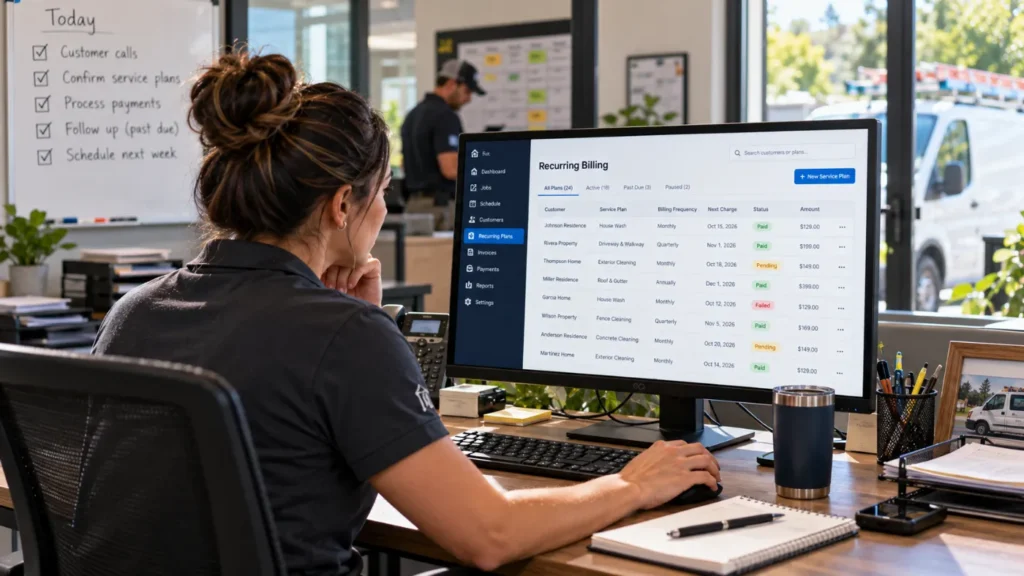
- Clear balance tracking: Your team should be able to see outstanding balances by service agreement and quickly identify accounts that need attention.
- Payments built into your field service management software: Choosing one platform for job management and payments gives your team fewer apps to switch between.
How Housecall Pro handles recurring agreement payments
Housecall Pro brings recurring service plans and payment processing together in one field service management platform. Pros can choose a billing frequency, securely save customer payment methods, collect recurring charges, and monitor failed or overdue payments alongside each customer’s service plan. Pros who use Payments with Housecall Pro get paid 2X faster on average.*
Key payment features include:
- Card on File: Contractors can request and save a customer’s card for future payments. Customers can also update their stored card through the customer portal.
- Automatic payments: A stored card can be charged when a job is completed or when an invoice reaches its due date.
- Recurring Service Plan billing: Plans can be billed monthly, quarterly, every six months, or annually. Credit cards linked to eligible plans are automatically charged at the selected billing frequency.
- Failed-payment tracking: Customers receive an automatic email when a Service Plan card payment fails, while overdue and failed payments remain visible within Housecall Pro.
All American Plumbing, a San Diego County company that scaled from 4 to 25+ employees after moving off paper-based billing, is a case in point. “I’ve been using Housecall Pro since I was out the gate. I couldn’t even imagine what the stress level would be without it,” says owner Byron H.
Ready to spend less time managing recurring payments? Start your free Housecall Pro trial to manage service plans, billing schedules, and customer payment methods in one place.
*Average experience of Pros processing 50%+ of their payments with Housecall Pro over the past year.
FAQs
How can contractors reduce unpaid invoices with automated payment reminders?
Housecall Pro can help contractors reduce unpaid invoices by automatically reminding customers when a balance is still due. Instead of asking office staff to track down every late payment, contractors can schedule reminders around an invoice’s due date. This gives customers a timely reminder to pay and can help keep invoices from going unpaid for 30, 60, or more days.
How does a business securely keep a customer's credit card on file?
Housecall Pro’s Card on File feature lets a business securely save a customer’s payment method for future charges. Stored card information is handled in accordance with PCI DSS requirements, which set standards for businesses that accept, process, store, or transmit payment card data. This allows contractors to collect authorized recurring payments without repeatedly asking customers for their card information.
What are reliable ways to collect a deposit before service work begins?
Housecall Pro lets contractors request and collect a deposit before service work begins by adding a deposit requirement to an estimate and sending it to the customer for approval and payment. For example, a contractor can request a percentage of the total estimate or a set dollar amount before scheduling or beginning the work. Collecting the deposit electronically also creates a payment record tied to the customer’s job.
How do online payment tools actually improve cash flow for a service business?
Housecall Pro’s online payment tools can help service businesses get paid faster and keep money coming in more regularly. Contractors can accept card payments, send payment links, securely keep authorized cards on file, and set up automatic payments for eligible recurring plans. Instead of sending an invoice and waiting weeks for a check, contractors can collect payment electronically as soon as the job is complete.