Want to win more jobs with less effort?
Grow your business and send quick quotes with our home service software.

Want to see your potential revenue?
See what businesses like yours earn with Housecall Pro in 1 - 2 minutes.

Commercial service work comes with a lot of moving parts. Property managers, facilities teams, and building owners expect you to show up on schedule, document the work, and send invoices that match the contract, work order, or purchase order (PO).
That gets harder when one customer has multiple properties, different billing contacts, and recurring visits on the calendar. One missed renewal, missing access note, or incomplete invoice can slow down service and payment.
Housecall Pro helps commercial service contractors keep those steps connected. You can set up recurring service plans, schedule jobs by location, dispatch techs with the right job details, track site history, and send invoices all from one platform. Here’s how it works.
Quick answer: How do commercial service contractors manage agreements, dispatch, and invoicing?
Commercial service contractors manage agreements, dispatch, and invoicing by using field service management software to connect the full job workflow. The agreement sets the scope; the schedule creates the visit; dispatch sends the tech to the right site; and the completed job becomes an invoice.
The main tools are service agreement software, dispatching software, invoicing software, and job management software. Together, they help contractors manage recurring work without having to rebuild the same job by hand every month.
Housecall Pro supports these workflows for contractors serving property managers, facilities teams, and commercial clients.
Table of contents
Key takeaways
Managing commercial customers comes down to four connected steps.
Set the agreement first: Define scope, frequency, price, billing terms, and covered locations before scheduling any work.
Separate each location: Set up a distinct service plan per property so job history, notes, and invoices stay organized by site.
Prioritize on the dispatch board: Flag jobs with guaranteed response times so emergencies don’t get buried behind routine visits.
Tie invoices to the job and agreement: Include the PO number, work order number, or account number clients need to approve payment.
Review history before renewing: Check the past year of visits, repairs, and invoices to price the next agreement.
How service agreements work for commercial contractors
A commercial service agreement is a signed plan that explains what work you’ll do for a business client. It usually includes the scope of work, service frequency, price, billing terms, covered locations, and renewal timing.
These matter for commercial work because a property manager or facilities team can’t approve a repair the way a homeowner does. They’re often coordinating across multiple locations, working within a budget, and answering to whoever holds purchasing authority — so they need to know the scope and price before the work happens, not after.
That’s why commercial agreements tend to follow a predictable, recurring shape: An HVAC contractor might inspect rooftop units at three office buildings every quarter. A plumbing contractor might handle monthly drain maintenance for a restaurant group. An electrical contractor might do recurring safety checks for a property management company.
That predictability pays off for the contractor too—steadier revenue instead of chasing one-off jobs, and fewer clients to re-quote every time something needs service.
To avoid rebuilding the same monthly or quarterly job by hand, contractors can use Housecall Pro’s Recurring Service Plans to turn the agreement into scheduled work. You set up the account, define the visits, set the agreed frequency and price, and the system automatically schedules and bills the work.
How to add a commercial customer in Housecall Pro
To set up a commercial customer in Housecall Pro:
- Create the customer record with the business name and billing contact.
- Add the service location (s) associated with that customer.
- Create a recurring service plan with the agreed service frequency and price.
Once the plan is active, the system can schedule future visits and support billing in accordance with the agreement. This keeps the customer, location, job history, and billing details connected.
Pro tip: If the client has multiple locations, set up a separate service plan for each property. This keeps job history, visit notes, photos, and invoicing clean at the site level.
How to manage commercial service agreement renewals
Commercial service agreement renewals should be tracked before the current agreement expires. When a renewal date is coming up, you can flag the customer in advance and reach out before there’s a gap in service.
That gives you time to review the current scope, update pricing if needed, and send a renewal quote to the client. It also gives the property manager or facilities team time to approve the next agreement without delaying service.
Renewals are easier when you can review the last 12 months of completed visits, repairs, photos, and invoice history before recommending the next agreement. Housecall Pro keeps that history tied to the customer, so you’re not digging through old invoices or texting a tech to remember what happened at a property last spring.
Pulling customer-level reporting also shows whether the agreement is still priced right before you renew it. That service history lends more weight to the renewal conversation than a generic “same as last year” quote.
How commercial dispatch works
Commercial dispatch is the process of assigning techs to jobs across commercial properties, facilities, or business locations. The goal is simple: get the right person to the right site with the details they need before the job starts.

Commercial jobs often come with requirements a residential job doesn’t: specific access instructions, parking rules, service windows, or a guaranteed response time written into the agreement. For example, a facilities contract might require an emergency callback within four hours. Those jobs need to be flagged by priority instead of sitting in the regular queue with routine visits.
Housecall Pro’s dispatching software organizes jobs by date, location, technician, and status. That makes it easy for the office to reassign fast if a tech is out or a job runs long. It also means a property manager doesn’t get a missed appointment, and a tech doesn’t have to call back for basic details.
How multi-location dispatch works for commercial clients
Multi-location dispatch is used when one commercial client has several properties that need service. For example, a property management company with 10 locations may need to schedule techs across all sites on a recurring basis.
In Housecall Pro, each location should be set up as a separate job site under the commercial customer. That makes it easier for the dispatch board to show each property clearly, rather than treating every visit as belonging to a single generic address.
This setup helps the dispatcher assign work by site, tech, and service type.
How commercial invoicing works
Commercial invoicing is the process of billing a business client for completed work in accordance with the service agreement, work order, or approved scope. Commercial clients need the invoice to show what work was completed, where it was completed, and why the amount is correct. That means clear line items, the correct billing contact, the service location, and any required job reference, client number, or PO number. Without these details, many property managers and facilities teams won’t approve payment.
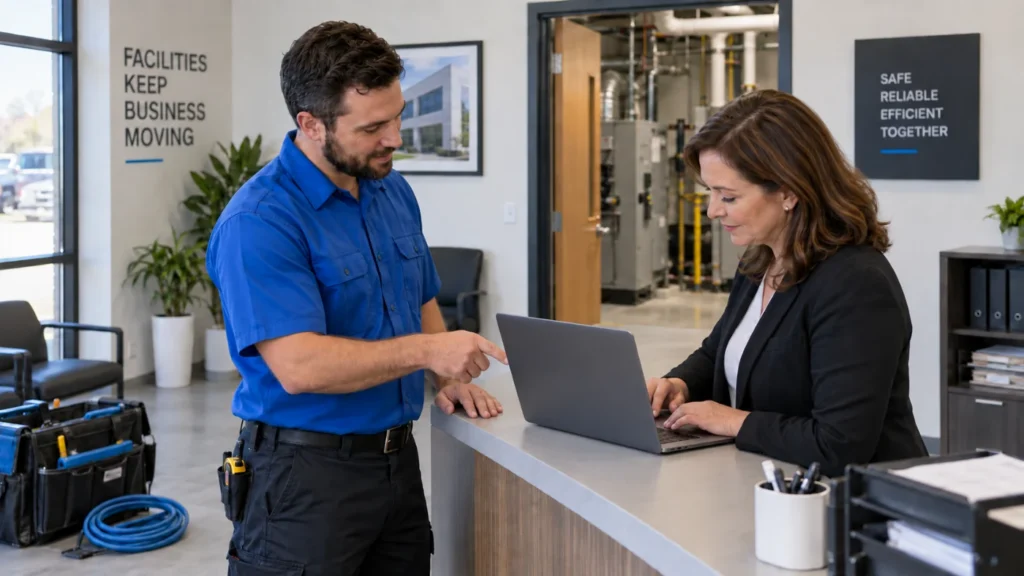
To avoid missed line items or manual billing errors, Housecall Pro’s invoicing software can generate invoices from completed jobs and keep them tied to the original service agreement. That means you don’t have to rebuild the invoice from scratch after every visit, and the customer gets documentation that aligns with the agreed-upon work.
Pro tip: Getting paid faster matters more for commercial clients, where net terms and approvals already slow things down. Pros who use Payments with Housecall Pro get paid 2X faster.*
*Avg. experience of Pros processing at least half of their payments with Housecall Pro over the past year.
What commercial service operations look like with the right software
A well-run commercial service operation has a service agreement for every recurring customer. Each agreement defines the work, frequency, price, location, billing contact.
From there, dispatch stays organized because each job is tied to the correct customer and property—techs know where to go, what to do, and who to contact. Because completed jobs flow into billing, invoicing also stays clean: the invoice matches the agreement, includes the correct line items, and gives the client documentation for the visit.
Housecall Pro ties all of it—agreements, dispatch, jobs, and invoices—into one platform, so a renewal, a dispatch change, or a billing question never means digging through a separate system to find the answer. In practice, that looks like:
- Commercial service agreements: Set up recurring service plans with automatic scheduling, visit tracking, and billing.
- Dispatching software: Assign techs to specific locations and job types from a visual board with real-time updates.
- Invoicing software: Create invoices tied to completed jobs and service agreements with line-item detail and automatic delivery.
- Job management software: Track site-level documentation, including notes, photos, signatures, and service history.
- Field service CRM: Store commercial client records, contacts, locations, and service history in a searchable system.
Keely G. of Keely’s Cleaning Crew credits Housecall Pro for helping unlock new levels of growth for her North Dakota cleaning business. “Since joining Housecall Pro, we’ve generated over $2 million in revenue and grown from a residential cleaning business to expanding into commercial cleaning.”
Ready to manage commercial service work from agreement to invoice? Sign up for Housecall Pro’s free 14-day trial.
Get In Touch: 858-842-5746
Let us earn your trust
On average, Pros increase monthly revenue generated through Housecall Pro by more than 35% after their first year.
See plan options and feature breakdown on our pricing page.
Commercial service contractor FAQs
How do commercial service contractors manage service agreements?
Commercial service contractors manage service agreements by creating a contract or plan that defines the scope of work, service frequency, price, billing terms, and covered locations. For example, an HVAC contractor may create a quarterly maintenance agreement for rooftop units at three office buildings, while a plumbing contractor may set up monthly drain maintenance for several restaurant locations.
How do commercial teams manage service agreements, invoices, and dispatch together?
Commercial teams manage service agreements, invoices, and dispatch together using field service management software that connects all steps. The workflow is: the agreement creates the recurring visit; dispatch assigns the technician; the completed job creates the invoice; and the customer history stores the documentation for future service or renewal conversations.
How does commercial service software help reduce paperwork?
Commercial service software helps reduce paperwork by consolidating customer records, agreements, job notes, photos, signatures, dispatch details, and invoices into a single digital system. This replaces printed work orders, handwritten notes, manual invoice entry, and separate renewal spreadsheets.
What software do commercial contractors use to dispatch technicians?
Commercial contractors use dispatch software to assign technicians to jobs by date, location, service type, and availability. Unlike a basic calendar, dispatch software stores job status, site notes, technician assignment, and customer history in the same job record.
How do commercial service companies invoice recurring clients?
Commercial service companies invoice recurring clients based on the service agreement and completed work. The invoice should include the service location, line-item details, job reference, customer number, PO number if required, and the total amount due. For property managers, including the PO number or work order number can help prevent payment delays.
What is a service agreement for a commercial contractor?
A service agreement for a commercial contractor is a signed plan that defines the services the contractor will provide for a business client. It usually includes the scope of work, service frequency, price, billing terms, covered locations, and renewal details. For recurring work, the agreement helps both sides avoid re-quoting the same service before every visit.
How do contractors manage multiple locations for a commercial client?
Contractors manage multiple locations for a commercial client by setting up each property as a separate service location under the main customer profile. This keeps dispatch, job history, notes, photos, and invoices organized by site rather than mixing every visit into a single record.
What does paperless commercial service management look like?
Paperless commercial service management means the contractor manages agreements, dispatch, work orders, job notes, photos, signatures, and invoices digitally. In practice, the office can schedule recurring jobs without printed calendars, techs can update work orders from the field, and invoices can be sent electronically after the job is complete.
How is commercial service management different from residential service management?
Commercial service management usually involves more recurring work, more locations, more approval steps, and more documentation than residential service. A residential customer may only need a single invoice, while a commercial client may need service history, site notes, a PO number, and invoices tied to specific properties.
What field service software supports commercial property maintenance?
Field service software that supports commercial property maintenance should include recurring service plans, dispatching, invoicing, job management, customer records, and location-based service history. The best fit is software that supports multiple locations under one customer profile, so contractors can manage each property without losing the connection to the main commercial client. Housecall Pro supports these workflows for contractors managing commercial customers, property maintenance, recurring service, and multi-location work.
Do commercial clients require proof of insurance before approving work?
Yes—many property managers and facilities teams require a current certificate of insurance (COI) on file before they’ll schedule or approve payment, especially for multi-location or recurring clients. Contractors typically keep a copy attached to the customer record in their field service software so it’s in the same place as the customer’s job history and invoices, rather than tracked separately in email or paper files.