How to Use the Small Business Material List Template
Using this template on the job is simple. Follow these steps to create an organized and accurate material record for every project.
Make a Master Copy: As per the Instructions, navigate to File > Make a copy in Excel or Google Sheets to create a fresh version for each job. This keeps your original template clean and reusable.
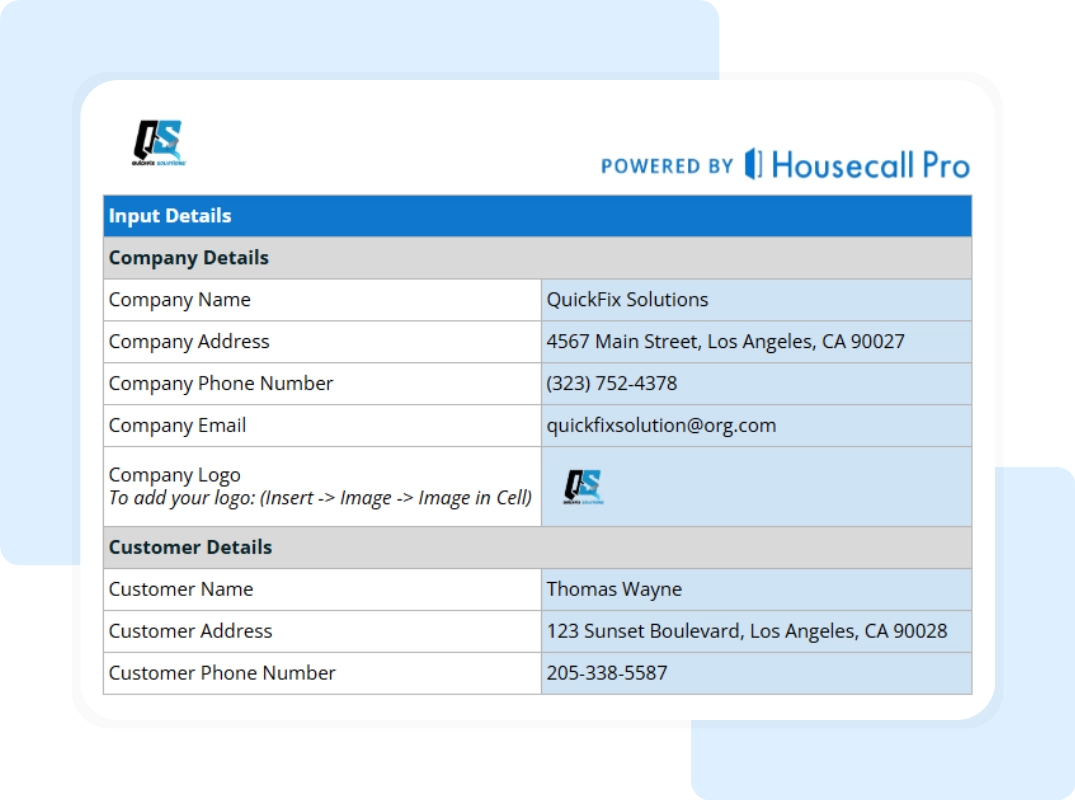
Start With Company and Job Details: In the Input Details section, enter your Company Name, Address, Phone Number, Email, and Logo. Then add Customer Name, Address, and Contact Information so the material list is clearly tied to a specific job.
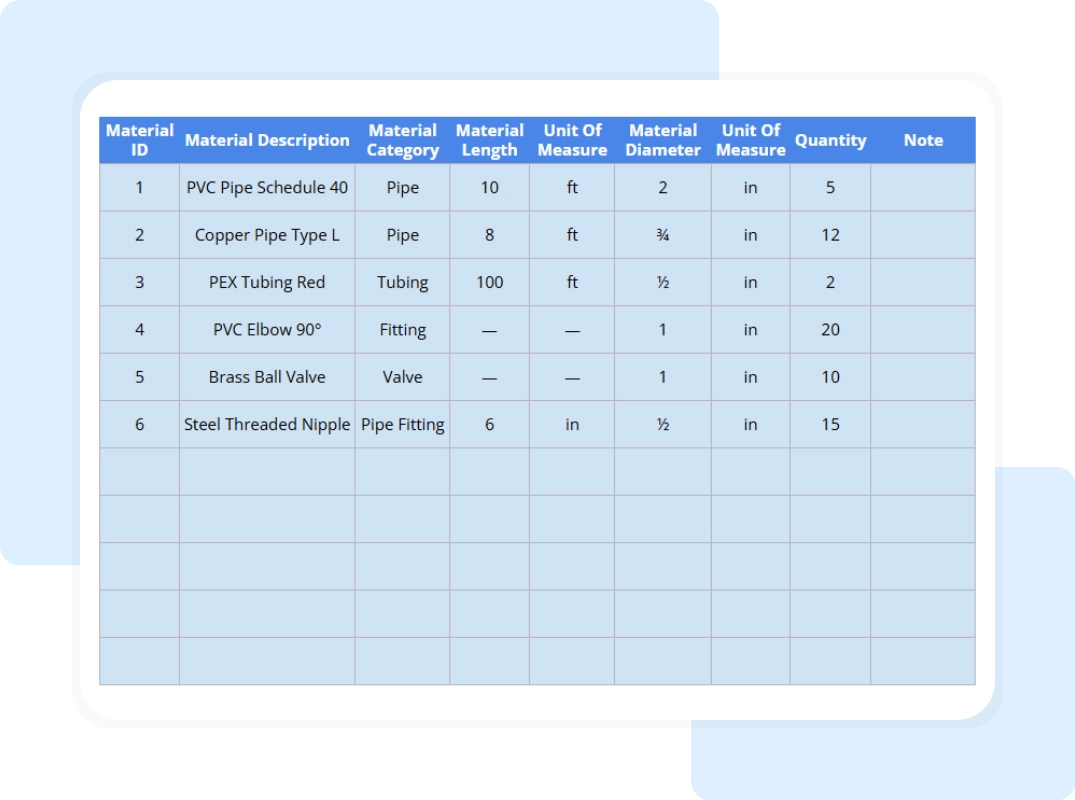
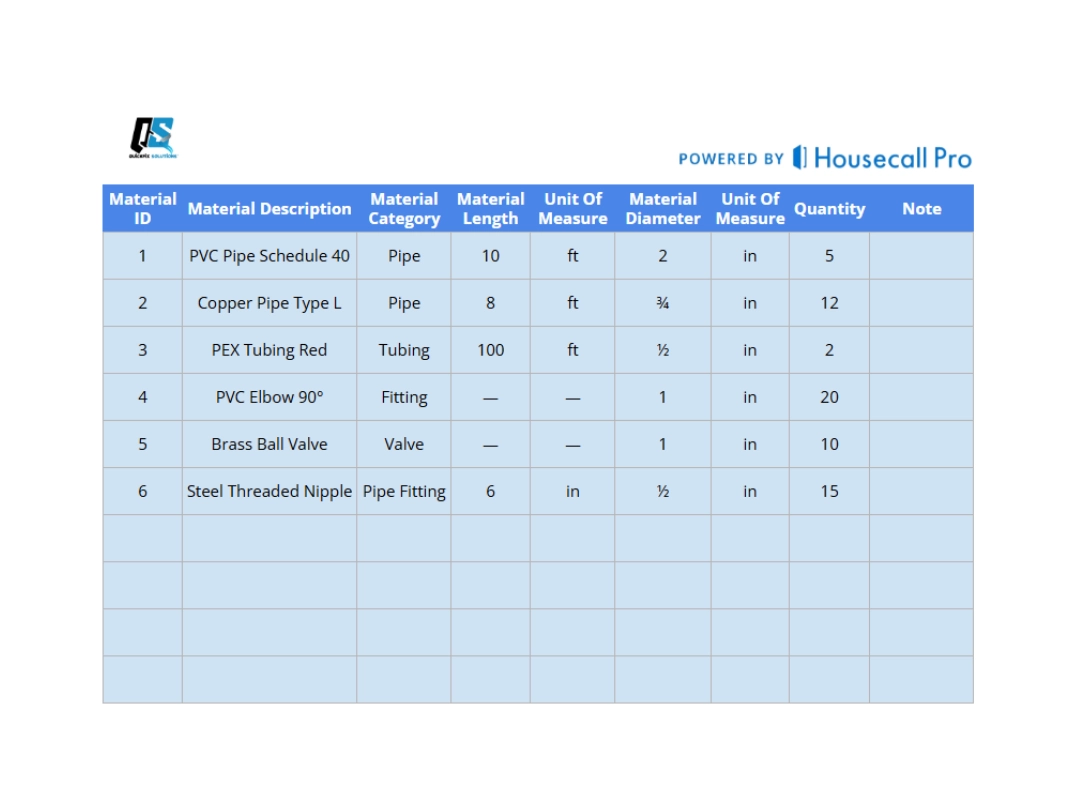
Detail Material Requirements: In the Material Details section, enter the Material ID, Description, and Category for each item. Record Material Length, Material Diameter, and the appropriate Units of Measure to ensure accurate specifications.
Add Quantities and Review Costs: Enter the Quantity required for each item and confirm all specifications are complete. Review the list carefully to ensure no materials are missing before placing orders or preparing estimates.
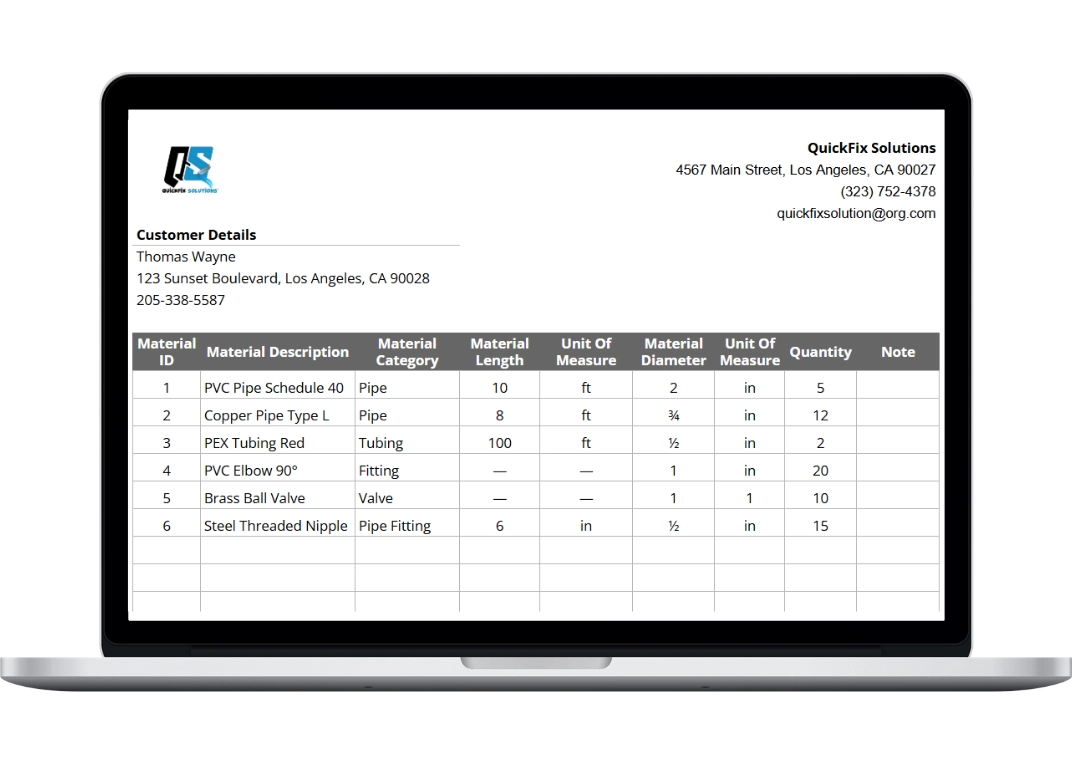
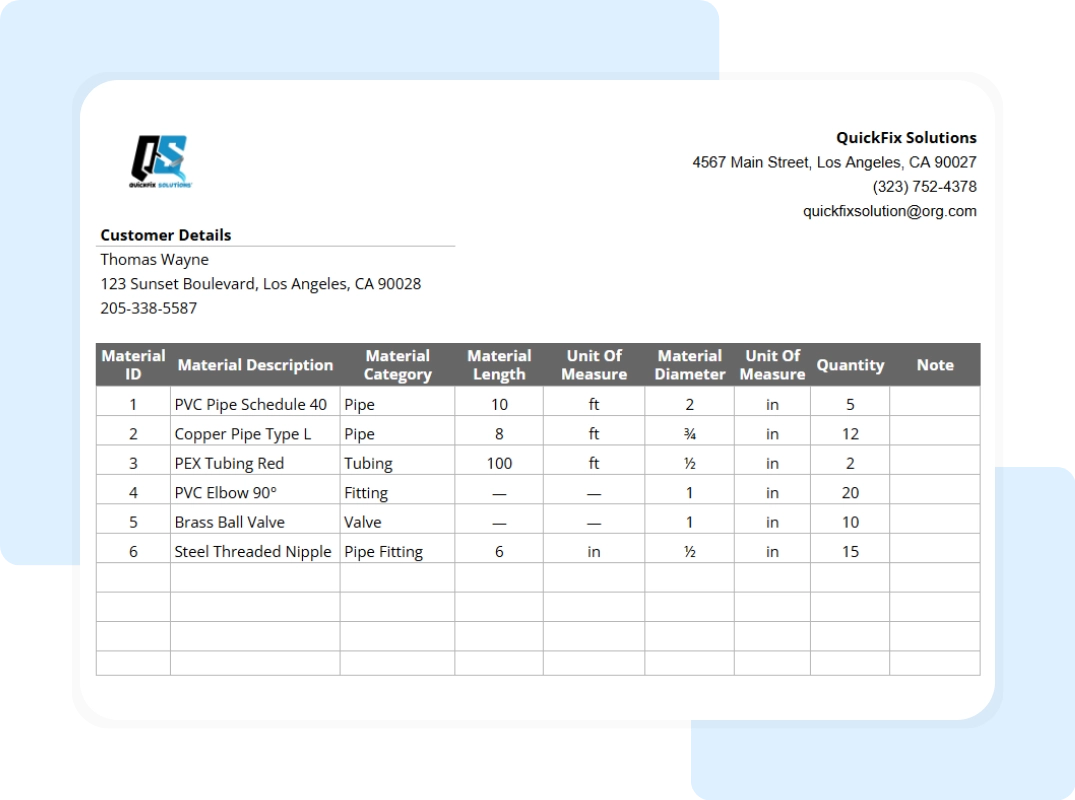
Review the Printable Summary: Navigate to the Printable Summary tab to view a clean, formatted version of your material list. Confirm company details, customer information, and material entries populate correctly.
Download and Share: Once finalized, download the list as a PDF or share it digitally with suppliers, office staff, or clients. This creates a clear, professional record for purchasing and invoicing.
This structured workflow helps your team stay organized, reduce ordering errors, and maintain accurate job cost documentation from start to finish.
Why Housecall Pro
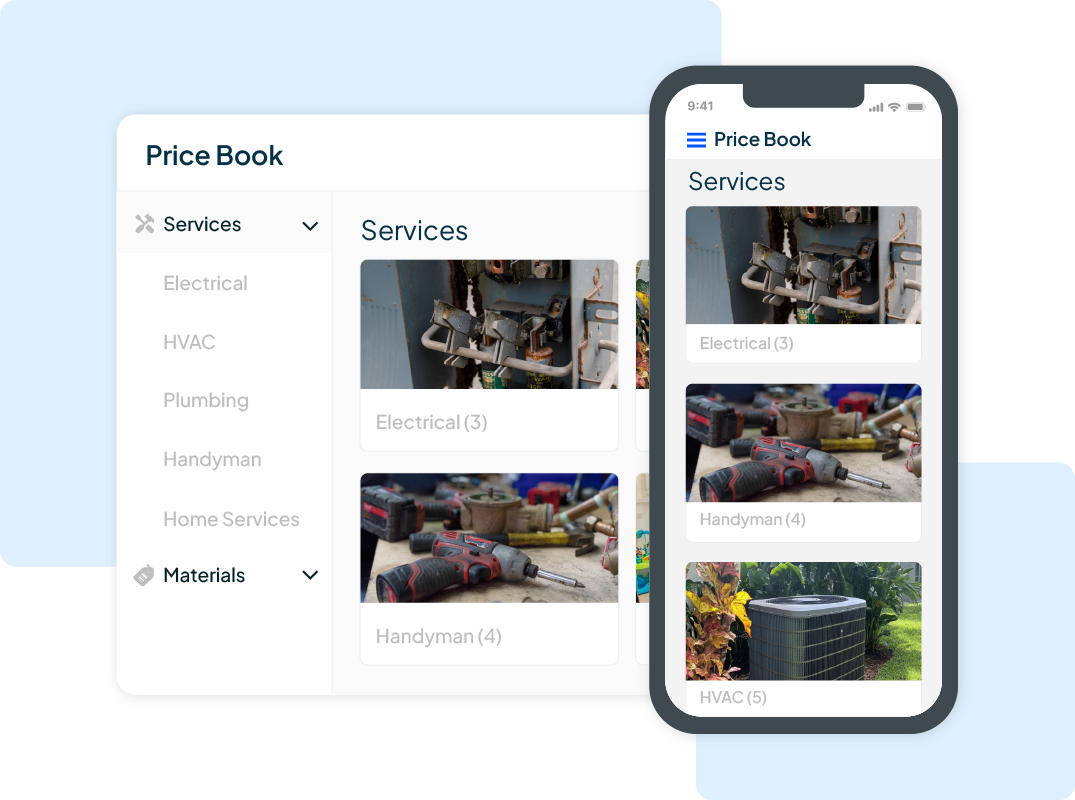
Templates like this Small Business Material List are just the beginning. Housecall Pro provides all the tools small business owners need to manage jobs, estimate costs, schedule work, track materials, and communicate with customers — all from one platform.