Want to win more jobs with less effort?
Grow your business and send quick quotes with our home service software.

Want to see your potential revenue?
See what businesses like yours earn with Housecall Pro in 1 - 2 minutes.

The right apps can help you check calculations on the job, keep your schedule organized, and get paid faster. But juggling separate tools can mean entering the same information twice or paying for features you already have. Choose apps that cover the work you need to do and fit your budget.
Here are 10 apps to consider for electrical calculations, code references, and day-to-day business tasks.
Quick answer: What are the best apps for electricians?
The best apps for electricians depend on the work you need help with. NFPA LiNK works well for code access, Ugly’s for field references, and Southwire or Electrical Calc Elite for calculations. For business tasks, options include QuickBooks Online for accounting, Square for payments, and NiceJob for review requests.
What to look for in an electrician app
A useful electrician app should solve a clear problem without creating extra work. Before adding another tool to your phone, check how well it fits the way you and your crew actually work.
- Does it cover the tasks you need help with? A dedicated calculator may be enough for fieldwork. If you need help with scheduling, invoicing, and payments, look for software that connects those tasks.
- Does it work offline? Check whether the features you need work without cell service or Wi-Fi, especially in basements, utility rooms, and metal-clad buildings.
- Is the pricing clear? Look for straightforward monthly or annual costs, especially if multiple employees will need access.
- Will you still use it as the business grows? Check how pricing changes as you add employees and whether the app works with other software you use.
Best electrician apps compared at a glance
Electrician apps serve different purposes, from checking electrical codes and running calculations to tracking mileage, collecting payments, and managing customer reviews. Compare the 10 options below to find the ones that fit your needs.
| App | Category | Price | Best for |
| NFPA LiNK | Code reference | $13.99/mo or $129.99/yr for individual; team plans from $639.99/yr | Accessing the NEC and other NFPA codes and standards |
| Ugly’s Electrical References | Electrical reference | $12.99 one-time purchase | Quick access to formulas, tables, wiring diagrams, and NEC-related reference material |
| Southwire Voltage Drop Calculator | Electrical calculator | Free | Calculating voltage drop and selecting conductor sizes |
| Electrical Calc Elite | Electrical calculator | $19.99, with optional in-app purchases | NEC-based electrical calculations in the field |
| QuickBooks Online | Accounting and invoicing | From $38/month for 1 user; $340/month for up to 25 users | Bookkeeping, invoicing, expense tracking, and financial reports |
| Square | Payments | Square Free is $0/month; payment processing fees apply | Accepting card payments in person or online |
| Broadly | Reputation management | Reputation AI starts at $79/month; bundled plans start at $399/month plus a $350 setup fee | Requesting, monitoring, and responding to customer reviews |
| NiceJob | Review management | Starts at $75/month; 14-day free trial available | Automating review requests and sharing customer feedback |
| When I Work | Employee scheduling | Starts at $2.50/user/month for single-location teams and $5/user/month for multi-location businesses | Scheduling employees, tracking attendance, and team communication |
| Everlance | Mileage and expense tracking | Free Basic plan; Professional is $119.99/year or $19.99/month | Tracking business mileage, expenses, and tax records |
Pricing and plan details are in U.S. dollars and current as of November 2026. Prices, features, and availability can change, so confirm current information directly with each provider before committing.
Electrician apps for code reference
Code reference apps put standards, tables, and formulas within reach when you’re on a job. Before relying on a reference, confirm which NEC edition and local amendments apply in your area.
NFPA LiNK (National Electrical Code app)
NFPA LiNK gives you access to the current NEC and 1,600+ NFPA codes and standards in one digital platform. You can also download publications to use offline.
- Best for: Electricians who need direct access to official NEC content and other NFPA standards.
- Standout feature: Searchable code content with bookmarks, notes, code-change indicators, and an offline mode for downloaded publications.
- Pricing: Individual NFPA LiNK subscriptions are $13.99 per month or $129.99 per year with auto-renewal. Team plans are $639.99 per year for 5 users or $1,259.99 per year for 10 users with auto renew. Enterprise plans require a custom quote.
- Watch out for: NFPA LiNK includes more than the NEC, so consider whether you’ll use its broader library before paying for a subscription. Your area may also use a different NEC edition or have local amendments.
Ugly’s Electrical References
Ugly’s Electrical References puts commonly used electrical tables, formulas, diagrams, calculators, and safety information on your phone or tablet. The current app reflects changes from the 2026 NEC and works offline.
- Best for: Electricians who want a compact field reference for common calculations and electrical information.
- Standout feature: Built-in tools include Ohm’s Law, voltage drop, ampacity, conduit fill, motor, transformer, and bending calculators.
- Pricing: $12.99 as a one-time App Store purchase.
- Watch out for: Ugly’s is a field reference, not a replacement for the full NEC. Check code questions against the NEC edition and local requirements that apply to your job.
Electrician apps for field calculators
Field calculator apps save time on common tasks like wire sizing, voltage drop, conduit fill, and motor load calculations. Use the results to help plan your work, then check them against the code requirements that apply to the job.
Southwire Voltage Drop Calculator
Southwire’s Voltage Drop Calculator focuses on one common task: determining wire size based on voltage drop and current-carrying capacity. Use it to estimate voltage drop for a specific conductor length.
- Best for: Quick voltage drop and conductor sizing calculations.
- Standout feature: Calculates wire size based on a specified voltage drop limit while also accounting for NEC ampacity.
- Pricing: Free to download and use on iOS and Android.
- Watch out for: The calculator is designed for AWG and KCMIL conductor sizes, so it may not fit every application.
Electrical Calc Elite
Electrical Calc Elite covers a wider range of electrical calculations, including wire sizing, voltage drop, conduit sizing, motor current, breaker and fuse sizing, grounding conductors, and Ohm’s Law. It’s available for both iOS and Android.
- Best for: Electricians who want several NEC-based calculators in one field tool.
- Standout feature: Displays applicable NEC table references with certain calculations, making it easier to check where a result comes from.
- Pricing: $19.99 as a one-time purchase on iOS. NEC 2023 and earlier editions are built in. NEC 2026 code data is a separate one-time in-app purchase.
- Watch out for: NEC 2026 data is an add-on purchase. Electricians working under the 2026 code should confirm they’ve unlocked it before relying on results.
Use these calculations to help plan materials, prepare estimates, and double-check your work before moving ahead.
Read more: Best electrician tools
Electrician apps for accounting and payments
Accounting and payment apps help electrical businesses invoice customers, record expenses, organize financial records, and collect payment without waiting until you’re back at the office.
QuickBooks Online
QuickBooks Online gives you one place for bookkeeping, invoices, expenses, and financial reports. You can also accept customer payments through QuickBooks Payments, keeping payment records connected to your books.
- Best for: Electrical businesses that want accounting, invoicing, expense tracking, and financial reporting in one system.
- Standout feature: QuickBooks can record payments in your company file, so there’s less to match by hand later.
- Pricing: From $38/month for 1 user; $340/month for up to 25 users on the highest plan.
- Watch out for: The monthly QuickBooks Online subscription doesn’t include payment processing. If you accept card payments regularly, compare the total cost of the subscription and transaction fees.
Square
Square gives electricians a simple way to accept card and digital wallet payments in the field, including Tap to Pay on compatible phones. You can also send invoices and payment links without buying a traditional card terminal.
- Best for: Electricians who want to collect customer payments on-site or remotely.
- Standout feature: Tap to Pay allows compatible iPhones and Android phones to accept contactless payments without separate payment hardware.
- Pricing: Square Free costs $0 per month. Standard in-person card payments are 2.6% + $0.15 per transaction, while online payments and invoices are 3.3% + $0.30 under the free plan.
- Watch out for: Transaction fees vary based on how the customer pays and which Square plan you use. Compare the fees using your usual payment amounts and monthly payment volume before choosing a plan.
Electrician apps for marketing and reputation
When homeowners compare local electricians, reputation matters. In a 2025 Housecall Pro survey of 1,040 U.S. homeowners, 72% said they would pay 10% more for a pro with a better customer service reputation.
Marketing and reputation apps can help you collect reviews, respond to feedback, and stay visible to prospective customers.
Broadly
Broadly offers reputation management tools built for local service businesses. Its Reputation AI product lets you request reviews, manage feedback from Google and Facebook, and respond from one dashboard.
- Best for: Electrical businesses that want to manage customer reviews and responses from one place.
- Standout feature: Higher-tier Reputation AI plans can generate responses to customer reviews and automate review requests.
- Pricing: Reputation AI starts at $79 per month. The Pro plan costs $89 per month, while Premium pricing requires contacting Broadly.
- Watch out for: Broadly also offers broader marketing packages. If you mainly need help with reviews, compare those packages with the standalone Reputation AI product before choosing.
NiceJob
NiceJob helps service businesses collect more customer reviews through automated email and text requests. It can also publish reviews on your website and share customer feedback on social media.
- Best for: Electrical businesses that want to automate review requests after completed jobs.
- Standout feature: NiceJob can automatically send review requests and follow-ups by text and email, so your team doesn’t have to contact each customer individually.
- Pricing: Starter costs $75 per month, while Pro costs $125 per month. Both are month-to-month, and NiceJob offers a 14-day free trial.
- Watch out for: AI review replies, referral campaigns, automated booking reminders, and gifting campaigns require the higher-priced Pro plan.
Electrician apps for team scheduling and mileage
As you add employees and vehicles, scheduling work hours and documenting business mileage can take a lot of time. Dedicated apps can help you track who’s working, log business trips, and keep records for payroll, reimbursement, and taxes.
When I Work
When I Work is an employee scheduling app for businesses with shift-based teams. You can build schedules, track employee hours, handle time-off requests, and message your team from the app.
- Best for: Electrical businesses that need to schedule employee work hours and keep crews informed about shifts.
- Standout feature: Includes scheduling, time tracking, and team messaging, allowing employees to view schedules, clock in, and receive updates on their phones.
- Pricing: Starts at $2.50 per user per month for single-location teams and $5 per user per month for businesses managing multiple locations or schedules. A 14-day free trial is available.
- Watch out for: When I Work handles employee shifts. If you need to schedule customer jobs, dispatch electricians, or manage service calls, you’ll need software that covers those tasks.
Everlance
Everlance tracks business mileage and expenses on your phone, so you can log trips between jobs, supply houses, and other business stops. Its reporting tools also let you review your team’s mileage and expenses.
- Best for: Electricians and electrical businesses that need business mileage records for taxes or employee reimbursement.
- Standout feature: Paid plans offer unlimited automatic mileage detection, while business accounts provide a dashboard for reviewing team mileage and reports.
- Pricing: The Basic plan is free and includes 30 automatically detected trips per month. Starter costs $10.99 per month or $89.99 per year, while Professional costs $19.99 per month or $119.99 per year.
- Watch out for: Individual paid subscriptions are for one user, check Everlance’s team options if you have several drivers.
How Housecall Pro’s electrician app brings it all together
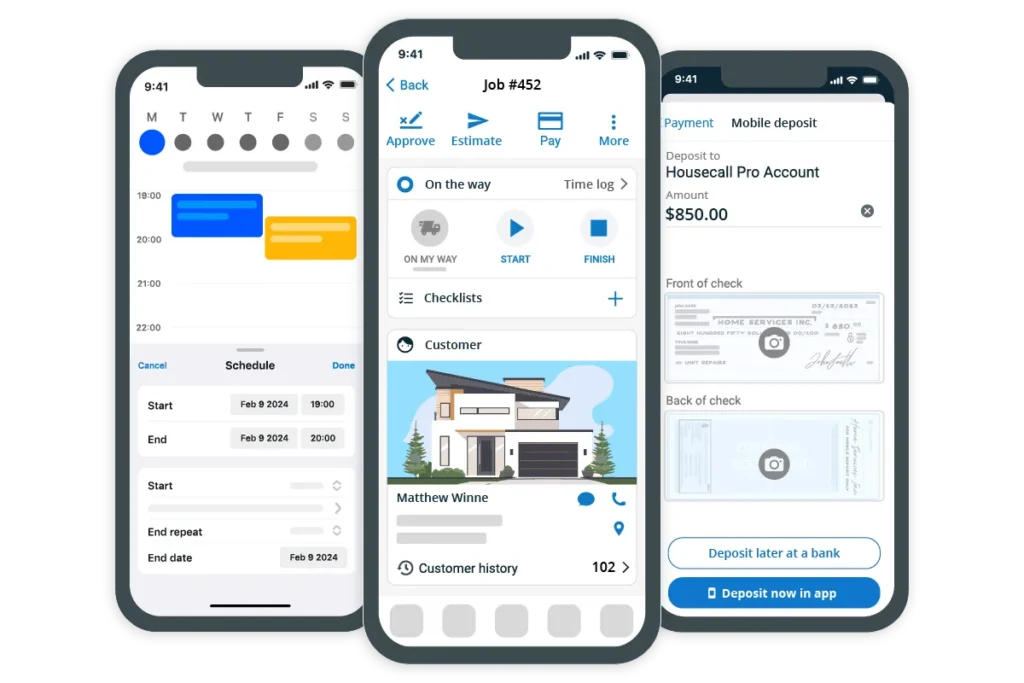
As your electrical business grows, using separate apps for scheduling, invoicing, payments, and review requests can mean more information to enter and more places to check for updates. Housecall Pro brings those tasks into one system, so you and your crew can spend less time moving information between apps and more time on jobs and customers.
You can also use these features to track materials and keep job records organized:
- Track material costs with Purchase Orders: Link material purchases to specific jobs to keep track of parts and job costs.
- Document work with Photo Reports: Give your crew a way to record completed work with photos and videos for customers, office staff, and job records.
- Keep work consistent with Checklist Automations: Attach checklists based on job details, tags, or line items so your crew follows the same steps for inspections, installations, and documentation.
Keep your preferred code references and calculators for technical work, and use Housecall Pro to manage the business side of each job.
Ready to spend less time switching between apps? Start a free 14-day Housecall Pro trial to see how it fits the way your team works.
Get In Touch: 858-842-5746
Let us earn your trust
On average, Pros increase monthly revenue generated through Housecall Pro by more than 35% after their first year.
See plan options and feature breakdown on our pricing page.
Electrician app FAQ
What's the best app for electricians to manage jobs and invoicing?
The best app for electricians to manage jobs and invoicing depends on the business’s size and workflow. If you mainly need invoicing and bookkeeping, QuickBooks Online covers both. If you also need to schedule and dispatch jobs, you’ll need field service software. Housecall Pro lets electrical contractors schedule and dispatch jobs, create invoices, collect payments, and manage customer information in one platform. It doesn’t replace the code references and calculators you use in the field.
What software do electrical contractors use for estimates?
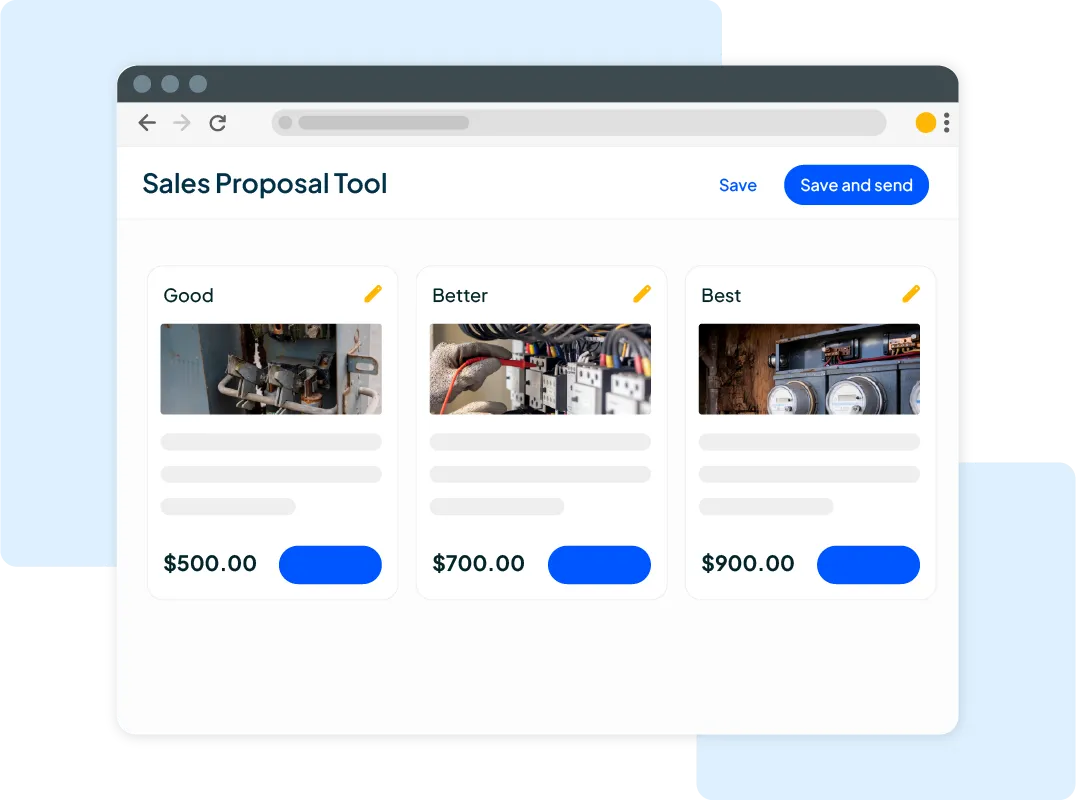
Electrical contractors use estimating software to calculate labor and material costs, create line-item estimates, and send quotes to customers. For example, Housecall Pro lets contractors build estimates using service and material line items from a price book, offer multiple options, and send estimates by email or text.
Is there a free app for electricians?
Yes, free apps for electricians include Southwire’s Voltage Drop Calculator, which helps calculate voltage drop and select conductor sizes. Business apps with free plans include Everlance Basic, which tracks up to 30 trips a month automatically, and Square Free, which has no monthly fee but charges payment processing fees. Check which features each free plan includes before relying on it for daily operations.
Which electrician apps work offline?
NFPA LiNK works offline for publications you download ahead of time, Ugly’s Electrical References works offline, and Electrical Calc Elite runs its calculations on your device. Check offline access for any other app before you rely on it in a basement, utility room, or metal-clad building.
What app helps electricians with scheduling and dispatch?
Shift-scheduling apps like When I Work cover employee hours, not customer jobs or dispatch. Field service software such as Housecall Pro covers that gap. Electrical businesses can assign technicians to jobs, manage schedules through a calendar, and keep job details connected to the customer and assigned employee.
How do electricians track time and materials on a job?
Electricians can track time and materials with job management software that links labor records and material costs to each job. Housecall Pro lets employees track travel and job time in its mobile app, while businesses can record material costs, apply markups, and review job costing.