FREE DOWNLOAD
General Contractor Budget Template
A construction budget template robust enough to work for any residential construction project
This is the first and only completely free budget template available anywhere that is pre-loaded with tools for logging project expenses, managing change orders, keeping track of payments and so much more. It also includes customized branding and project inputs, separated worksheets, and auto-generated budget charts and summary sheet that is easy to download, print or share with your team and clients.
This comprehensive construction budget template has been created by Housecall Pro with everything you need to create, manage and share budgets for your construction projects … and it’s completely free!
This template is provided free of charge, and can be used without restrictions using Excel or Google Sheets.
Here’s everything included with this template
- Step-by-step instructions that will guide you through every action
- Project, company and budget data input sheets to customize your budget for each project
- Pre-loaded budget categories that apply to any residential construction project
- Built-in formulas that simplify budget creation and eliminate the need to enter anything more than once
- Auto-generated budget charts to track costs and profits throughout your projects
- Client-ready budget summary that is updated automatically and easy to share
Create and share your construction budget in just minutes
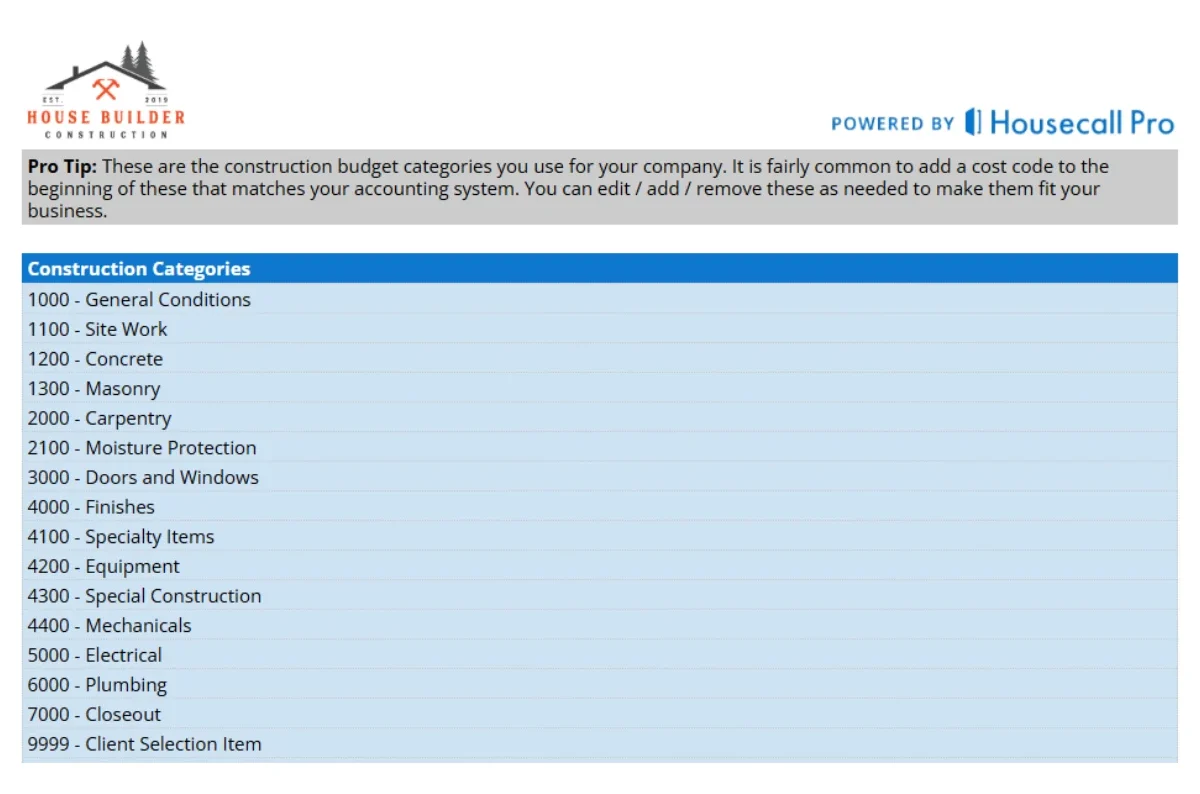
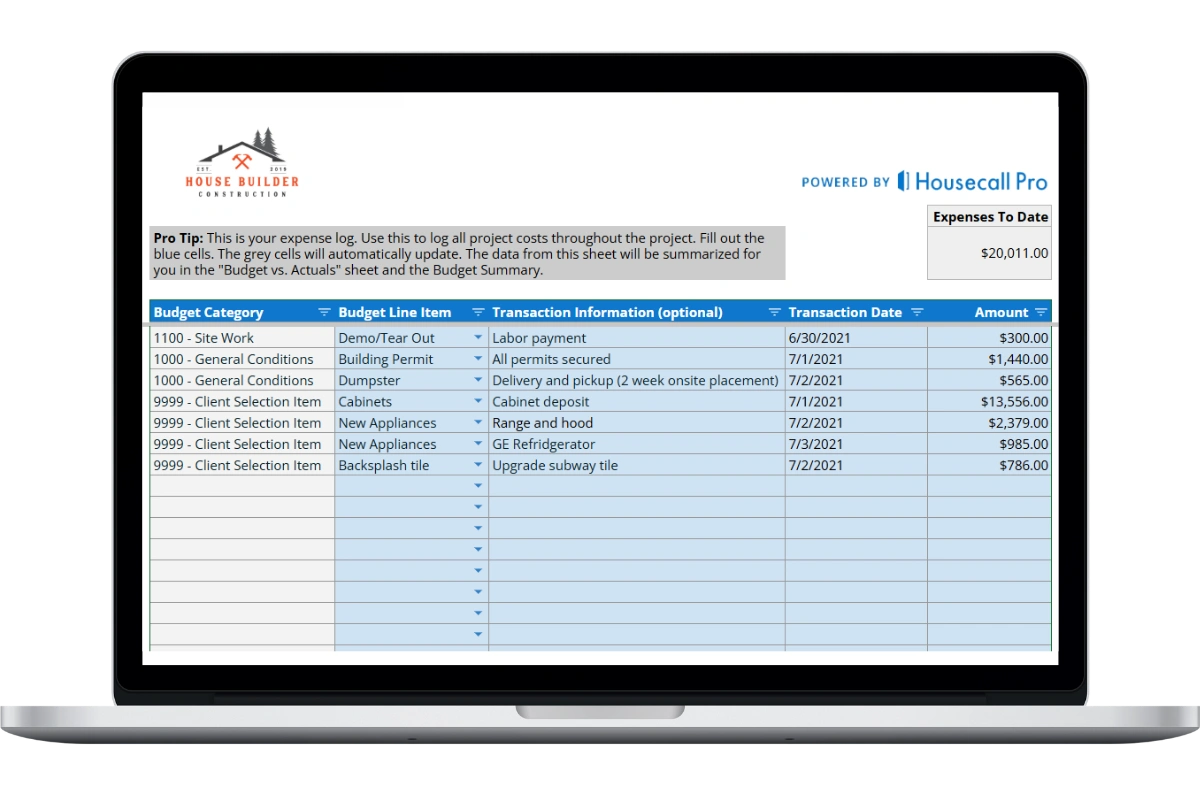
1. Add project data
Use the input screens to customize the budget for your company and project. Modify or add budget categories.
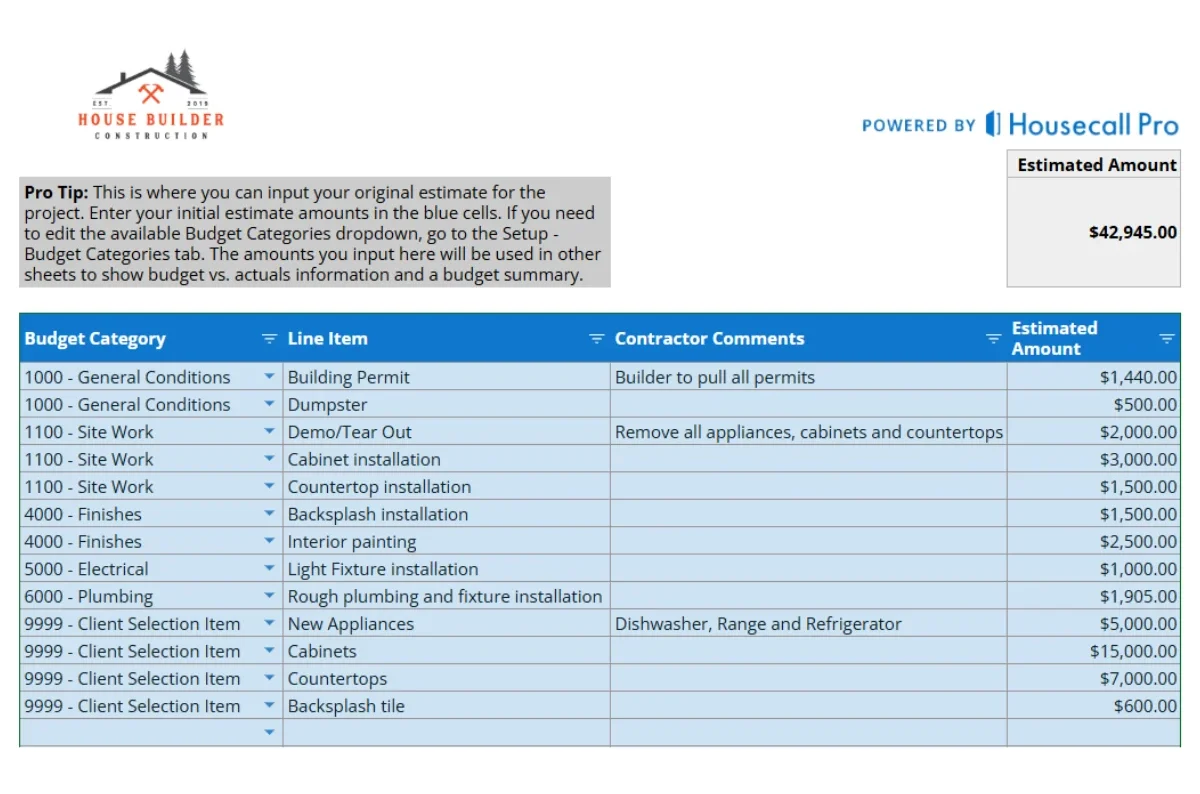
2. Create budget
Create your budget using simple drop-downs to add every category, expense, change order and payment.
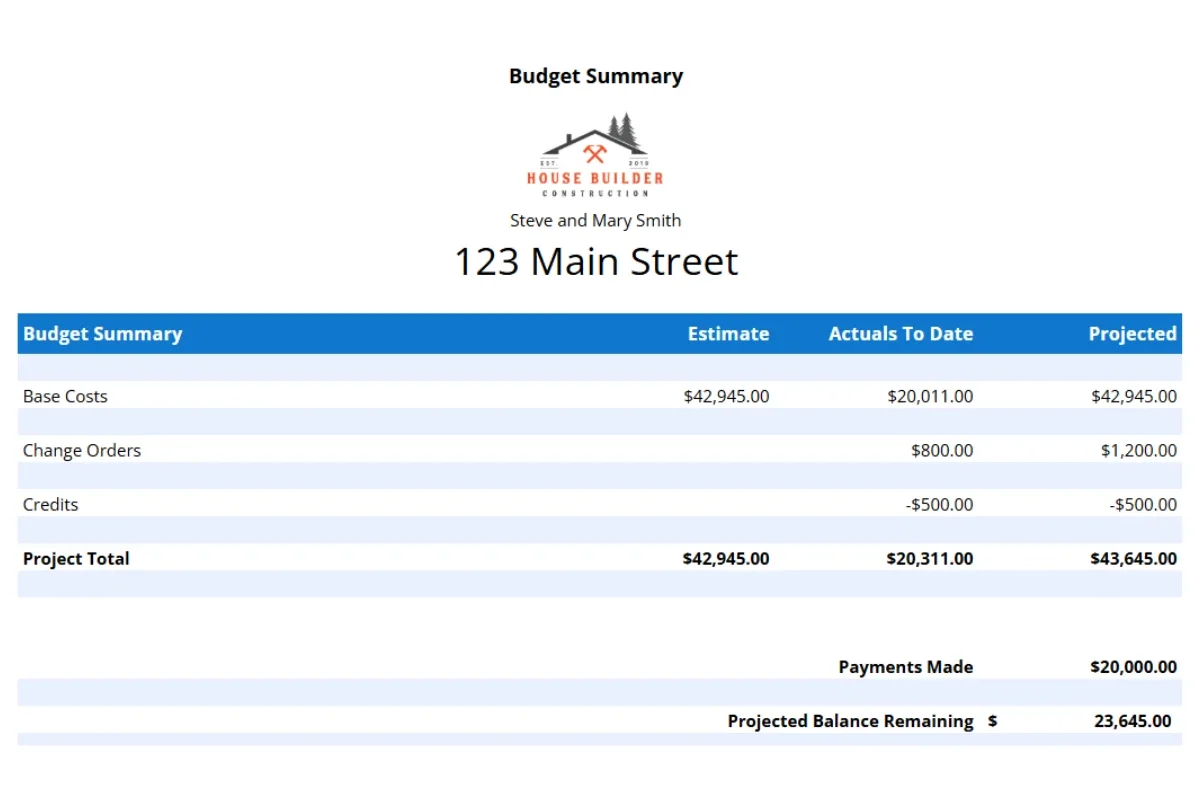
3. Share with client
Print, download or share your auto-generated budget summary charts and sheet to keep everyone in sync.
What is a construction budget template?
A construction budget template is a structured spreadsheet used by general contractors and project managers to plan, track, and control project costs from start to finish. It organizes every cost category — base costs, change orders, and credits — into a single view that compares what you estimated against what you have actually spent and what you project to spend at completion.
As shown in this general contractor template, a construction budget template typically contains three core columns:
- Estimate — the original budgeted amount agreed before construction begins (e.g. $42,945.00 in base costs).
- Actuals to date — real dollars spent so far, including invoices paid, labor recorded, and materials purchased (e.g. $20,311.00).
- Projected — the forecasted final cost at project completion, accounting for change orders and credits (e.g. $43,645.00).
It also tracks payments made ($20,000.00) and calculates the projected balance remaining ($23,645.00) — the amount still owed to complete the project.
Why uses a construction budget template?
A construction budget template gives general contractors, home builders, and remodelers a structured way to plan every project cost upfront, track spending in real time, and protect profit margins from start to finish. Here is why every contractor should use one:
- It forces complete cost planning before work begins, covering every category — labor, materials, permits, subcontractors, and contingency — so nothing gets missed in the rush to start.
- It tracks estimated costs versus actual costs week by week, so you catch a 5% overrun in week three when it is still a quick fix, not week ten when it becomes a dispute.
- It keeps change orders documented with a cost and approval date, separate from your contingency fund and original contract amount.
- It produces a clean client-facing budget summary that keeps homeowners informed and reduces payment disputes at project closeout.
- It builds a record of final actuals you can review after each project closes, sharpening your estimates and pricing on future bids.
Studies show that 3 in 5 new homeowners go over budget on remodeling projects — most often due to poor cost tracking and contractor coordination. A construction budget template is the simplest tool to prevent that.
What is the difference between estimated cost and actual cost in construction?
In construction job costing, the estimated cost is the amount budgeted before work begins, while the actual cost is what has genuinely been spent as of today. The gap between the two is called the cost variance and managing that variance is the core purpose of a general contractor budget template.
How do I handle change orders in a construction budget template?
A construction budget template includes a dedicated change order log to track every scope change in one place. As shown in the template, each change order is tied to a budget category — such as 4000 – Finishes or 5000 – Electrical — so you always know exactly which part of the project is being affected and by how much.
Every change order moves through a simple status workflow. A client request starts as a Draft until it is reviewed and formally approved, at which point it becomes Approved and the cost is added to your projected budget total. This two-stage process ensures nothing gets built or billed without written sign-off.
- Log every change order against its budget category the moment a client requests it — do not wait for approval.
- Fill in the change name, details of the scope, and the dollar amount for each entry.
- Keep the status as Draft until the client has formally approved it.
- Once approved, the amount rolls into your projected cost column, keeping your live budget accurate.
- Never use your contingency fund to cover a change order — contingency is for unexpected site conditions, not client-requested additions.
Construction Budget Template FAQs
Who should use a construction budget template?
This template is designed for custom home builders, general contractors, and residential remodelers who need a straightforward way to create and manage project budgets without expensive software. It works for small remodels as well as large custom home builds.
How do I share a construction budget with a client?
This template includes a client-ready budget summary sheet that auto-generates from your working budget. It shows the project totals, approved change orders, payments made, and remaining balance — without exposing your internal cost breakdowns or profit margins. You can download it as a PDF, print it, or share the Google Sheets link with view-only access. Best practice: share the summary sheet only, not the full working budget, to keep your markup and labor rates private.
Can I use this daily report template in both Excel and Google Sheets?
Yes. The template is fully compatible with both Microsoft Excel and Google Sheets, allowing you to work in the platform you prefer with no extra software or file conversion required.
How can I download and use the general contractor budget template?
Click the “DOWNLOAD FREE BUDGET TEMPLATE” button above and fill out the short form with your name, email, and company details, then hit “Download Now.” You’ll receive the template directly to your email as a Google Sheet formatted file. Make a copy of the sheet, enter your project details, and use it freely anytime.
Hear from contractors already using our template
Some reviews mention Buildbook, a company acquired by Housecall Pro.