Call Now
HVAC TEMPLATES

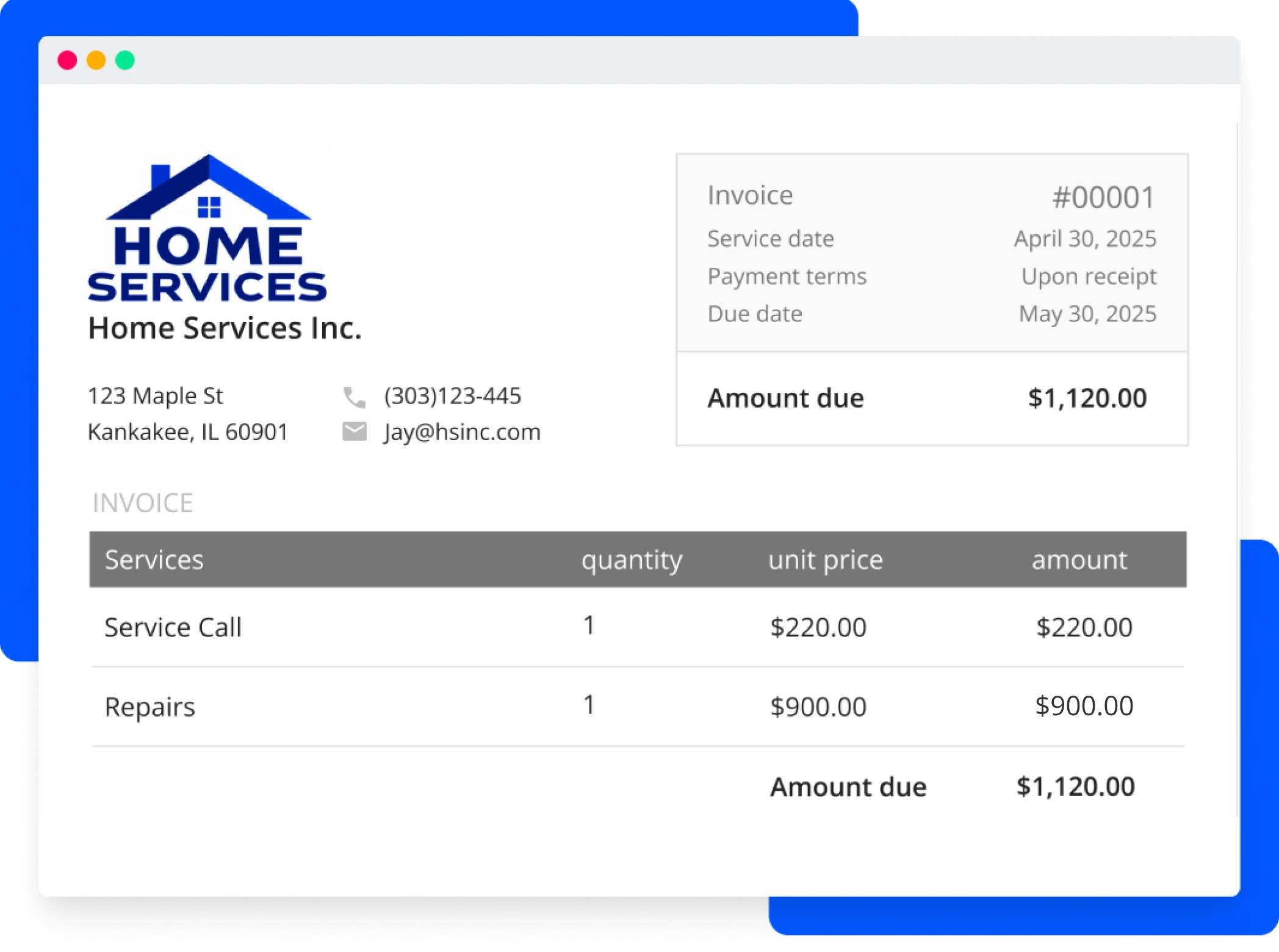
HVAC Microsoft Office invoice template

A Microsoft Word HVAC invoice template is used by HVAC professionals to bill clients. This template allows a client to review the services purchased along with the rates. This document helps your client understand what and when to pay your HVAC company. This document can be eliminated if the company decides to use an HVAC billing software for their client invoicing.

Download Template

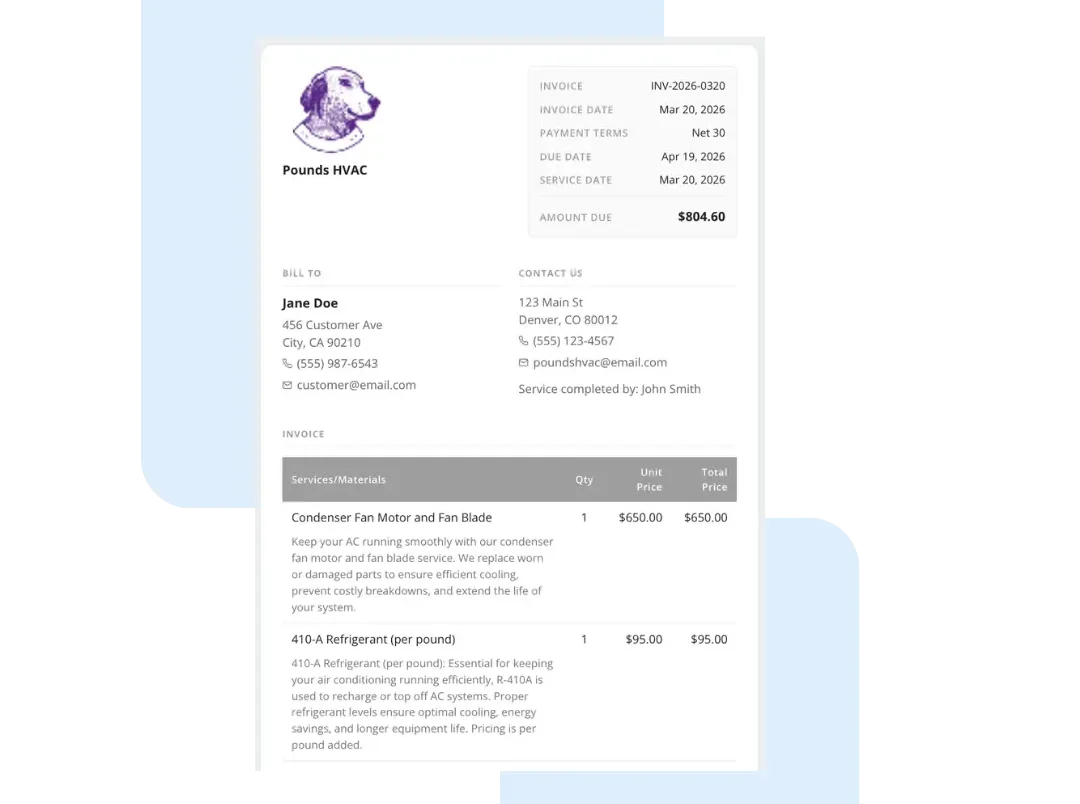
Microsoft Word HVAC invoice example

The standard fields for a Microsoft Word HVAC invoice template include:

Microsoft Word HVAC invoice template download

Fill out the form below and download this free template to start using for your business today.

Get In Touch: 858-251-9751

Download HVAC Microsoft Office invoice template

Are you a Sherwin Williams Pro?

By clicking ‘Download Now’ you agree to our Terms of Service (including the mandatory arbitration provision) and you acknowledge you have read our Privacy Policy. You also consent to receive marketing calls or SMS messages relating to our business, including by automated dialer, pre-recorded voice, or AI-generated voice technology, to the number you provide, for marketing purposes. Consent to receive such communications is not a condition to using our services, and if you choose not to consent, you may join by calling 858-842-5746.

FREE TOOL

Invoice Generator

Create clear, professional invoices. Our free invoice generator helps you detail your services, look professional, and get paid faster.

Create a free invoice

Built to Save Time and Look Professional

Customizable: Personalize by adding your branding and customer information.

Easy to Use: Focus more on the job and less on paperwork. Simply fill in the blanks.

Print Ready: Download, print, and share your professional, auto-populated template.

Works Anywhere: Use the simple printable form at the office or on the jobsite.

GET PAID FASTER

A Pro’s Guide to Invoicing

Set Up Your Invoice

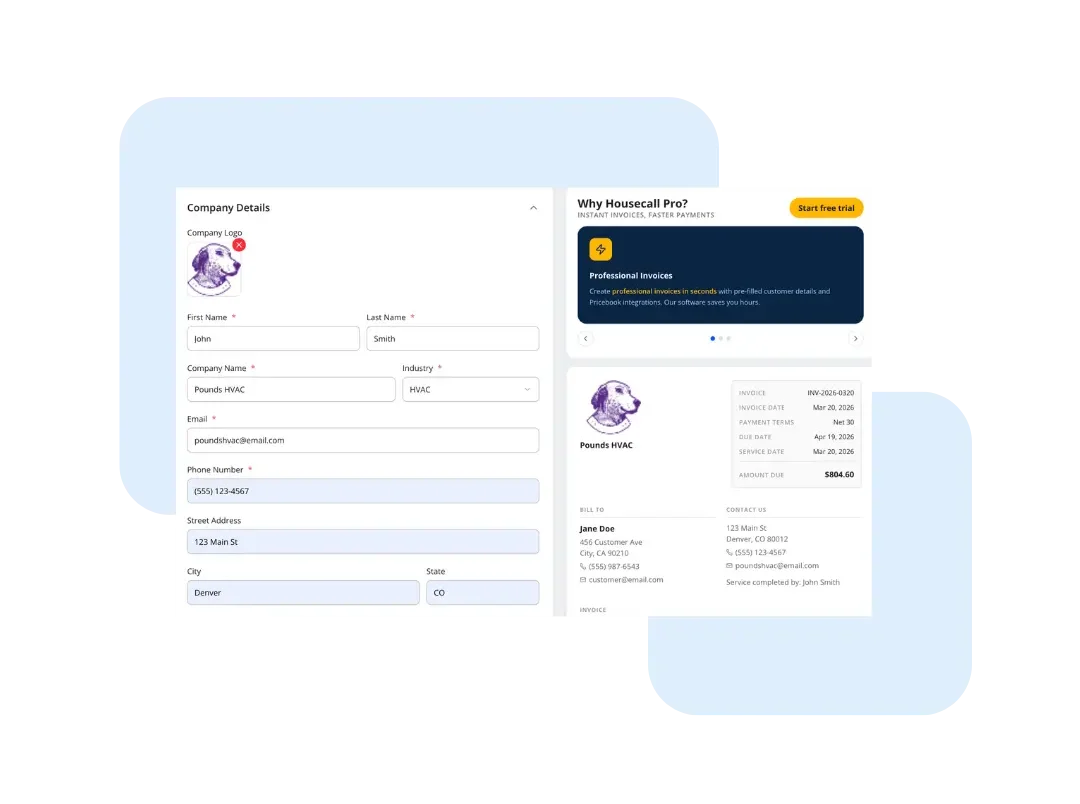
Brand Your Invoice Header

Fill in your company details (required info) and all the customer and service details.

  • Add your company logo, name, and contact details to establish your professional brand.

  • Fill in your client’s name and address for a clear job record.

  • Assign a unique Invoice #, Date, and Technician to the job for organized tracking. (Optional)
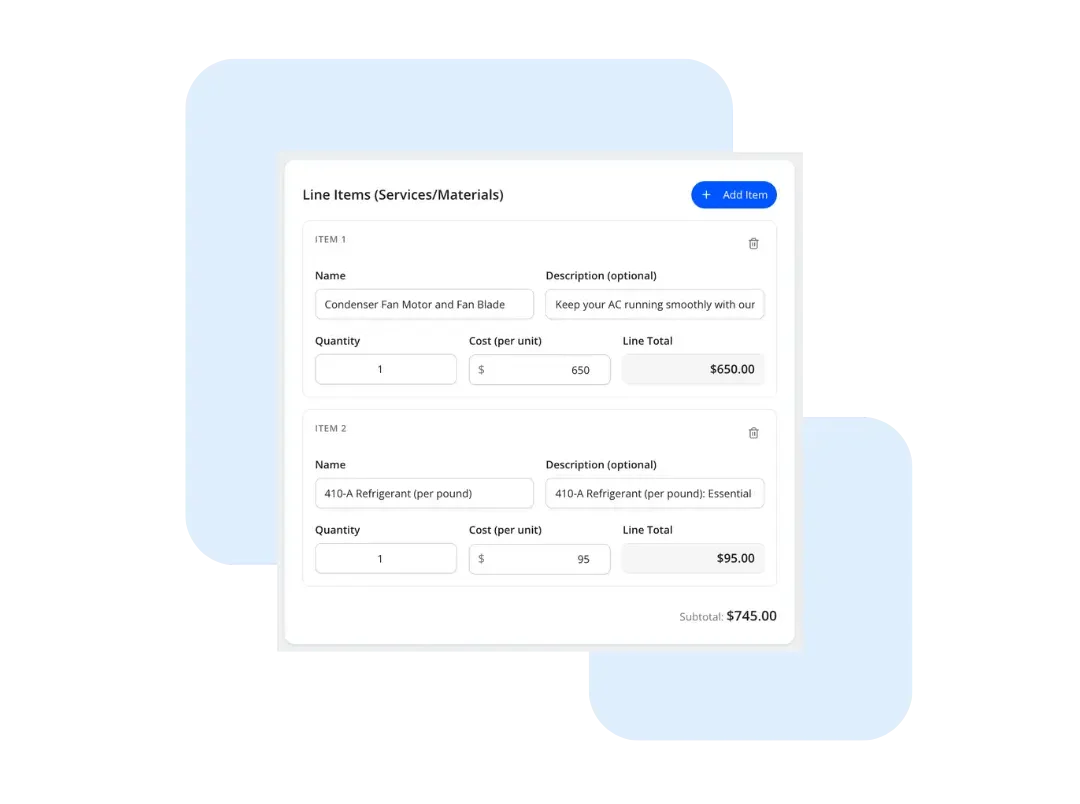
List Your Charges

Detail Your Work and Charges

Select your industry to generate sample line items of services and materials.

  • List each part and labor charge as a separate line. Hit “Add Item” to include additional line items.

  • Enter the QTY/HOURS and UNIT RATE for each item, and the template will auto-calculate the final AMOUNT.

  • This creates a clear, transparent bill that helps justify your total price and builds customer trust.

Finalize and Send

Set Taxes and Get the Final Total

Enter Tax Rate (%) wherever required. Then, click the “Download PDF” tab to review the final, professional document before sending it.

  • Enter your local Tax Rate (%) in the summary section of the invoice.

  • The template automatically calculates the Tax and final TOTAL based on your rate and taxable items.

  • Make sure to fill out your company details and click on “Download PDF” to save a copy for your customer.

Go Pro

Get Paid on the Spot

A template is a great start, but our software saves you hours. Stop manual entry and connect your business invoices to your scheduling and payments.

  • Create and send professional invoices from your phone or tablet before you even leave the customer’s driveway.

  • Accept credit card payments on the spot with a simple tap or by sending a secure online payment link.

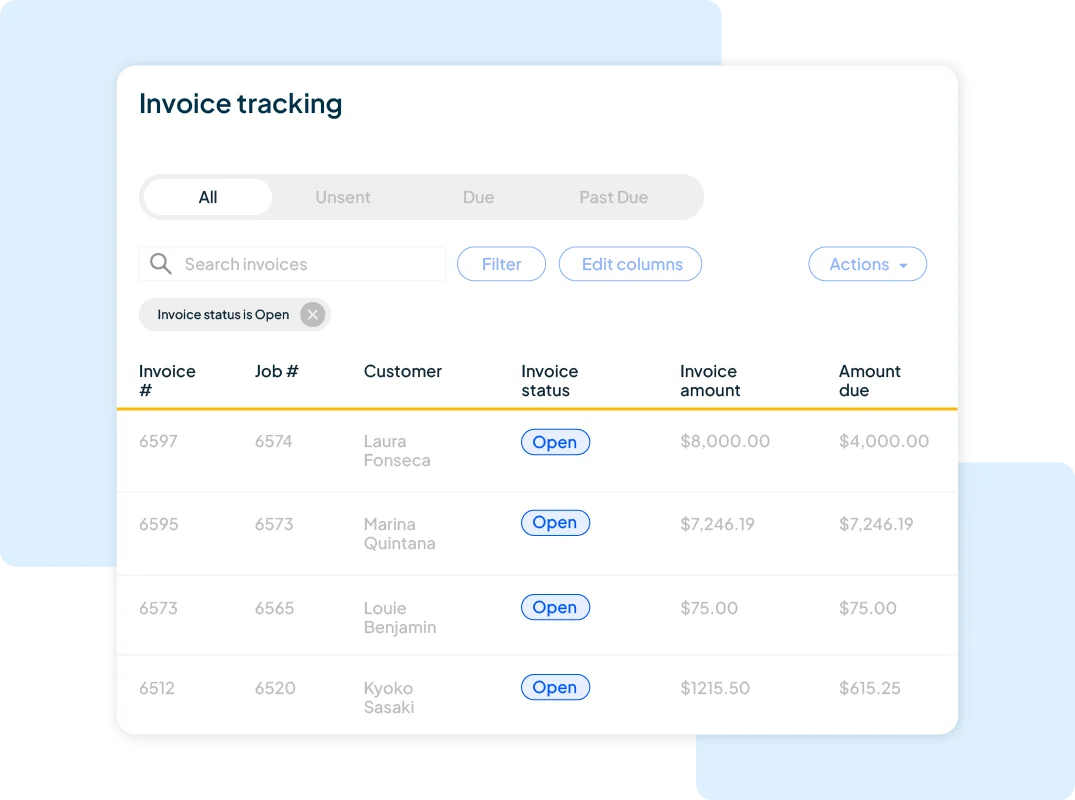
  • Track which invoices are open and send polite, professional reminders for any overdue payments.

Learn more about Invoicing link-arrow
Tools like this
are just the start
14-day free trial

Tools like this
are just the start

See how Housecall Pro works for you. No credit card required.

Frequently asked questions

What does a business invoice include?

An invoice typically includes your business name and contact info, client details, invoice number, date, itemized services or products, total amount due, and payment terms.

Why should I use a business invoice generator?

Using our generator ensures that all necessary billing information is included, helps maintain consistency, and presents a professional image to clients. It also saves time and reduces the likelihood of errors.

How can I customize the business invoice?

You can customize the template by adding your company’s logo, adjusting the layout, and including specific details relevant to your services.

What are the benefits of using the business invoice generator?

Benefits include improved accuracy in billing, a professional appearance, time savings, and the ability to easily track and manage invoices. It also helps in maintaining clear records for accounting purposes.You can customize the template by adding your company’s logo, adjusting the layout, and including specific details relevant to your services.

Can I customize this invoice?

Yes. Using our generator, you can tailor the layout, logo, terms, and fields to match your business needs.

How often should I send invoices?

Invoices should be sent immediately after goods are delivered or services are completed. Alternatively, you should follow the specific billing schedule you have previously agreed upon with your customers to maintain consistency and professional trust.

Share a few details to get your invoice.
Are you a Sherwin Williams Pro?

By clicking 'Get My Invoice' you agree to our Terms of Service (including the mandatory arbitration provision) and you acknowledge you have read our Privacy Policy. You also consent to receive marketing calls or SMS messages relating to our business, including by automated dialer, pre-recorded voice, or AI-generated voice technology, to the number you provide, for marketing purposes. Consent to receive such communications is not a condition to using our services, and if you choose not to consent, you may join by calling 858-842-5746.