
Want to see your potential revenue?
See what businesses like yours earn with Housecall Pro in 1 - 2 minutes.
Plumbing work rarely gives you the luxury of a slow day. Emergencies don’t wait, jobs stack up fast, and customers expect clear, professional billing every time. A clear plumbing invoice keeps work moving smoothly by answer the questions customers care about most: what went wrong, how you fixed it, and what’s owed.
This guide covers different types of plumbing invoices and when to use them, what details to include, and a step-by-step process your entire team can follow. You’ll also learn how to streamline invoicing with software to save time and create professional, accurate invoices every time.
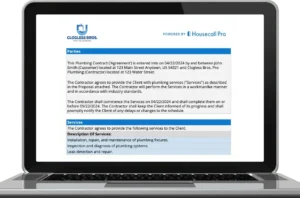
→ To get started quickly, download our free plumbing invoice template with customizable branding and built-in formulas for calculations.
Key takeaways
Plumbing invoices work best when they’re simple, transparent, and consistent.
Use a standard template: Keep formatting consistent and make invoices easy for your team to follow.
Include essential invoice fields: Add customer info, invoice number, itemized services, totals, taxes, and payment terms.
Pick the right invoice type: Use standard, itemized, deposit, or recurring invoices based on the job.
Send invoices immediately after service: Same-day plumbing invoices are paid significantly faster.
Avoid common plumbing invoicing mistakes: Don’t skip details, use vague descriptions, or rely on manual pricing.
Automate with plumbing invoice software: Use tools like Housecall Pro to standardize invoice numbers, pricing, and line items.
Table of contents
Types of plumbing invoices and when to use them
Plumbing businesses commonly use flat-rate pricing, but invoices still come in different formats depending on the job. The invoice type you choose affects how clearly costs are communicated, how easily customers approve charges, and how clean your records stay across emergency calls, installations, and ongoing service work.
- Standard invoice: Used for quick repairs like leak fixes, drain unclogs, toilet repairs, or valve replacements. Most often reflects one flat-rate service selected from a price book.
- Itemized invoice: Breaks down multi-step or higher-cost jobs such as repipes, sewer replacements, water heater installations, or fixture upgrades. Each line item typically represents a flat-rate service or approved add-on, not billable hours.
- Deposit invoice: Collects partial payment upfront for jobs like tankless water heater installs, excavation, or special-order fixtures. Protects you from spending money on materials before work begins.
- Recurring maintenance invoice: Used for ongoing services, like commercial accounts, service agreements, or rental properties. Simplifies billing for repeat work.
→ Pro tip: Use our plumbing price book to maintain consistent pricing across jobs.
What should a plumbing invoice include?
A complete plumbing invoice answers three things clearly: what service was performed, how pricing was calculated, and how the customer can pay. Using the same core fields every time helps prevent missed details during busy weeks and speeds up payments.
- Heading information: Include your business name, logo, contractor license, and contact details.
- Customer details: Add the client’s name, service address, billing address, and preferred contact method.
- Unique invoice number and date: Assign a sequential invoice number and include the date to track jobs, stay organized, and simplify accounting.
- Itemized services and costs: List each charge—labor, diagnostic fees, fixtures, fittings, materials, equipment.
- Subtotal and taxes: Show pre-tax totals and any city/state taxes that apply.
- Total amount due: Display the final balance after discounts or promotions.
- Payment terms: Include clear due dates, accepted payment types, and late-fee policies.
- Notes: Use this space for any additional details like model numbers, warranties, or future recommendations.
→ Pro tip: Attach photos directly to invoices using Housecall Pro’s mobile invoicing. Visual documentation helps customers understand repairs and reduces disputes.
Get In Touch: 858-842-5746
Let us earn your trust
On average, Pros increase monthly revenue generated through Housecall Pro by more than 35% after their first year.
See plan options and feature breakdown on our pricing page.
Plumbing invoice example
Seeing a real plumbing invoice example makes it easier to understand how services, add-ons, and totals should appear. This sample reflects how many professional plumbing companies invoice today.
Plumbing invoice sample
Business Name: FlowRight Plumbing Solutions
Address: 455 Market Street, Denver, CO
Phone: (720) 555-0192
License: MP-123456
Invoice Number: #004287
Date: March 8, 2025
Customer:
Laura Chen
1284 Ridgeview Lane
Denver, CO 80209
Job description: Kitchen sink leak. Diagnosed worn P-trap and corrosion on the tailpiece. Customer approved base repair plus additional component replacement.
Itemized services and costs
- Kitchen sink leak repair–standard flat rate: $189 (Includes diagnosis, labor, and standard materials)
- Tailpiece replacement: $42
- Corrosion protection fittings: $28
Subtotal: $259
Tax (7.75%): $20.07
Total due: $279.07
Payment terms: Due upon receipt via card, ACH, or online payment link.
Notes: 1-year warranty on installed parts. Recommend full drain cleaning if clogs return.
Tips for writing plumbing invoices
Clear invoices get paid faster. These best practices help reduce customer questions and improve approval speed.
- Use a consistent invoice template: Customers learn what to expect.
- Add your branding: Licensed and branded invoices reinforce professionalism.
- Send invoices right after the job: Invoices sent same-day get paid 2.5× faster on average
- Write clear service descriptions: Use service-based language, not internal labor notes. Plain language reduces confusion.
- Offer multiple payment options: Use Housecall Pro to accept ACH, card, online pay, and financing.
- Include due dates and totals: Prevents delayed payments caused by unclear expectations.
- Follow up on unpaid invoices: Housecall Pro’s automated reminders save hours each week.
Common plumbing invoice mistakes and how to avoid them
Most invoicing issues come from unclear pricing or inconsistent processes. Here’s how to avoid the most common problems:
- Sending invoices late: Waiting too long to bill clients delays payments and creates extra back-and-forth. Housecall Pro lets you send invoices right from the job site so you get paid faster.
- Using unclear line items: Vague descriptions of labor or parts can confuse customers and lead to disputes. Break down every service, part, and hour so clients know exactly what they’re paying for.
- Breaking flat-rate jobs into hourly labor: This can conflict with upfront pricing and lead to disputes.
- Pricing inconsistently: Manually entering rates can result in errors or differences between techs. Use Housecall Pro’s price book to ensure consistent pricing across all jobs.
- Writing invoices by hand: Paper forms are easy to misplace and prone to mistakes. Digital invoices from Housecall Pro are simple to send, track, and store, keeping your records organized.
- Missing payment terms: Leaving out due dates or accepted payment methods can delay payments. Always include clear terms so clients know when and how to pay.
- Making tax errors: Mistakes in tax calculations can create accounting headaches. Verify your tax settings in your software to make sure totals are correct.
- Not following up on overdue bills: Failing to remind customers about late payments can hurt cash flow. Housecall Pro automatically sends reminders so you don’t have to chase every overdue invoice.
→ Want tips to set competitive, profitable pricing? Learn more in our plumbing pricing guide.
How to create a plumbing invoice process
A simple, repeatable invoice process helps your team stay on the same page and avoid messy billing mistakes. Follow these steps to make sure every invoice is accurate, professional, and easy for your customers to understand.
- Create a standard invoice template: Start with a clean plumbing invoice form that includes all necessary fields. A consistent template keeps invoices accurate and easy to follow, even during busy weeks.
- Train your team: Teach your techs how to document tasks, add parts, attach photos, and communicate clearly with customers. Consistent practices reduce disputes and improve client satisfaction.
- Set clear payment terms: Define due dates, accepted payment types, and late-fee policies upfront. Clear terms prevent confusion and help protect your cash flow.
- Use plumbing invoice software: Housecall Pro lets you create invoices on-site, pull items from your price book, attach photos, and accept payments immediately to save time and admin work.
- Review open invoices weekly: Regularly checking open invoices helps you catch missing details, unresolved jobs, or unpaid balances before they become issues.
How Housecall Pro’s plumbing invoice software can help
Handling plumbing invoices manually takes valuable time—especially when your day is packed with emergency calls, repairs, and installations. Every hour spent fixing handwritten invoices, chasing payments, or updating job details is time you’re not earning revenue. Housecall Pro streamlines your entire invoicing workflow so you can create accurate invoices, collect payment faster, and keep your finances clean without extra admin work.
With our plumbing software, you can:
- Create and store digital plumbing invoices: Build invoices from reusable templates and save them directly in each customer’s profile. All job history, parts, fixtures, and service notes stay organized for future visits.
- Invoice customers on-site before leaving the job: Generate invoices instantly using preset pricing, job notes, and photos. Sending the invoice while you’re still on the property reduces questions and speeds up payment.
- Automate reminders for overdue invoices: Housecall Pro follows up for you with automatic text and email reminders. This keeps your cash flow steady without manual outreach or uncomfortable conversations.
- Sync invoices with estimates, job costing, and the plumbing price book: Convert estimates into invoices with one tap. Pricing stays consistent, taxes populate automatically, and job costing tools help you understand true profitability.
- Collect payments anywhere: Accept credit cards, ACH, or online payment links on-site or remotely. Faster payments mean fewer outstanding invoices and less time reconciling accounts.
- Track invoice statuses in real time: See unpaid, overdue, and completed invoices at a glance so nothing gets forgotten and your books stay accurate.
Housecall Pro centralizes jobs, estimates, invoices, and payments to keep your operations running smoothly. Start your free 14-day trial today.
FAQ
-
What is a plumbing invoice?
-
A plumbing invoice lists labor, materials, fixtures, taxes, and service charges for a plumbing job. It serves as the customer’s official bill.
-
What should be included in a plumbing service invoice?
-
Labor, diagnostic notes, fixture details, materials, warranties, subtotal, taxes, total due, and payment terms.
-
Are there free plumbing invoice templates?
-
Yes. Housecall Pro offers a free downloadable plumbing invoice template, along with automated invoice forms within the mobile app.