Want to see your potential revenue?
See what businesses like yours earn with Housecall Pro in 1 - 2 minutes.
You know your lawn care or landscaping business needs a website. But figuring out what to include—and how to make it actually bring in work—can feel overwhelming
In this guide, we’ll break down how to build a lawn or landscaping website that’s simple to set up, easy to manage, and designed to turn visitors into booked jobs. You’ll learn which pages you actually need, what features matter most, and straightforward design and writing tips you can use right away.
Want a faster start? Download Housecall Pro’s small business website template and customize it by adding your branding and customer details.
Key takeaways
Here’s a quick look at what matters most when building your lawn or landscaping website:
Focus on local searches: Create pages for your services and the cities you serve so nearby homeowners can find you online.
Make contact easy: Add a “Book Now” button and your phone number to the top of every page.
Keep branding consistent: Use the same logo, colors, and brand voice across every page so your business feels familiar and professional.
Design for mobile: Make sure your site loads fast and is easy to navigate on a phone, where most homeowners search.
Table of contents
- What every lawn care or landscaping website should include
- Lawn care and landscaping website design tips
- Lawn care and landscaping website examples for inspiration
- Should you hire a web designer or do it yourself?
- How to optimize your lawn or landscaping website for SEO
- Common lawn care and landscaping website mistakes to avoid
- How Housecall Pro helps your website convert visitors into customers
What every lawn care or landscaping website should include
You don’t need a complex or expensive site to win work online. You need a clear, easy-to-understand website that answers three questions: Who are you? What do you do? And how do I hire you?
Focus on these must‑have elements that make it easy for homeowners to trust you and get in touch.
Want to skip the setup?
1. Clear contact info and CTAs
Don’t make customers hunt for a way to hire you. A clear call to action (CTA) can be the difference between booking a customer and losing them to a competitor. This can be a button or in-text message; either way, it tells people what to do next.
Remember these CTA and contact form best practices:
- Show your phone number and work hours in the header and footer so they’re always visible.
- Add a floating click-to-call button that stays in view as visitors scroll.
- Feature a “Book now,” “Request service,” or “Get a free quote” button on your homepage and service pages.
- Use online booking so customers can schedule services anytime—even after hours.
2. Service area pages
Create dedicated pages for each location you serve. Instead of only saying “landscaping,” use clear phrases like “weed control in Denver” so search engines—and homeowners—know exactly where you work.
Brian Vastola, founder of MRB Marketing, finds that showing up in search results delivers strong long-term value for home service businesses. “It’s not a quick fix, but once you’ve built a strong foundation—like service pages, city pages, and a well-optimized Google Business Profile—it becomes a consistent source of high-quality leads.”
Vastola reported a 50% increase in leads after creating city pages for a client’s service area: “It’s a time investment, but the ROI is undeniable.”
Pro tip: Add local trust signals, like a map of your service area or reviews from nearby customers, to show homeowners you truly know their area.
3. About page
About 80% of customers research local businesses online each week, and the “about” page is one of the first places they click. That’s why it’s important to use this page to build trust. It should answer, “Who are you, and why should I trust you with my yard?”
You can:
- Share why you started your business and who you serve.
- Highlight values like reliability, fast response times, or quality work.
- Add real photos of your team so visitors see the people behind the business.
- List licenses, insurance, and certifications that help customers trust you.
Pro tip: Keep digital copies of your license, certifications, and insurance in Housecall Pro’s so they’re easy to access for website updates or commercial clients.
4. Reviews and testimonials
Reviews from happy customers are more powerful than any sales pitch, so make them visible across your site.
Use reviews strategically by:
- Displaying top reviews on your home page and service pages.
- Showing star ratings, short quotes, and Google or Yelp badges.
- Pairing video testimonials with before-and-after photos to show real results.
Use review management software like Housecall Pro to automatically send customers a review link after you finish a job—saving time and helping you collect more reviews.
5. Professional images
Stock photos look generic. Real photos of your crew, branded trucks, and completed projects prove you’re a legitimate, active business.
Follow these tips to make the most of your site’s imagery:
- Show your face: People prefer hiring teams they can see.
- Stay consistent with your brand colors and style.
- Master before-and-after photos by shooting from the same angle and lighting every time.
6. Clear, helpful website copy
Homeowners want to know you’re reliable, safe, and easy to work with. Instead of just listing services, answer the questions they’re already thinking about.
A simple tip: Read competitor reviews to spot complaints like “never showed up,” then write copy that shows how you do better.
Aim to:
- Keep paragraphs short and easy to scan.
- Use plain language that sounds like how you talk to customers.
- Use bullet points and clear headings so answers are easy to find.
Pro tip: Layout matters as much as wording. Over 62% of global web traffic happens on mobile, so your content should be readable on small screens without pinching or zooming.
7. Blog or resource section
Helpful articles show homeowners you know your stuff—even before they’re ready to book. This content also helps you rank on Google for more search terms, making your website more visible.
Good content ideas include:
- Answers to common questions customers ask on calls or job sites.
- Seasonal lawn care tips and checklists.
- Simple guides comparing DIY vs. professional services.
Link each article to a relevant service or booking page, and always end with a clear next step like “Request a quote” or “Book now.”
Get In Touch: 858-842-5746
Let us earn your trust
On average, Pros increase monthly revenue generated through Housecall Pro by more than 35% after their first year.
See plan options and feature breakdown on our pricing page.
Lawn care and landscaping website design tips
Good design makes your site feel modern, fast, and easy to use, even on a phone. Follow these best practices:
- Prioritize speed: Compress photos so pages load in under three seconds; longer load times will drive visitors away.
- Use a clean layout: Stick to simple sections and clear headings so people and search engines can easily understand your content.
- Keep branding consistent: Use the same colors, fonts, and tone on every page so your business feels cohesive and recognizable.
- Design for mobile: Make buttons large and phone numbers clickable on mobile.
- Implement on‑page SEO: Use tools like Google Keyword Planner or SEMrush to find terms homeowners are already searching for and build helpful content around them.
- Support accessibility: Choose readable fonts, high contrast, clear navigation, and descriptive image labels—also know as alt text—so everyone can use your site comfortably.
Before you launch, test your site on multiple phones to make sure calling, booking, and scrolling feel effortless.
Lawn care and landscaping website examples for inspiration
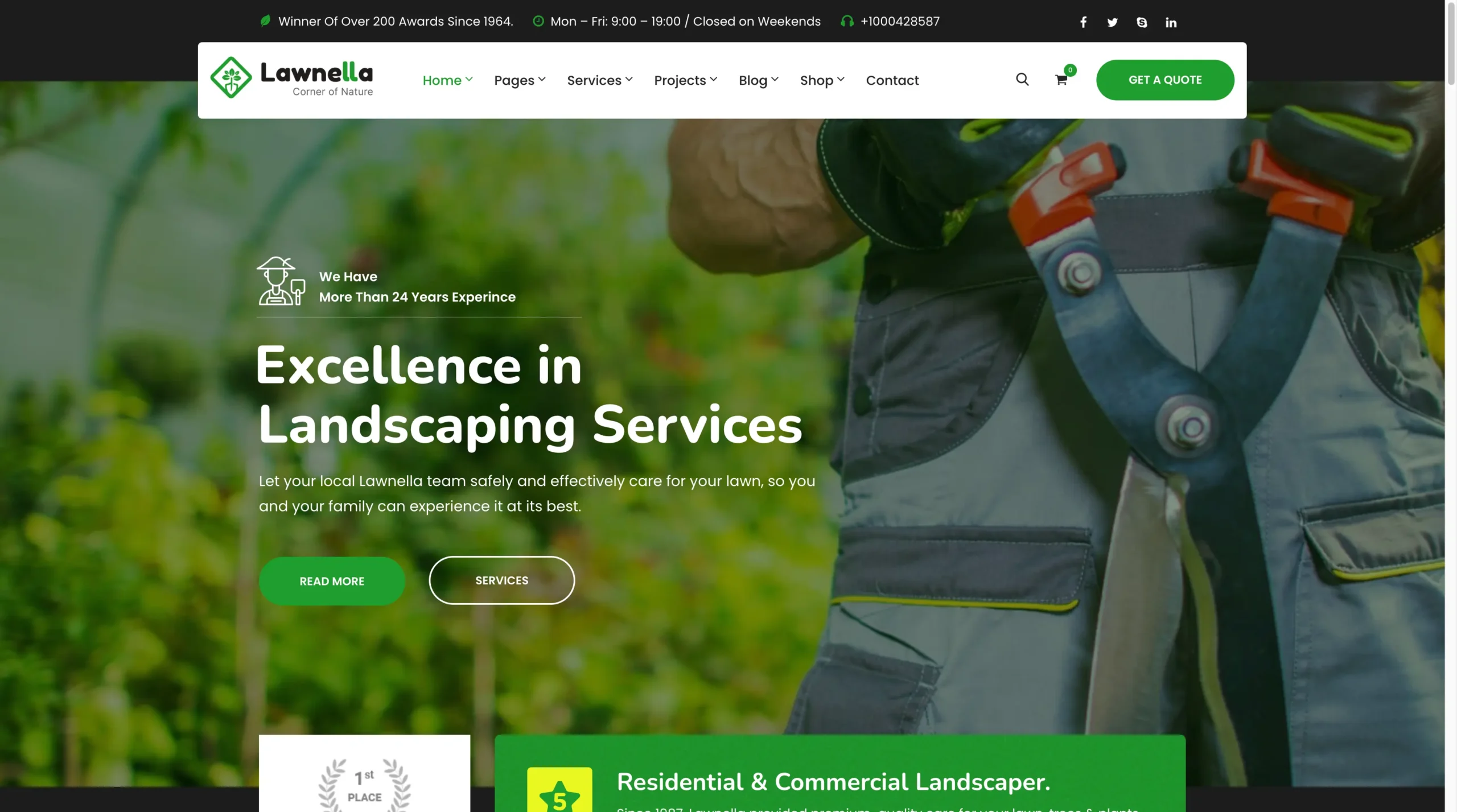
These lawn care and landscaping sites show what works in the real world. Each one uses clear messaging, strong trust signals, and easy ways to get in touch.
1. Ehlinger Lawn Care

Ehlinger Lawn Care’s homepage highlights its core services without clutter. Navigation is simple, and there’s a customer portal so clients can manage accounts, payments, and history online.
The takeaway: Use a clean layout that supports easy navigation and makes your core services instantly visible.
2. American Landscape
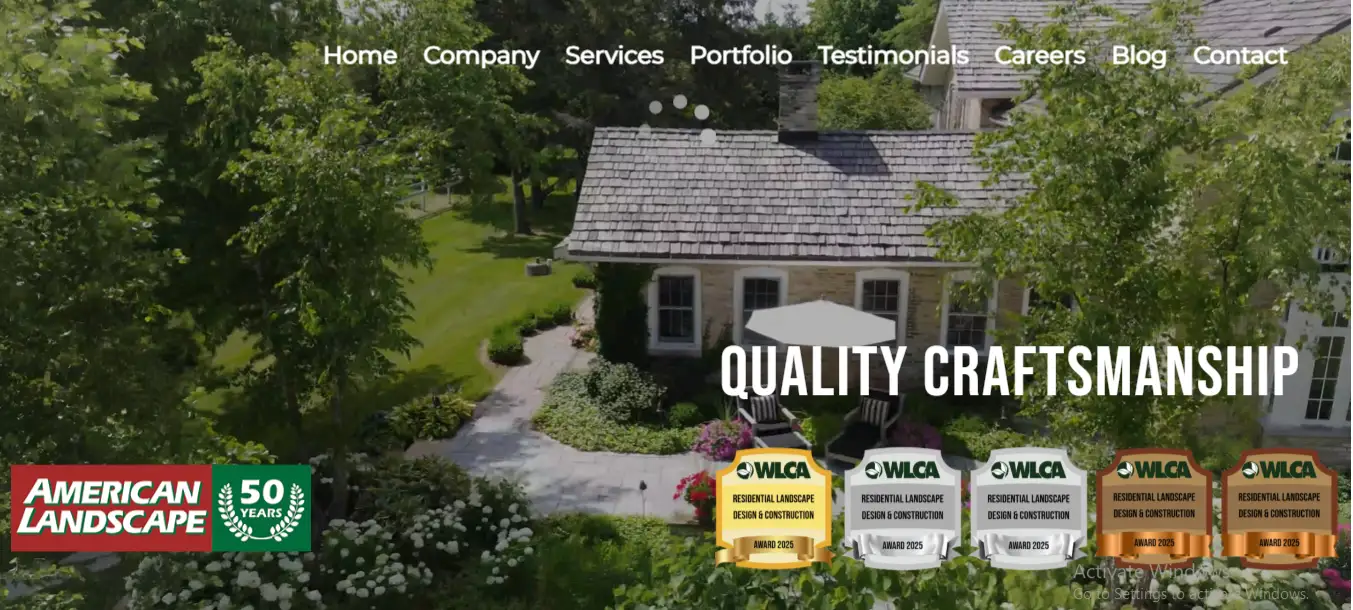
The American Landscape homepage shows off the company’s experience by noting that it’s been in business for 50 years and showcasing recent awards. The homepage also features Google reviews and links to its Google Business Profile.
Instead of a still image on the main page, American Landscape uses a video of a well-manicured lawn in its service area to highlight quality craftsmanship and design.
The takeaway: Highlight years in business, awards, and visuals from real projects to show credibility.
3. The Lawn Company (TLC)
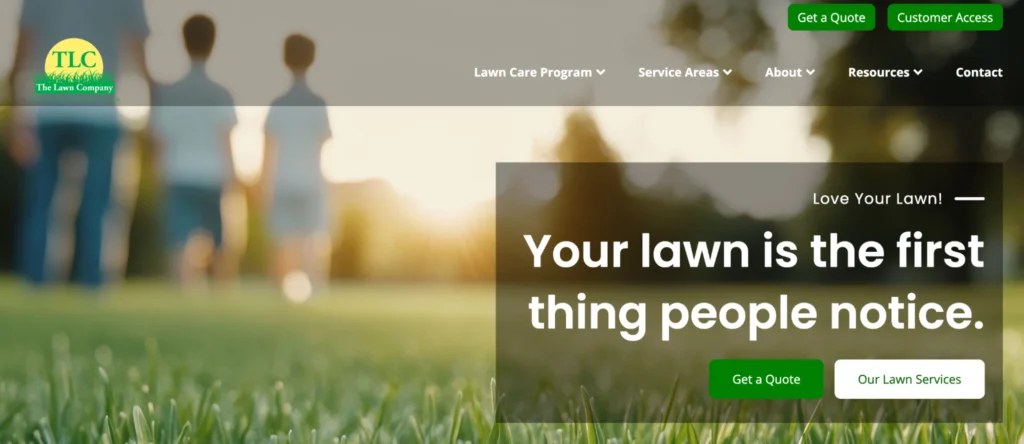
The Lawn Company features a search box where visitors can enter their ZIP code to find their local branch. But the website’s most powerful trust factor is in the footer, where the company prominently displays its strong service guarantee on every page.
The takeaway: If you offer a guarantee or “risk-free” promise (like a refund option), place it where visitors can see it from anywhere on the site.
4. Lush Lawn
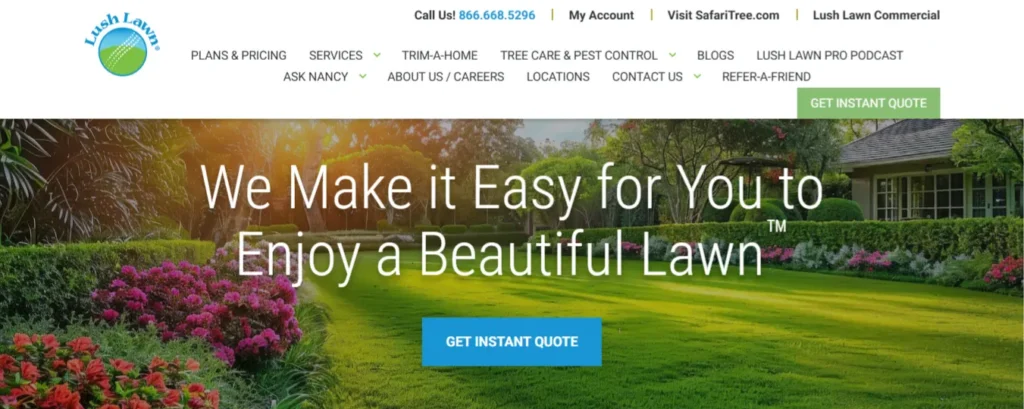
Lush Lawn stands out for publishing transparent package pricing on a dedicated page, which clearly outlines its four lawn care plans and their respective costs. Homeowners can also request an in‑person quote from an agent by submitting a custom estimate form.
The takeaway: Transparent pricing helps set expectations and builds trust, even if you blend packages with custom quotes.
5. Ruppert Landscape
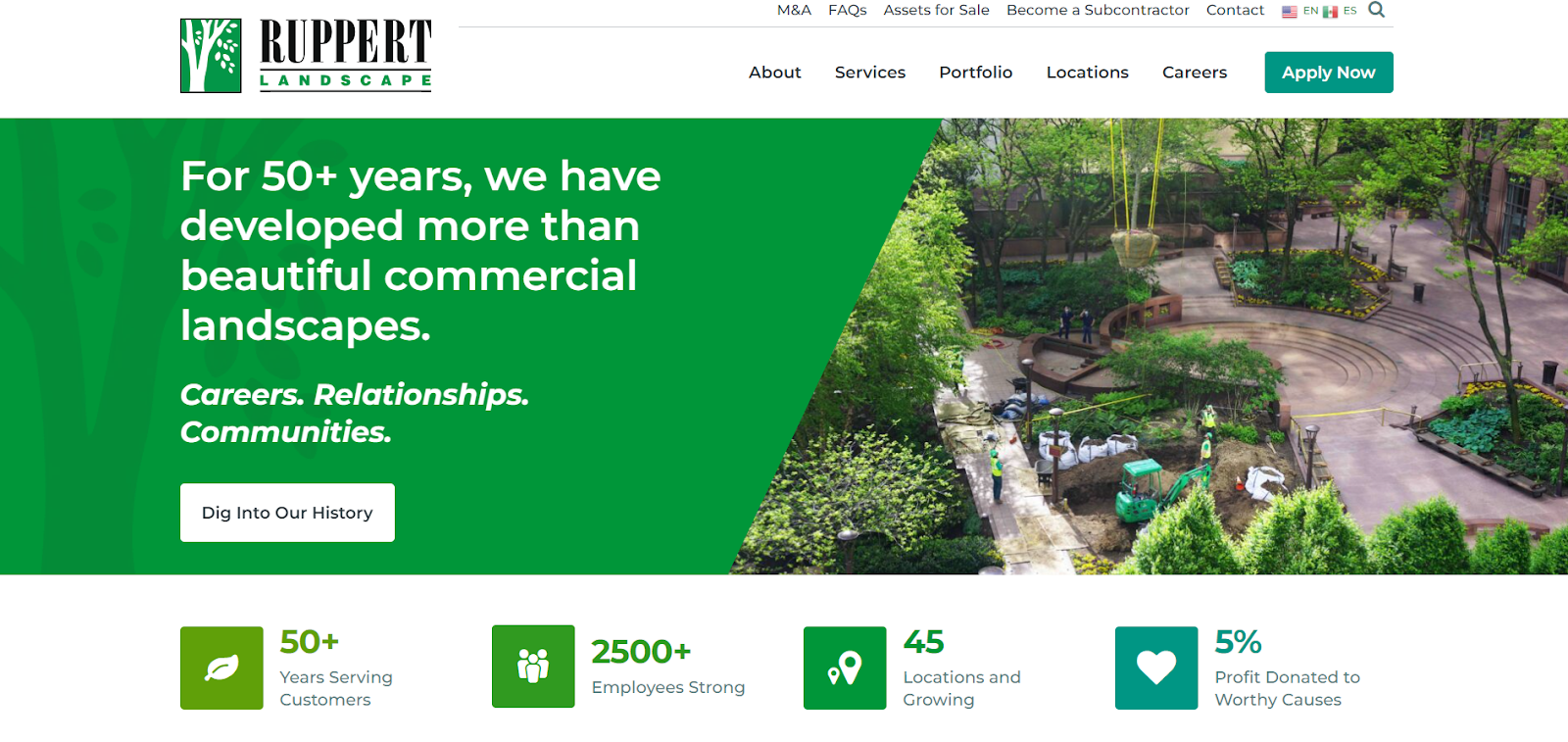
Ruppert Landscape’s site uses a clean, modern layout to immediately establish credibility. The homepage highlights 50 years of experience alongside real project imagery and clear stats about team size and nationwide reach—all presented in an easy-to-scan format.
The takeaway: Lead with experience and scale using simple visuals and quick facts that build trust fast.
6. Pacific Outdoor Living
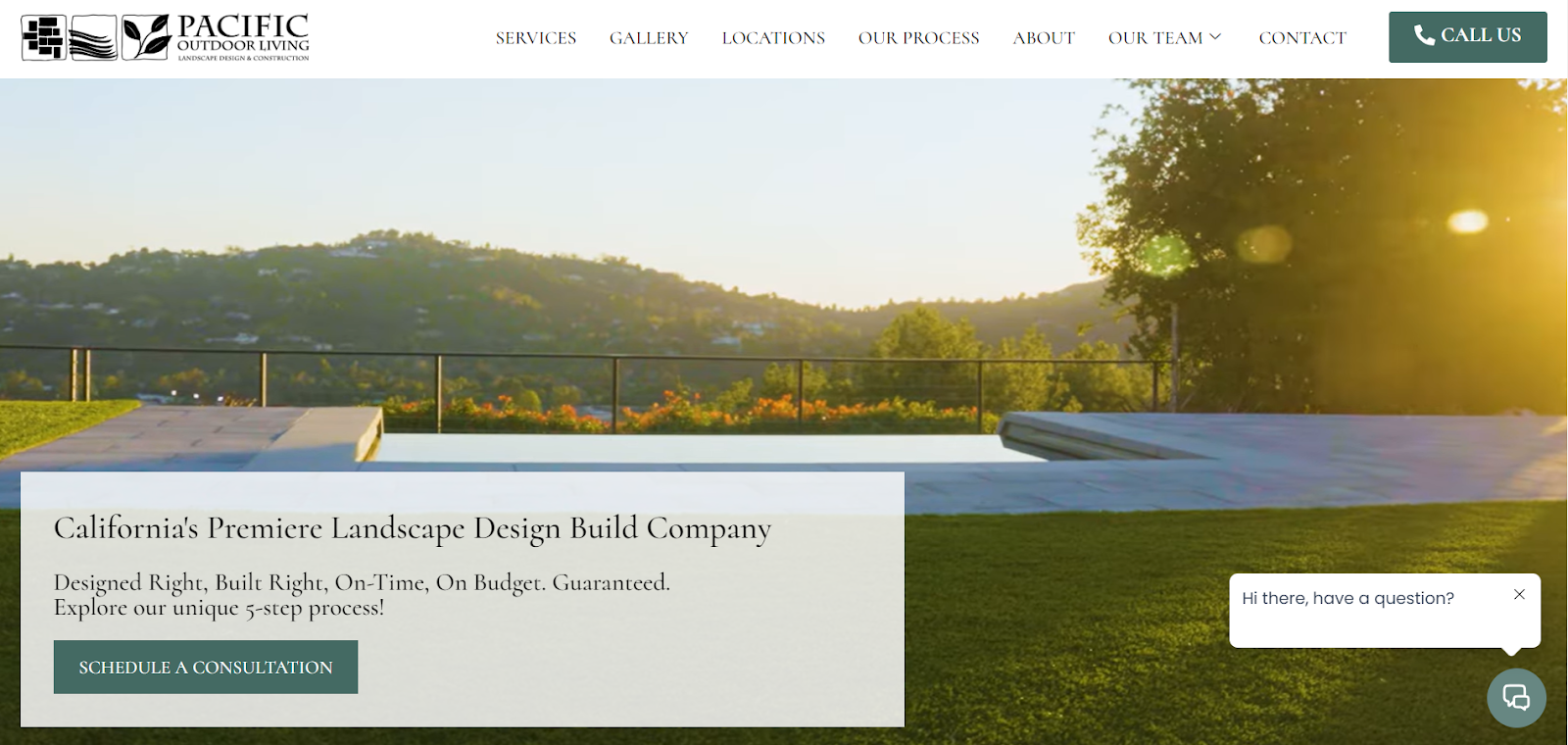
Pacific Outdoor Living uses high-quality project videos to immerse visitors in its design style and show real outcomes. The homepage pairs bold visuals with a clear “Schedule a Consultation” CTA and an easy-to-find phone link.
The takeaway: Use video and clear next steps to help homeowners visualize results and take action confidently.
7. Nova Landscape & Design
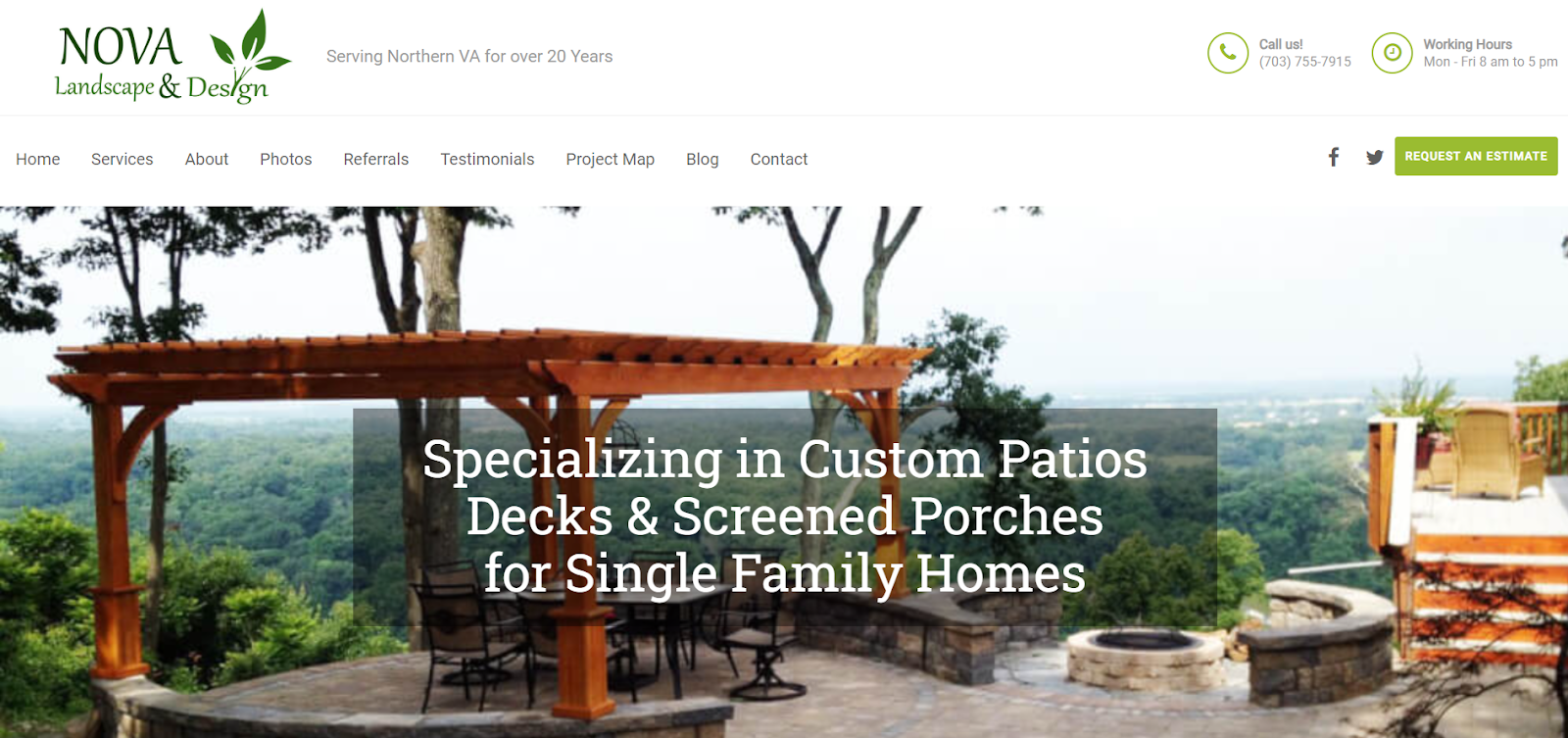
Nova Landscape & Design‘s homepage focuses on what it does best—custom patio design—supported by strong imagery and two clear CTAs to request an estimate or get in touch. It also lists service areas across Northern Virginia to attract local leads.
8. Huntergreen
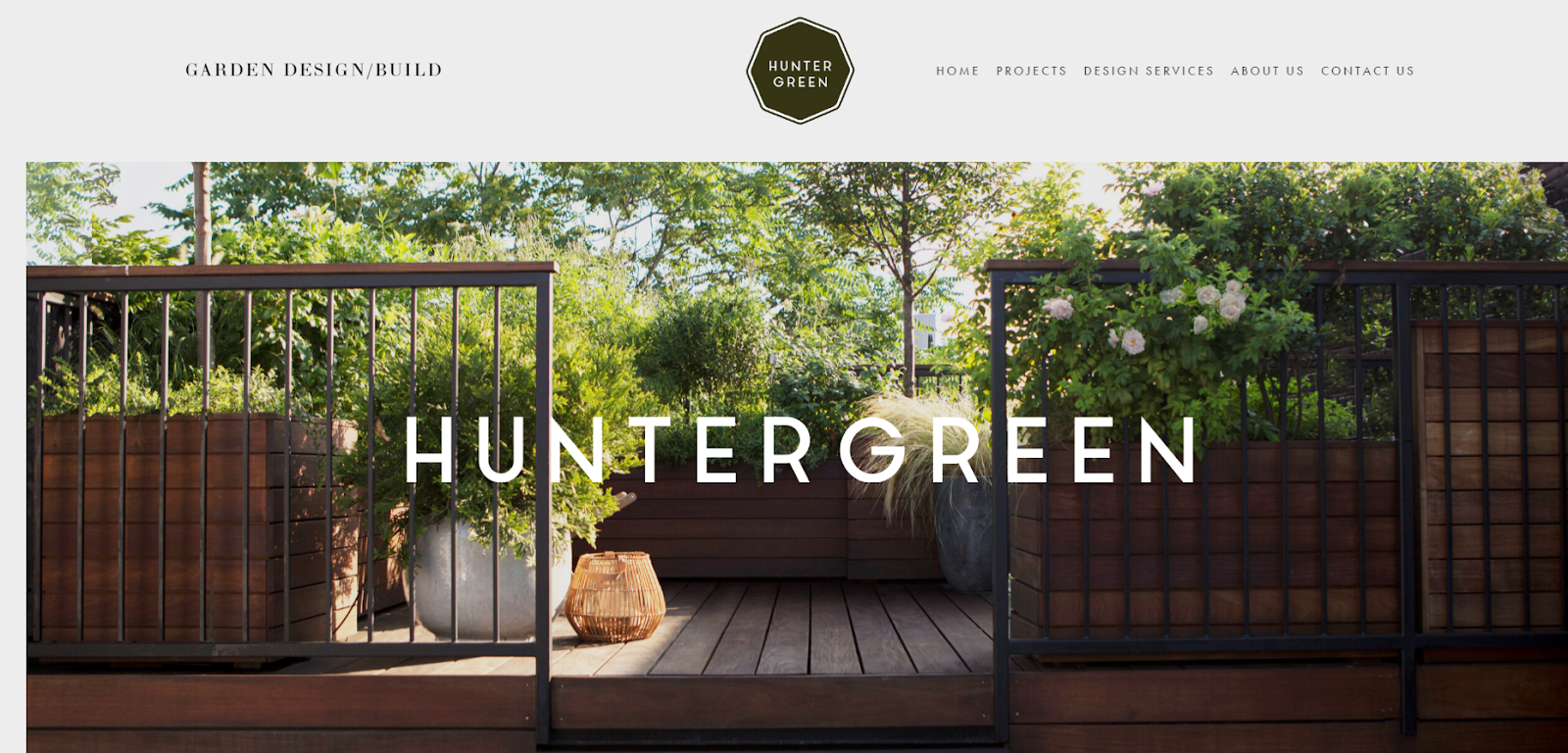
Huntergreen’s website creates a calm, high-end feel through elegant imagery and plenty of white space. Clear navigation and a detailed Contact page make it easy for visitors to explore and reach out.
The takeaway: A clean, uncluttered design keeps visitors engaged and makes your brand feel more premium.
9. Southview Design
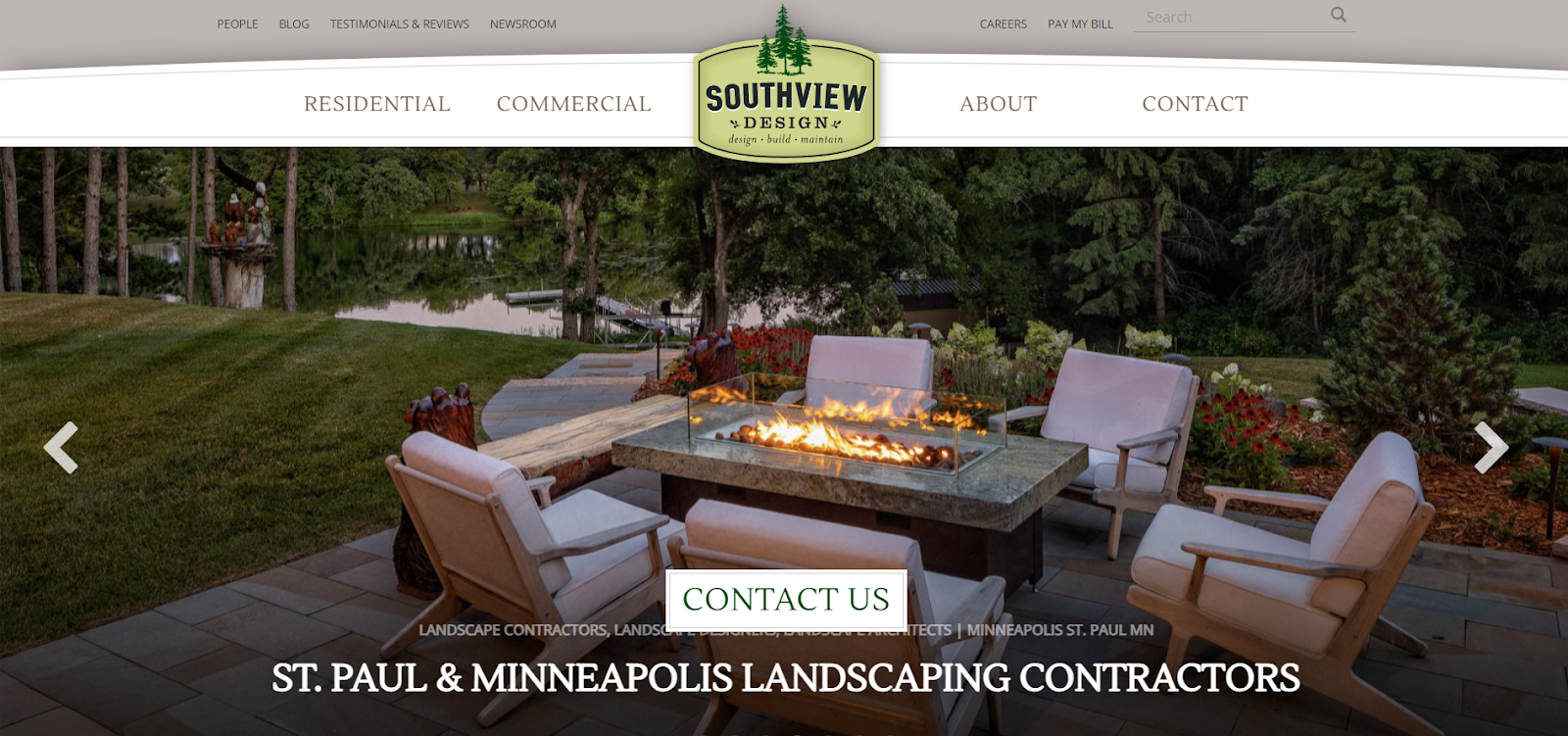
Southview Design relies on striking photography to showcase its work, using an image carousel to highlight its portfolio. The site clearly separates residential and commercial services and explains its design-build process, backed by press features for added credibility.
The takeaway: Let strong visuals and a clear process do the selling for you.
10. Lawns & Palms
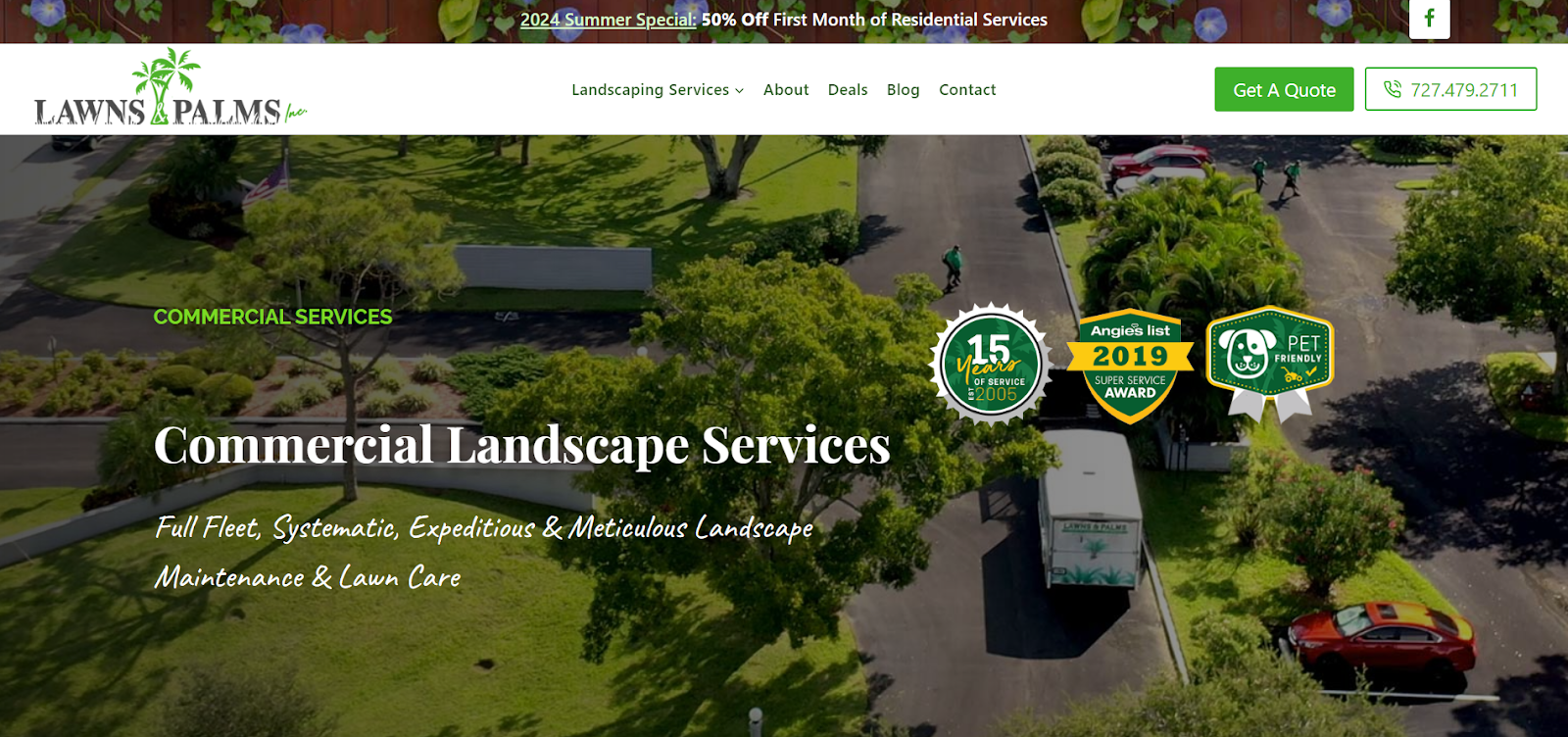
Lawns & Palms uses bite-sized highlights to showcase experience and awards, paired with a dropdown service menu for quick navigation. Each service page includes portfolios and detailed descriptions, with contact options always visible.
The takeaway: Make it easy to explore services and reach out from any page.
11. Avanti Landscaping
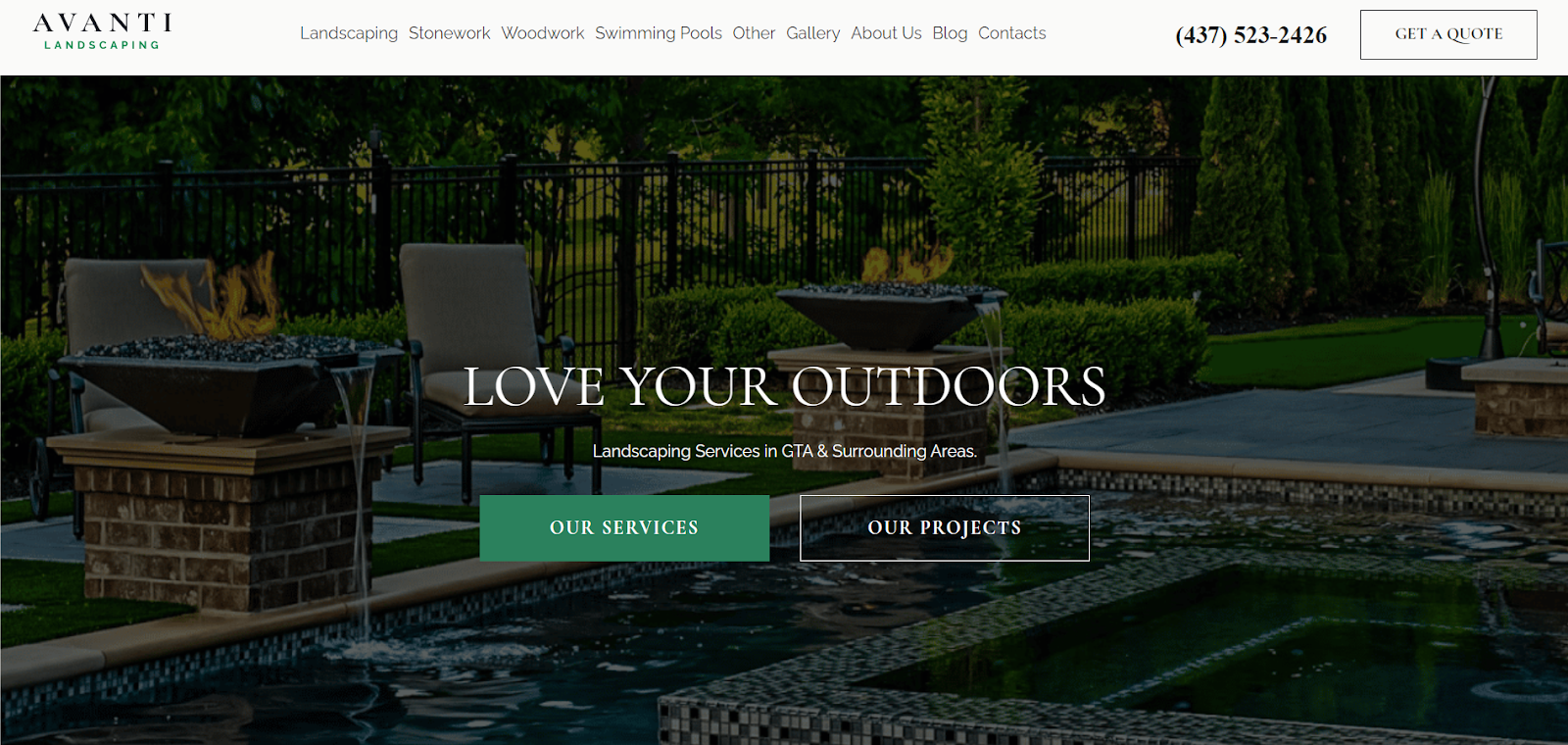
Avanti’s professional layout balances text and imagery, with clear buttons for “Our Services” and “Our Projects.” Easy navigation, phone access, and a friendly chatbot make contacting the team simple.
The takeaway: Offer multiple contact options to meet visitors where they’re most comfortable.
12. Pearl Landscaping & Patio
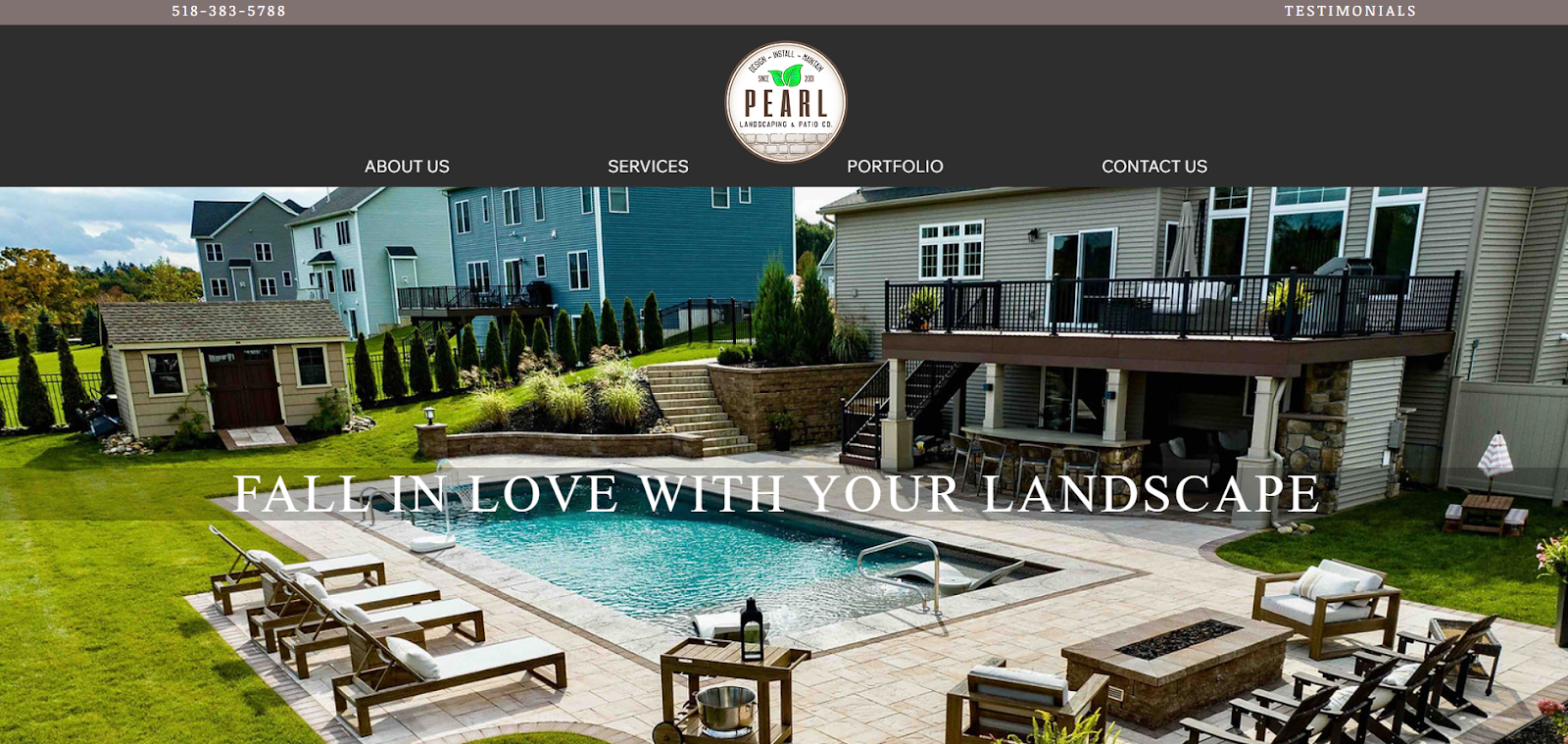
Pearl’s darker color scheme sets it apart while still feeling polished. The site showcases detailed portfolios, including blueprints and before-and-after photos, and explains its process for each service.
The takeaway: Showing how you work builds confidence, not just showing what you’ve done.
Should you hire a web designer or do it yourself?
You have two paths to get your lawn care or landscaping website live: build it yourself or hire a professional designer. The right choice depends on your budget, timeline, and the level of hands‑on control you want.
DIY
Website builders like WordPress, Wix, or Squarespace let you create a professional site without coding skills. They have prebuilt templates and designs, so all you have to do is choose a style and fill in the blanks. This option is if you want to save money, move fast, and don’t mind investing time in building and maintaining a site.
| Pros | Cons |
| Has little to no upfront cost | Requires time to learn customization |
| Is beginner-friendly | Requires handling maintenance and updates |
| Offers prebuilt templates for a quick launch | May look similar to other businesses that use the same builder |
| Eliminates reliance on a developer for small changes | Takes time away from work |
Professional design
A web designer or agency handles everything from layout to launch, often tailoring the site to your exact brand and needs. This is a good pick if you want something custom and don’t have time to work on it yourself.
| Pros | Cons |
| Is fully customizable to your brand and target market | Is more expensive than DIY ($1,000+) |
| Saves time so you can focus on your business | Gives you less control over future changes |
| Offers professional polish and mobile optimization | Quality can vary by designer or agency |
Pro tip: Start with a DIY website builder if you’re just testing the waters, then hire a designer once you see the site driving leads and want to stand out more.
How to optimize your lawn or landscaping website for SEO
Search engines need clear signals about what services you offer and what areas you serve so they can show your website to the right homeowners. Search engine optimization (SEO) simply means helping your website show up when people search online.
Follow these home services SEO basics to show up more often online and attract visitors when they’re ready to book.
Keywords (what people type into Google)
Go beyond basic service area terms like “lawn care near me.” Research the phrases homeowners actually type when they have a yard problem, a seasonal need, or a question.
Target example terms like:
- “Weed control services in [city]”
- “Cheap landscaping company in [neighborhood]”
- “Weekly lawn care provider in [state]”
- “What does landscaping involve?”
These longer phrases, called long‑tail keywords, help you reach new customers looking for exactly what you offer.
Local SEO
Local SEO helps you rank for searches like “landscaping company near me,” even without a city name.
Try these tips:
- Optimize your Google Business Profile with photos, service descriptions, and a link to your website.
- Create dedicated service area pages for each city or neighborhood you cover on your website.
- Keep your business name, address, and phone number (NAP) consistent across the web.
Internal links
Internal linking simply means connecting one page of your website to another. Think of it like building roads between houses: if a page on your website has no links pointing to it, Google can’t find it, and neither can your customers.
Here’s how to get it right:
- Link to your most visited pages: Your homepage should link directly to your main service pages (like “Lawn Mowing” or “Hardscaping”).
- Keep visitors moving: Link back to relevant services in your blog posts. For example, if you write a post about yard prep for winter, link the text “sprinkler blowout” to your Irrigation page.
Common lawn care and landscaping website mistakes to avoid
Small website issues can mean lost customers. If visitors aren’t converting into leads, check for these common pitfalls:
- Hidden contact info: If visitors can’t figure out how to contact you, they leave. Place your phone number and “Book Now” button in the header and make sure they stay visible as users scroll.
- Unprofessional visuals: Cluttered layouts and stock photos hurt trust. Use a clean design with real, high-quality images of your crew and trucks.
- Weak CTAs: Every page should guide visitors to a specific step, like “Get a Free Quote” or “Book Service.”
- Slow site speed: Large images slow down your site and frustrate users. Compress every photo to ensure pages load in under three seconds.
- No tracking: Without data, you’re guessing. Set up analytics to see which pages actually drive revenue and where you lose potential customers.
How Housecall Pro helps your website convert visitors into customers
Housecall Pro’s lawn and landscaping business software integrates with your site to help you capture leads and book jobs faster.
Here are a few ways Housecall Pro can support your business website:
- Online booking: Add a “Book now” button so homeowners can schedule 24/7. These sync with your calendar so you can book jobs while you sleep.
- Automatic review requests: Forget manual follow-up. Send automatic review requests right after each job to grow your reputation effortlessly.
- Advanced reporting: See which pages drive calls, form submissions, and bookings so you can double down on what works.
- Quick follow‑ups: Automatic SMS/email keeps leads warm, even after hours, so nothing falls through the cracks.
Ready to turn clicks into booked jobs? Start your free 14-day trial of Housecall Pro today.