FREE DOWNLOAD
General Contractor Change Order Template
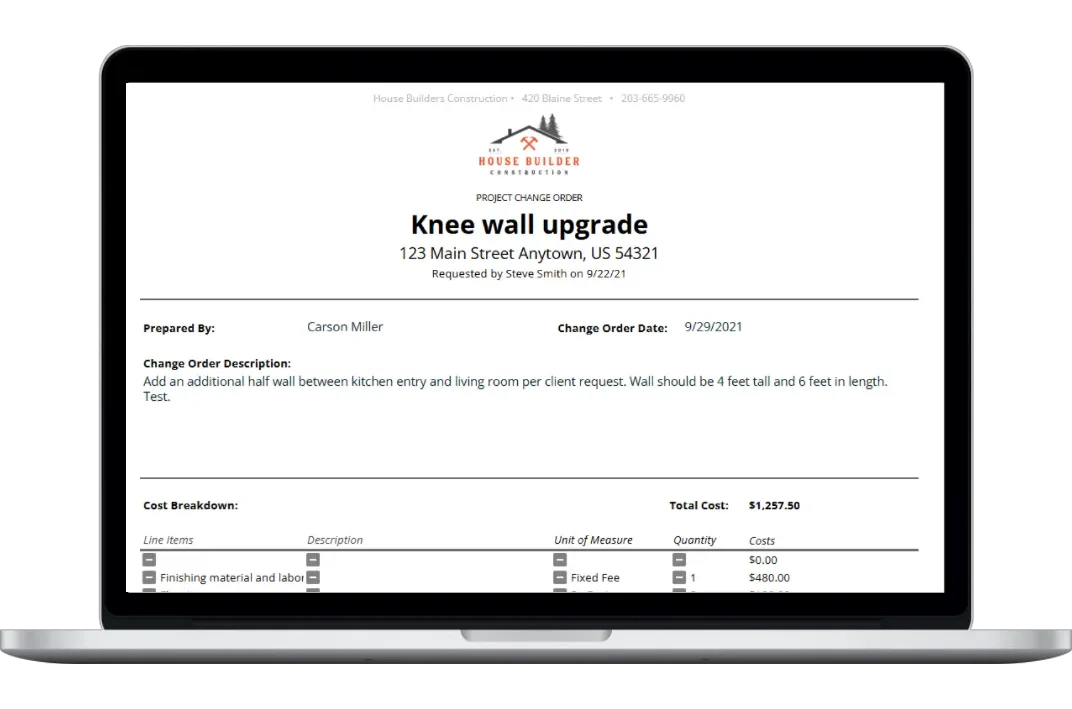
Create and print a change order form using Excel or Google Sheets in just minutes.
As part of our mission at Housecall Pro to help the construction industry build better, we created this free printable construction change order form template as a quick and easy way for home builders and remodelers to create and capture approval for changes during a project.
Here’s everything included with this free construction change order template
- A full set of step-by-step instructions that will guide you through every action
- Project and company input sheet to customize the form to your brand and company
- Itemized worksheet to account for every line item required in the scope of the change request
- Built-in formulas to generate unit and total costs with quantity and markup
- Detailed change order summary that is formatted for PDF download or print
- Signature blocks for easy change order approval and tracking
Create, Print, & Share Your Change Order in just minutes
This construction change order form for residential construction has been designed by as a quick and easy-to-use way to create a change order for your construction projects in a printable format and send it out for approval in minutes! It’s as easy as 1, 2, 3.
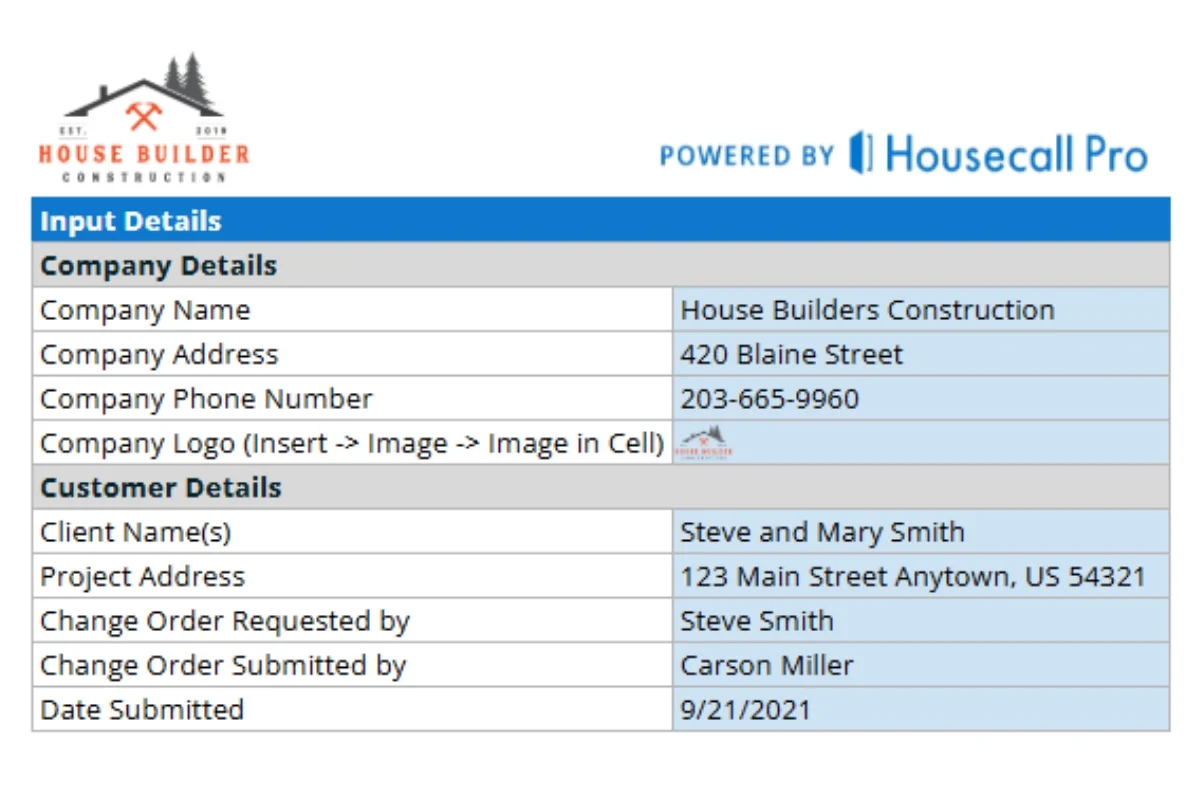
1. Personalize
Add your brand and customize the change order for each project and client you use it for.
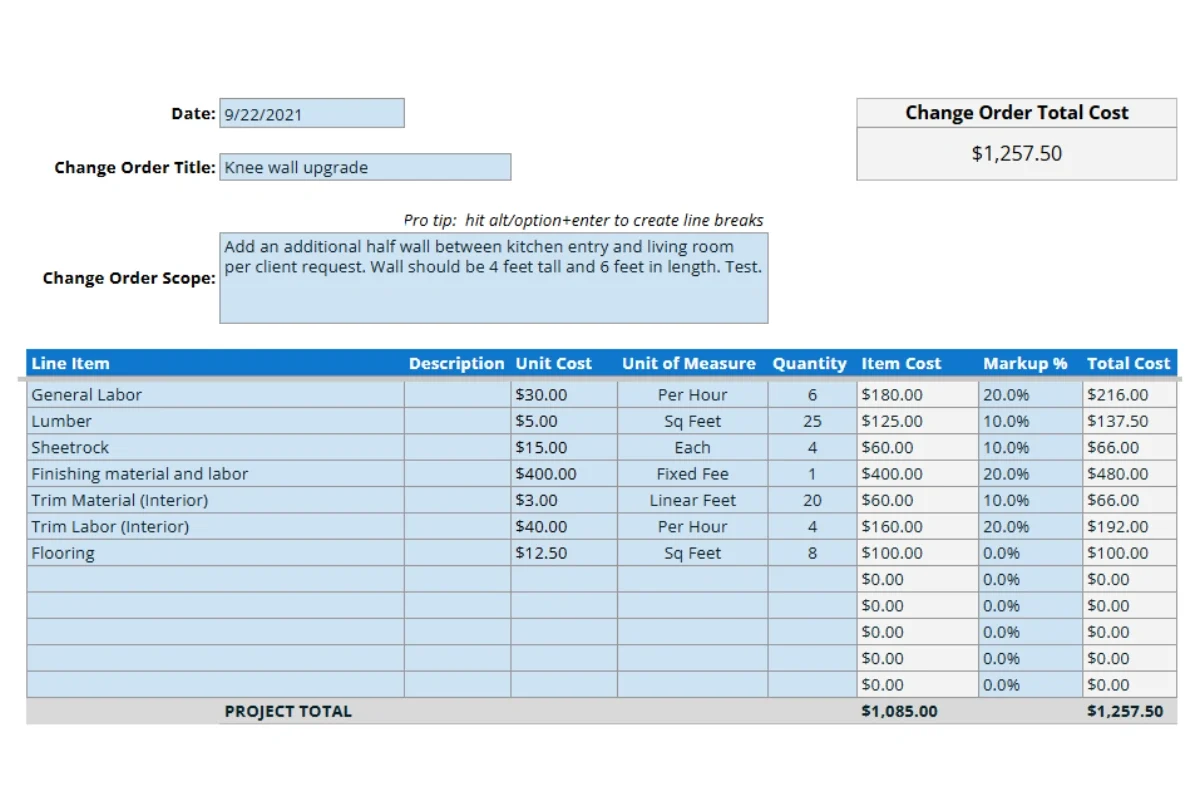
2. Create
Add a description and list out each line item with costs and the template will do the rest.
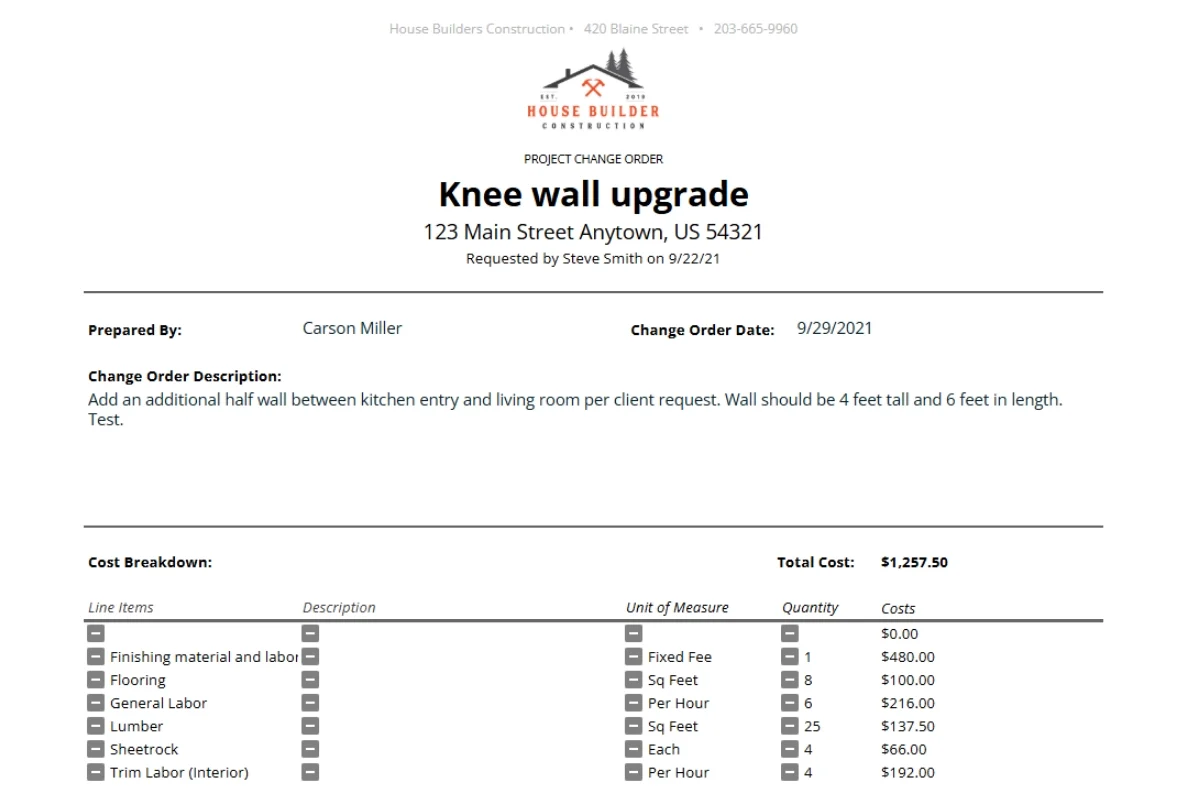
3. Print
Your change order is ready to be saved, printed, and shared for approval.
What is a construction change order?
A construction change order is a form that is used in construction to document, capture approval, and manage changes that are outside of the original scope of a construction project. Requests for change can be driven by a client – like a client who decides they want to make the master bedroom larger when the project is already underway. Or, they are driven by unforeseen factors during a project – like discovering the roof is leaking.
Changes typically impact the project budget and construction timeline. A change order helps to document the details of exactly what needs to be done, what it will cost, how long it will take, and who is responsible for payment. Approved change orders expand the project scope and become part of the original residential construction contract for the job.
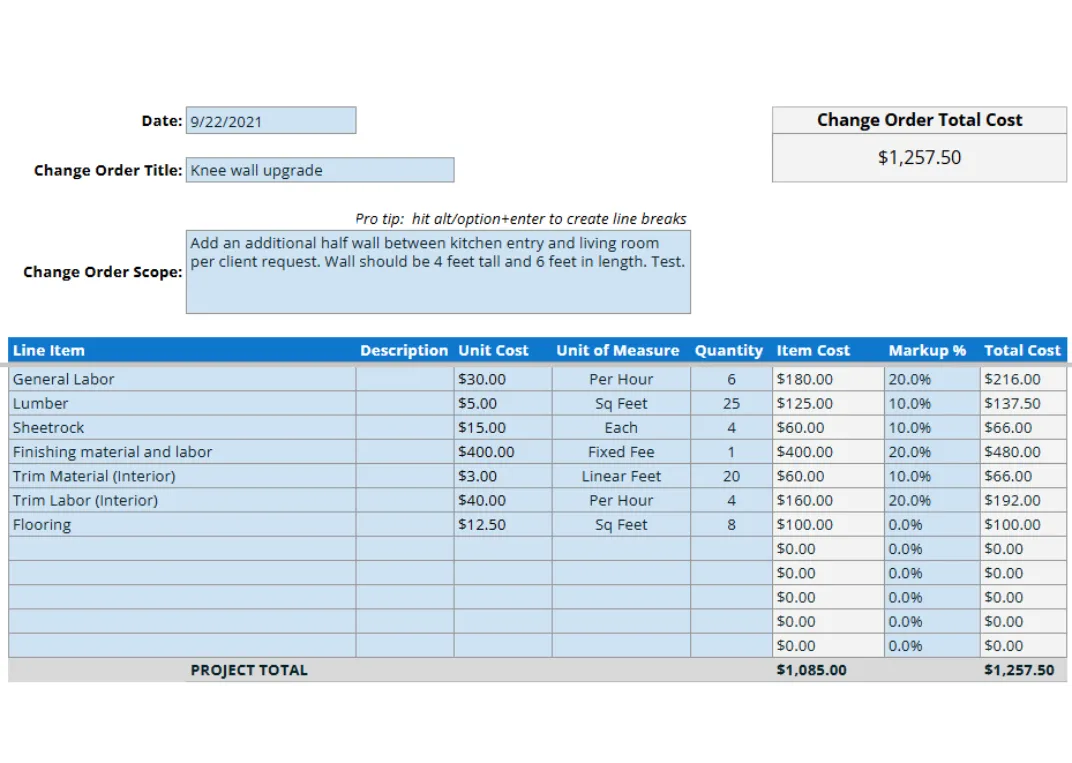
Change order example
Depending on the type of project, changes, and a variety of other factors, change orders can vary greatly on what they look like and what is included. The most basic items that a change order should cover are:
- Project and contact information.
- Relevant dates, such as the date the change order was requested and approved.
- Change request details, i.e. what the change is and why it’s being done.
- Cost breakdown of the changes including time, materials, tax, insurance, etc.
- Signature block, including the name, title, and date of those who need to approve the change.
Construction change order template: frequently asked questions
Who can initiate a change order?
Either party can raise the need — the client, the general contractor, a subcontractor, the architect, or an inspector. Regardless of who flags the issue, the general contractor typically prepares the formal document and routes it for the client’s approval.
Does a change order have to be in writing?
Yes. Verbal agreements are a leading cause of payment disputes in construction. Most contracts explicitly require a written, signed change order before any extra work begins, and many courts will not enforce unwritten changes against a homeowner.
What happens if work starts before the change order is signed?
The contractor assumes the financial risk. If the client later disputes the scope or cost, there may be no contractual basis to recover what was spent on labor and materials. Get the signature before breaking ground on the changed work — even when it slows the schedule down.
Should markup, overhead, and profit be included?
Yes. Change orders should carry the same overhead and profit margin built into the original contract — typically a fixed percentage on top of direct costs (often 10–20%, depending on the trade and region). To avoid pushback, spell out the markup structure in the original contract so the client knows what to expect.
How are change orders typically priced?
Three common approaches: lump sum (a fixed price for the full change), unit price (a set rate per square foot, linear foot, or fixture), or time and materials (actual labor hours plus material cost, often with a not-to-exceed cap so the client isn’t writing a blank check).
What's the difference between a change order and a construction change directive?
A change order requires both parties to sign before work proceeds. A construction change directive (CCD) is issued by the owner — usually through the architect — to direct the contractor to start the work while pricing and schedule impact are still being negotiated. CCDs are common when waiting would cause expensive delays.
Can a client refuse to sign a change order?
Yes. If the client refuses a change tied to their own request, that portion of work simply doesn’t proceed. If the change is driven by unforeseen conditions — concealed rot, code violations, soil issues — refusal usually triggers a renegotiation or, in some contracts, gives the contractor grounds to pause work or terminate.
What's a deductive change order?
A change order that reduces scope and lowers the contract price — for example, the client decides to skip a planned bathroom remodel partway through the project. The same documentation rules apply: write it up, price it out, and get it signed before stopping that portion of the work.
How long should change order records be kept?
At least as long as the original contract — usually 7–10 years, but check your state’s statute of limitations on construction defects and contract claims, since some run longer. Keeping signed copies in your project management software makes audits, warranty claims, and disputes far easier to handle later.
Hear from contractors already using our template
Some reviews mention Buildbook, a company acquired by Housecall Pro.